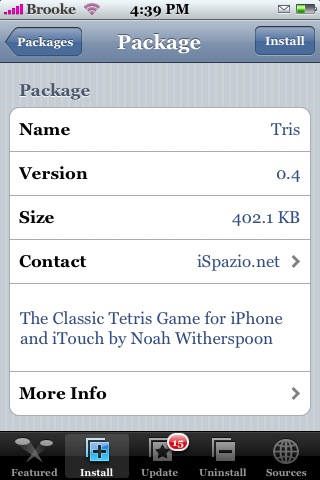
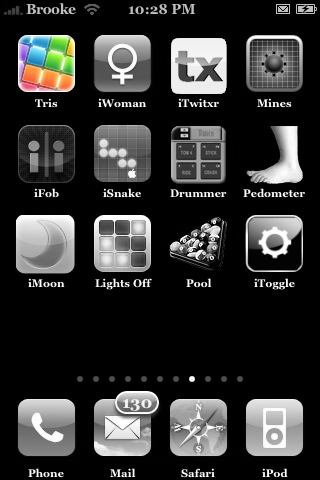
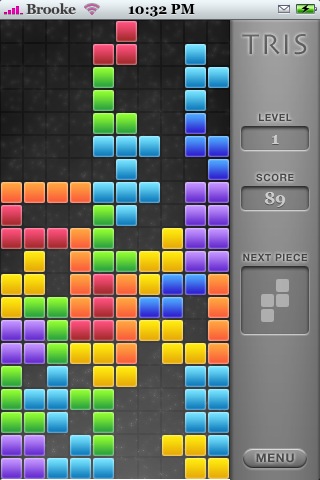
 Tris has been added to the Installer.app…it is available through the iSpazio source. The game looks and plays exactly the same, even the icon stayed the same…just an easier way to install it (through the Installer instead of manually). See THIS post for more info about the actual app itself. Below are the screenshots.

 Loading...


 Loading ...
Thats much easier thanks, But would you say its better the the other tetris game?
Tetris! is better becuase of the game mechanics. Easier and better to play.
Link:http://appleiphoneschool.com/category/tetris/
Isn’t the game supposed to end when all the block reach the top? Mine just keeps going… The blocks will stop coming, but if I press menu, or just pause the game in any way, and I come back, another block will fall. But the game never ends. Hence no high score, no game over. In fact, when I try to press high scores on the menu, nothing happens.
Yeah if you read the Tris overview, I mention that there are few glitches, high score button does not work and you can not lose.
Ah, well maybe not losing is a good thing for me ;-)
Gotcha, sorry for my ignorance. lol
hey brooke.
i manages to get my iphone, and mess it up in just 4 days. im so mad, i dont know what to do:S
How did you mess it up?
any way we can chat brooke? this isnt the place to talk about this. but basicly, screenshot app messed up my phone. i put videos of my iphone on you tube, my nickname is alexdlc69
I just had this problem. I will answer your question, but please next time post in the forums.
1. Open SSH, SFTP, iBrickr, iPhuc, or whatever else you use to gain access to your iPod and delete /Applications/Screenshot.app.
2. Reboot the iPod. You’ll notice the buttons still overlaid on the screen.
3. Open Installer and Uninstall Screenshop.app.
4. Reinstall Screenshot.app.
5. Open Screenshot.app and turn everything off. you should be all set. If you’d rather not deal with this in the future:
6. Open Installer and uninstall Screenshot.app.
Also ALWAYS turn off Screenshot before you turn off your Ipod/or just in case go to sleep.
version .5 is unreaaaaal
Is there a way to clear the high scores?