 |
Available In: Cydia |  |
Price: Free |
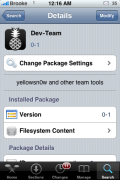
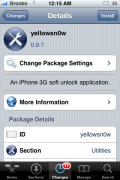
 Doug and I have noticed in recent days that the Dev Team’s repo, that we had manually added to Cydia, was not working and we were not able to download the newest version of yellowsn0w. Well, it seems that they have released a new source via Cydia. So, no more adding the source manually…just open Cydia and install the Dev-Team source package. When you install the source, you are then able to install the new version of yellowsn0w, 0.9.7, which is compatibly with the “pwned 2.2.1 system (not baseband). Again remember 0.9.7 yellowsn0w DOES NOT WORK WITH 2.2.1 (02.30.03) directly – you need to be running a ‘pwned’ version of 2.2.1 which didn’t upgrade the baseband during the restore/upgrade.”

 Loading...


 Loading ...
Dear Brooke:
I find your Dev Team Repro Update written on the 7th February somewhat confusing.
In one sentense you say that Yellowsn0w is compatable with 2.2.1 and the following sentense says that it is not, and I just cannot make sense of it at all.
Regards Clive
Yellowsn0w works with the 2.2.1 firmware but not the 02.30.03 baseband update that comes with it. This is why if you want to be on firmware 2.2.1 and want to unlock you need to use PwnageTool to stop the baseband update.
the question is after you have updated your baseband can you degrade back to the older version. If so how?
I bought iPhone 3g recently, but upgraded to 2.2.1 with 2.30.03. How to unlock my iphone? I tried to restore to orginal version, but failed to downgrade. Pls advice? Thanks.
I upgraded to 2.2.1 but not sure if the 2.30.03 baseband was added as well. How/where can I check? (Trying to unlock the phone)
so we cant add sources manually to cydia? i tried adding the big boss source but it does not work. It tells me “DID NOT FIND REPOSITORY”. plzzz help;(
Hi I have Iphone 3g, 2.2.1, 2.30. Is there software to unlock it?
You can downgrade the baseband in certain conditions. Take a look: http://iclarified.com/entry/index.php?enid=3583 .
@Henry, Chris, Max. In case you haven’t found the answer yet, baseband 2.30.03 is NOT unlockable as yet! :) There is NO software unlock. As of now, a SIM card adapter (like turbo SIM) is your only option.
if once i accidentally upgraded my bootloader from 5.8 to 5.9 or higher can i restore it back to bootloader 5.8