 |
Available In: Cydia |  |
Price: Free |
 LiveTime has changed it’s name to LiveClock by request of LiveTime Software. Along with the name change comes an update to version 0.2. There is now a “Dark” theme you can enable through WinterBoard. This is for when you are using a darker theme for your iPhone and need lighter hands. WinterBoard is also no longer needed for the basic hack to work.
UPDATE: Version 0.3 has been released with support for a digital display and an option for no second hand. So far we haven’t got the digital display to work yet…

 Loading...


 Loading ...
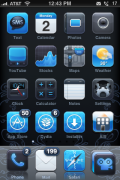
what theme is that.. the first one. i like the blue reflective dock. anyyone know?
What’s wrong?? I can’t override the liveclock icon with any custom theme icons. I could do it with livetime. Do I need to reinstall liveclock?
And there is no digital clock support at all. But love the option to not having the seconds hand.
Navigate to /System/Library/CoreServices/SpringBoard.app and then replace the LiveClock.png with the icon you want and rename it LiveClock.png. Respring and your finished.
LiveClock.png dosent exist in that folder? :S
JDEN
Go to
/Library/Themes/LiveClock No Seconds.theme*/Bundles/com.apple.springboard
and replace your clock icon with LiveClock.png
*or another theme of LiveClock you prefer
I tried that but everytime I try to do anyting to the LiveClock files with iPhoneBrowser I get an error and the program needs to be shut down. I can custumize other theme files without problems. But not the LiveClock.
Try through SSH or T-PoT Total Commander’ plugin.
Can anyone please help me out here…..
At first I thought that this app might be useless since you already have clock on top, but now I realize that I have Night Stand app icon seating on my springboard showing constant time 4:20. So I wish I could make LiveClock launch Night Stand app instead of the stock app. Pretty much I want the same as I have with my WeatherIcon, which launches TWC instead of stock app.
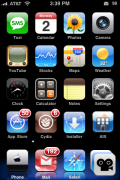
i like the second theme…anyone knows which one it is?
Does anyone know how to activate the digital clock? Or is it not 100% implemented yet?
Need more themes for it! Only like 4 in Cydia. None I like.
I really want to know that second theme… does anyone know???
I also want to know what the second theme is.
Got it, the theme is Bluebird. It’s in Cydia.
what the first theme called !
i cant see the needle?? Why is that?? Help please..
just got a new iphone. jail broken and unlocked… the ispazio source isnt working for me.. how i can download liveclock? i have it in my itouch. thanks.
how you put stack in the rigth i have installed stack but it’s appear at center can help me please??
(sorry if my english is bad i speak spanish =D )
Download a blank icon from cydia, there is a program called iblank that does this. Then putthe blank icon in the place where the dock is.
tried to download from ispazio but apparently the server is down.
2 messages:
NetDV: Open nodename nor servname provided, or not known
and
http://www.ispaziorepo.com
NetDB: open nodename nor servname provided, or not known
after that Restart Springboard and nothing is installed.
Hi,
I’ve problem using live clock on 3.0 OS iPhone that I JB. It show more than usual minutes, hours and even seconds of the tick. Please help here.. I’m not using any theme right now