 |
Available In: Cydia |  |
Price: Free |
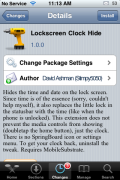
 Lockscreen Clock Hide is a mod that removes the time and date from your lockscreen leaving you with just a blank lockscreen. What is cool, is that it replaces the little lock icon that is normally on your status bar when your iPhone or iPod Touch is locked with the time! So, you don’t actually completely lose the time…it just gets moved to your status bar!
As soon as you install the app…it activated the mod (it is not activated/deactivated via WinterBoard). To get your date and time back, just uninstall the app. I had no issues installing or uninstalling this application. You can get Lockscreen Clock Hide via the david.ashman.com source.



 Loading...


 Loading ...
Doesnt seem to work with iElegance….Well not completely anyway. It will remove the time just not put it on the status bar which is a shame cause a totally blank lock screen with the time still in the status bar, so I could still just whip out my phone and hit the home button to see what time it was without having to unlock, would be awesome
My guess is the theme does something to the font for the statusbar to make it look invisible. Check the Info.plist for that theme and see if there are any font settings for the lock screen.
on the info.plist just change the color from “transparent” to “visible” ,click save the go to your winterboard, uncheck and check thd theme, respring your springboard and Presto!! that should do it
Worked like a charm…no if I could only get the time in the status bar to disappear when I unlock. But I think I’m being a little greedy on that one, wanting to have my cake and eat it too.
Just get Make It Mine from Cydia, then leave the data box empty, and click on “Banner” it will then hide the time on the menu bar when your unlocked.
Hi
This app is just what I have been looking for… but I cant find it in Cydia?? Searcing by its name.. Can someone help ? Thank you
try installing the source on Installer
add this source: david.ashman.com/apt/
Thank you so much – works like a charm ;-)
Can someone explain how to activate this hack? My phone is jailbroken on current firmware. I can’t find it on cydia, and I put the address mentioned above on installer, and it tells me it an invalid source. Can anyone help?!
Okay, I figured it out. I added the sources address in cydia instead of the installer App.
I’m glad you got it…also, the source url is different than the source name. Make sure you are adding – david.ashman.com/apt/ – into Cydia and not just david.ashman.com.
I would love to use this hack but for some reason I cannot get the source to install. I am adding the right source but I keep getting an error message that says “Did not Find Repository! Is it not down?
What did you enter as the source url? The source url is actually – david.ashman.com/apt/ – and not just david.ashman.com. As far as I know…that source is not down.
Yo there is no lockscreen clock hide in the source you have given, how is that ? can you please tell me any other source other than modmyi.com ??
I cant find the app on Cydia and its doing me nut in. Someone help me find it before i go crazy! Thanks
Make sure you have the ModMyi repository installed in Cydia, then just search for it, its there ;)
It’s ok for me ! and it works with the original settings !
so, i put in david.ashman.com/apt/ into cydia and it found the source fine, but no lockscreen clock mod located here. help?
I would love to see the seconds as well.. anyone know a way?
This app is great!
it is a way to make dissapear only the bar behind the clock?
i dont want to lose the time /date only the bar behind it.
i’d tried winterboard. Works fine. But too laggie!
I installed this and left on my lock code, it makes the numbers transparent as well and I think I am pressing the right numbers but I am unable to get into my phone…..any suggestions other then to reformat the phone???
I installed it and it worked fine, but after i uninstalled it, the time did not come back, please tell me how to fix it
It would be great if this app also hid the lockscreen clock when iPod controls show (i.e., after double-tapping the home button from the lockscreen).
Perfect. this is exactly what I was looking for!
I can’t make it work.,
I’m on a iPhone 3G with 3.1.2, jbd, and even if I select no theme in winterboard, I can seem to win no chance to have the clock in the lockscreen disappear.
What could possibly be wrong? Any hints on how to have it work? anything you would feel like deleting or resetting via iFile, or in RYI or Cydia to make it work!??
Thanks.
eeWee
Lock screen clock hide
i needed it
i’ve installed the program and then i was bored and unninstalled it. and now my lockscreen clock is not there. i restarted the ipod , respring everithing .
hi i was wondering how would u uninstall this if u want to switch back i noticed it wasn’t on the winterboard after i download off cydia?
there is no lockscreen clock hide in this source arrghh !!
Hey,
I just put this on a recent JB (by todays standards) 3G and it works well.
Excellent match this and the weather on the lockscreen.
It didnt interfere with the SB Activator commands either…….
You just got to give it a second or 2 to come up.
Keeping memory clear for native processes is like clearing ram from a Commodore 64…….but it works well and keeps you out of the guts of your screens eating up your time in a drool zombie haze……..
lockscreen clock hide see this
http://www.hackthatphone.com/2x/themes_with_winterboard_section25.html
I downloaded this and i had Android Lock XT, but this program hid the lock and now im locked out. Any way to get in without having to restore the ipod?
I downloaded this tweak, but I can’t seem to find it in Winterboard.
My bad, it’s in the settings, it’s enabled, and it still don’t work.!?
Oh, lol, nvm.
Works for me but the clock doesnot shift in the statusbar. I still get the clock logo instead
Hi, if your iphone is not jailbroken, you cnt hide the lockscreen? i dont really understand what is SSH etc.
This mod is really useful for the custom themes from Cydia, i.e Elite Pro HD, Elegance HD, etc …
Every time I try to install this I enter exit safe mode, and my springboard crash. What do I do?
@Alex It’s because you have iOS 5 probably its not compatible yet.
i have iphone 4 5.0 and every time I try to install this I enter exit safe mode. WHY,PLEASE…
i have iphone 4 5.0 and every time I try to install this I enter exit safe mode. WHY,PLEASE…send a mail for antoniobotelho_@hotmail.com
Its removed from source..
Can u reupload it?
Thank You very much!!! : )
excellent submit, very informative. I ponder why the
other specialists of this sector do not understand this.
You should continue your writing. I’m sure, you have a great
readers’ base already!