 |
Available In: Cydia |  |
Price: Free |

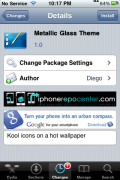
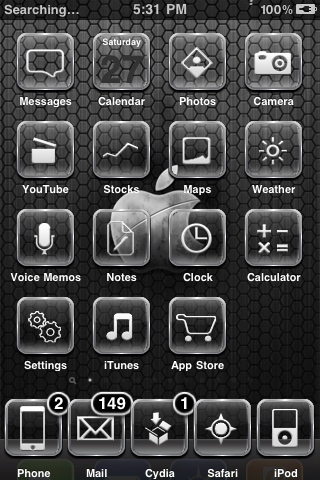 Metallic Glass Theme is a theme with transparent icons. Many of you know that I am always on the look-out for a new style of transparent icons (because you can change the wallpaper and feel like you have a whole new theme!). This theme contains a wallpaper, dock, sliders, 58 icons, loading screens, custom UI….etc.
I do have a few problems with this theme. The Message application doesn’t have an icon. There is an icon for SwirlyMMS so, you can always change it to your Message icon using ssh. And it doesn’t seem like the theme has the correct dock but, you can always use the transparent dock and it looks fine. You can get Metallic Glass Theme via the BigBoss source
How to Install
1. Your device must be jailbroken. (how?)
2. Make sure you have WinterBoard installed via Cydia.
2. Make sure you have the BigBoss source installed in Cydia.
3. Search for Metallic Glass Theme in Cydia, run the install.
4. Open WinterBoard and activate the Metallic Glass Theme.

 Loading...


 Loading ...
I’m finding quite a few old themes u have to change the text to message for it to work.
Do u have like a blank icon so that i can use as a default to make icons for the ones that arnt provided with the theme?