 |
Available In: Cydia |  |
Price: Free |
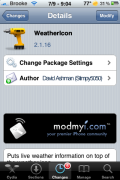
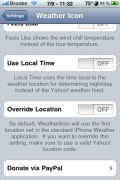
 The WeatherIcon mod was recently update to version 2.1.16. The update doesn’t make any visual change to the mod itself but, it does add a description of the Override Location feature in the Settings for the app. The update also adds compatibility with LockInfo and includes a bug fix. See the full change log below. You can get this update to WeatherIcon via the modmyi source.
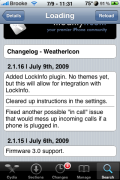
Change Log:
– Added LockInfo Plugin. No Themes yet, but this will allow for integration with LockInfo.
– Cleared up instructions in the settings.
– Fixed another possible “in call” issue that would mess up incoming calls if a phone is plugged in.

 Loading...


 Loading ...
My 3GS doesn’t run right with this mod. Had to take it off.
I have 3GS and it works fine
Hmm…must be all the other Winterboard stuff I have installed then.
I would love to get a Theme or some LockScreen app to integrates the weather data as noted in this update.
i have issues using this tweak, i try using iphone weather or the weather channel but all i see is a question mark with the degree sign. i had to take it off too.
HELP! I’ve been searching for the directory of the images that this Weathericon uses but i just can’t find it. Other sites keep referring to the “Library>Themes” folder, but i have no such weather icon folder in there, or in Winterboard.
I just want to change the default icon background to a background that would suit my theme. i don’t really care about the changing forecast as i can pretty much see that when i look outside.
If any help can be offered that would be most appreciated.
Thanks, Dave.
when your viewing the package in Cydia, you can hit Filesystem Content to see whats installed and where
Thanks very much. I’m going to try that now.
it worked ! thanks heaps.
My wife and I both have 3G’s and have this app installed. Mine runs perfectly and includes the icon in the status bar. Hers on the other hand, has issues with the status bar, to the point where the entire bar disappears at times when WeatherIcon is installed. I’ve tried figuring it out by messing with her SBSSettings, but no luck. Anyone else having similar issues?
Just recently installed WeatherIcon 2.1.16 and can’t get the icon on status bar. The temperature reading works but no icon. I already removed and reinstalled to no avail. Also double check the “Settings” and the Status Bar Image is set to “on.” Any ideas? TIA! iPhone 3g 3.0
LOL I figured it out! I had to install “Katra-based Weather Icon” and voila! status bar shows Temp and Icon.
I’m having some problems here. I have the latest 2.2.2 build on a 3.0.1 3gs. Temperature works fine on the icon and status bar however the icon never changes. Do I have to install weather themes? I’d prefer not to since I can’t find anything simple like the yahoo icons. I previously had this working with my 3g phone with the night/day, rain icons, etc.
Please help !
I’m having trouble removing the badge from the weather icon. I installed WeatherIcon few months ago from Cydia, then decided to wipe all of it, removed Winderboard and stuff. But did not remove that badge and it stays there.
I now have Rock, installed WeatherIcon from there, but can’t find where are the settings. SupremePreferences do not install on 3.1.2, so can’t use that.
Any help..?
same problem here.. can’t remove the badge!!
somehow I got the badge removed… I browsed to /var/mobile/Library/Preferences/ and deleted the weather settings com.ashman.WeatherIcon.plist and com.ashman.WeatherIcon.Condition.plist and the badge is gone :)
Islam, you rock! :) Finally the thing is gone.
Islam Adel on November 28th, 2009 11:22 am:
somehow I got the badge removed… I browsed to /var/mobile/Library/Preferences/ and deleted the weather settings com.ashman.WeatherIcon.plist and com.ashman.WeatherIcon.Condition.plist and the badge is gone
That didnt work for me…