
Our family loves Angry Birds so we were excited to see a new version called Angry Birds Rio. Apparently we’re not the only one who likes the new version because it’s currently the #1 selling app in the App Store as I write this article. Instead of crashing birds into pigs who’ve stole your eggs, now you’re trying to crash into cages of birds to help release them. There’s also different levels with monkeys in trees and a big bad guy bird you have to knock out of the sky. There is a catch to this game. All the levels have not been released yet. Only section 1 and 2 are ready and the rest will be released throughout the year. [Read more…]
FX Photo Studio HD – On Sale Today for $0.99
March 16, 2011 by
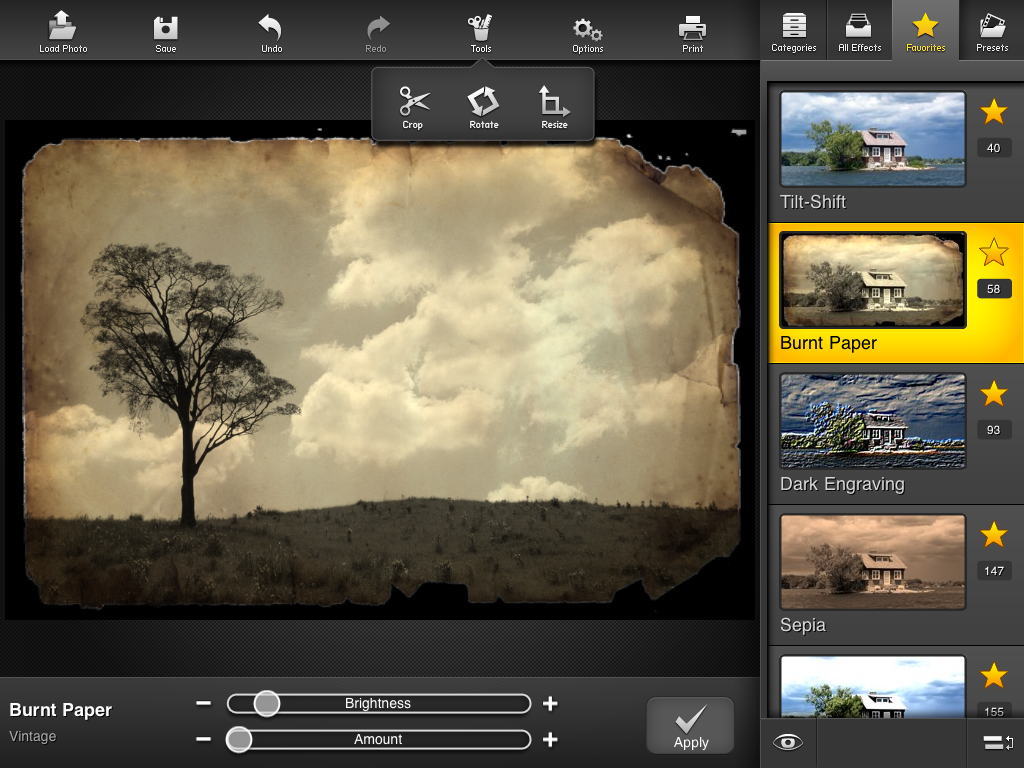
Normally this app is $4.99, but today (03-16-11) it’s on sale for just $0.99. It currently has 181 effects and filters and has some tools like rotate and crop. You can also combine effects for even more vacations. Some of the better known effects include Sepia, TiltShift, Posterize, Blur and the list goes on and on. I also like the many options you have in sharing your photos. Not only can you save it to your iPad but you can share it via Flickr, Tumblr, Facebook, Twitter or email. Check out the screenshots and video below and make sure to grab it quick before the sale ends. [Read more…]
Big Picture – App For Boston.com The Big Picture
March 15, 2011 by

I love the feature on Boston.com‘s website called “The Big Picture“. They gather the best photography from current events and display them full screen. The problem with this website on the iPad 1 is there is not enough memory to load all the big pictures. Most picture only show a border where the picture should be with a little blue square. So, with this app, you can swipe through a slideshow of all the pictures including their descriptions. There’s also a button in the top right that allows you to view it in Safari; share via Mail, Facebook or Twitter; or you can save the photo to your photo app. One feature I would like to see is the ability to pinch and zoom on the pictures. I find myself trying to do it often but it still doesn’t work. There is also a nice counter in the bottom right to tell you what picture number you are on and how many are left. [Read more…]
Trickle – Full Screen Twitter Slideshow
February 25, 2011 by
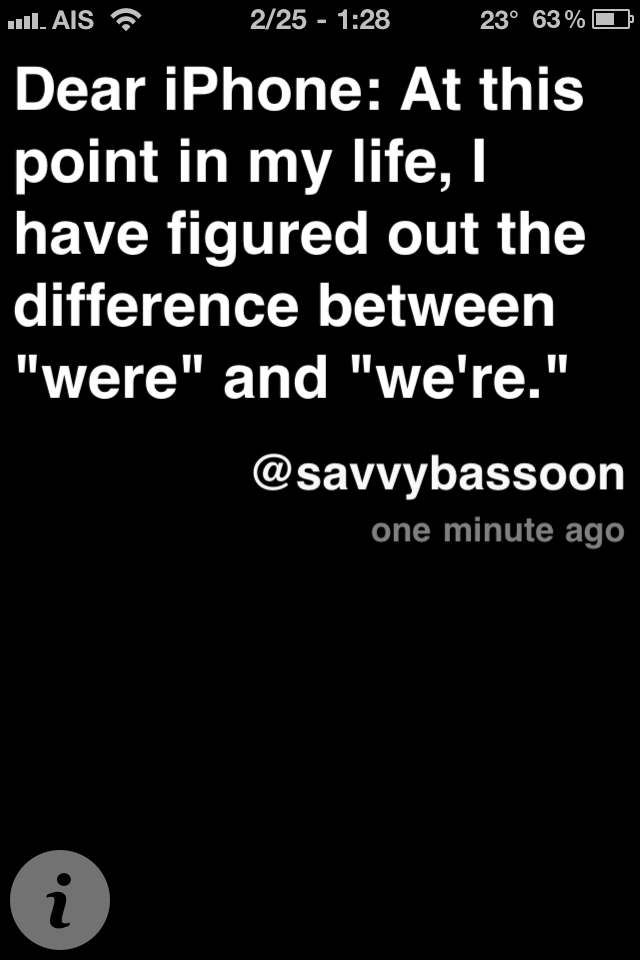
I’ve been looking for an app like this that works with both Twitter and Facebook but Trickle or works with Twitter. What I was looking for was a full screen app that did a slideshow of Twitter and Facebook status updates. It would be even sweeter if it supported something like Flickr too and would show full screen pics when twitpics or Facebook photos show up. Ok, so enough dreaming, all I could find was this app. It’s actually quite nice and simple with a few decent settings to customize things. [Read more…]
Gowalla Update Fixes Crashing with WinterBoard/Jailbreak
December 21, 2010 by
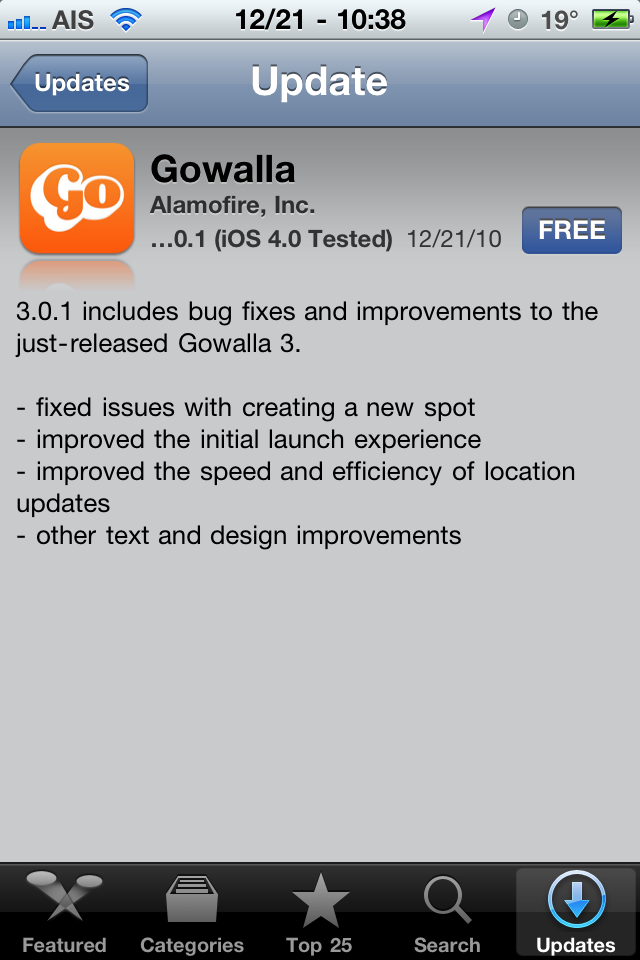
Just a quick update: Gowalla has released update 3.0.1 which has fixed the crashing problem on devices running WinterBoard, a jailbreak app that lets you customize the look of your iPhone. Of course it doesn’t say that in the despcription but I tested it and it’s working now. I’m on an iPhone 4, jailbroken running WinterBoard. The update also includes speed, efficiency, text and design improvements.
[Read more…]
Gowalla 3.0 Integrates Facebook Places, Twitter, Foursquare & Tumblr (Crashing on Jailbroken iPhone)
December 2, 2010 by
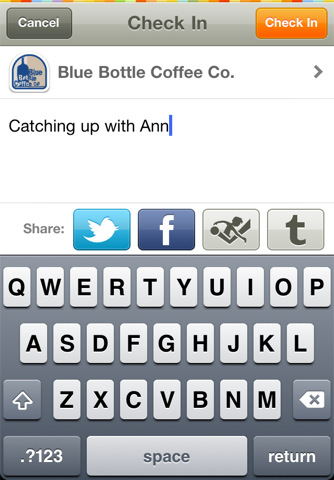
Gowalla 3.0 now integrates Facebook Places, Twitter, Foursquare & Tumblr. It also has smarter check ins, predicting where you’re located based on your history. I think Foursquare already has that feature using a favorites feature. Another feature to help speed up checkins lets you start typing your message while you’re being located. This helps a lot in towns like mine where AT&T is VERY late to the game in 3G. Our EDGE is SLOW!!!! <--Rant Now, I can't see how this app works yet because it's crashing as soon as I open it. This happened before with a previous release and I'm pretty sure it's because my iPhone is jailbroken. I've tried rebooting, reinstalling and doing as some have suggested, removing and re-adding my login info under the settings app. Still not working. [Read more…]
SlingPlayer Mobile for iPad Hits App Store
November 24, 2010 by

SlingPlayer Mobile, an application that allows the ability to connect and stream to your device from your Slingbox, is now available for the iPad. The iPad version of the application is $29.99 (which is the same as the iPhone version) and is available for download in the App Store. Check out the full app description and screenshots below.
[Read more…]
Official Google Voice Application Available in App Store (Again)
November 16, 2010 by
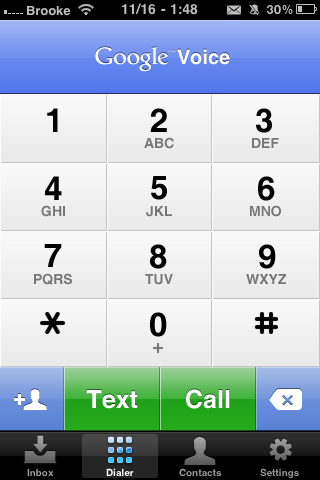
The official Google Voice application has hit the App Store (again). The app, created by Google, allows you to;
• Access your Google Voice account right from your iPhone.
• Receive push notifications for new text or voicemail messages.
• Send free text messages to U.S. numbers and make international calls at cheap rates.
• Listen to your voicemail, read transcripts and manage your Google Voice inbox.
• Display your Google Voice number as caller ID when making calls.
• Call contacts from your iPhone Address Book or enter new numbers on the dialpad.
[Read more…]
The Washington Post iPad App [Video]
November 10, 2010 by

The Washington Post recently released their free app for the iPad. They also released a demo video promoting the app. I finally got a chance to check it out and all I have to say is… that is seriously a lot of iPads! If you haven’t seen the video, you can check it out below. [Read more…]
Ragdoll Blaster 2 – Free For Limited Time
November 4, 2010 by

For a limited time, Ragdoll Blaster 2 is free for the iPhone and iPod touch. The developers are trying to promote the new version of the app for the iPad ($4.99). This game is really addicting and has 4 1/2 stars in the App Store. It comes with over 150 levels and there is some great creativity in the designing of some of these levels. I definitely recommend downloading this game. [Read more…]
Facebook iPhone App Updated – Groups, Deals, Places Improvements
November 3, 2010 by
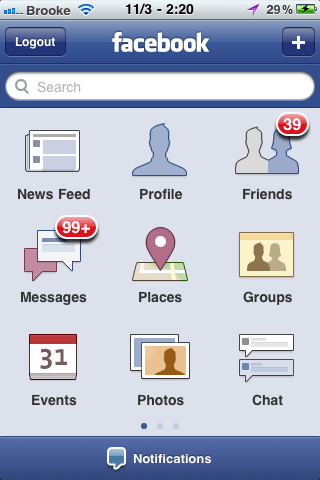
Today, the Facebook iPhone application received an update. The update includes the addition of Groups and Deals as well as improvements to the Places feature (see full change log below). The new Groups feature has replaced the Requests option on the main page. I also noticed that the News Feed now displays three options at the top of the page; Photo, Status and Check In… allowing you to quickly do one of those three things without having to leave your News Feed.
[Read more…]
Moxier Collage – Free This Week (down from $7.99)
October 27, 2010 by
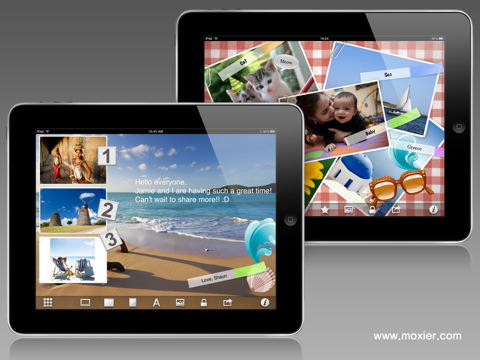
Moxier Collage is a pretty cool collage app for the iPad that is on sale for free this week… down from $7.99. I’m not sure I would have paid $7.99 for it but for free… it’s worth a shot. Moxier Collage is only available for the iPad. Check out the app description and screenshots below. [Read more…]
PBS Releases iPad App
October 27, 2010 by

PBS released their new iPad app allowing you to watch many of their programing right on the iPad. I tested it out last night and got distracted watching an episode on the wildlife of Cuba. There are both full length episodes and shorter videos. The one I watched was about an hour long. The video was great quality and buffered very well. According to their App Store description at the time of writing this article, they upgraded server capacity just a day after releasing the app. If you installed this app the day it was released and were having troubles, give it another try. [Read more…]
FaceMan Update
October 26, 2010 by

I talked about this app in episode 20 of i101 but the recent update was significant enough to write about it again. If you don’t remember, this app does what Photo Booth for the Mac does. It uses the front facing camera and adds silly effects. The update now allows you to use the rear camera too. It also added 4 new effects including AsciiArt (drawing the image with just letters, numbers and other ASCII characters), ModernArt, 100Me and NightVision. Check out the screenshots below for examples. There are a lot more features that were added so here’s the complete list: [Read more…]
Google Mobile App Update Adds Google Goggles
October 8, 2010 by
 |
Available In: App Store |  |
Price: Free |
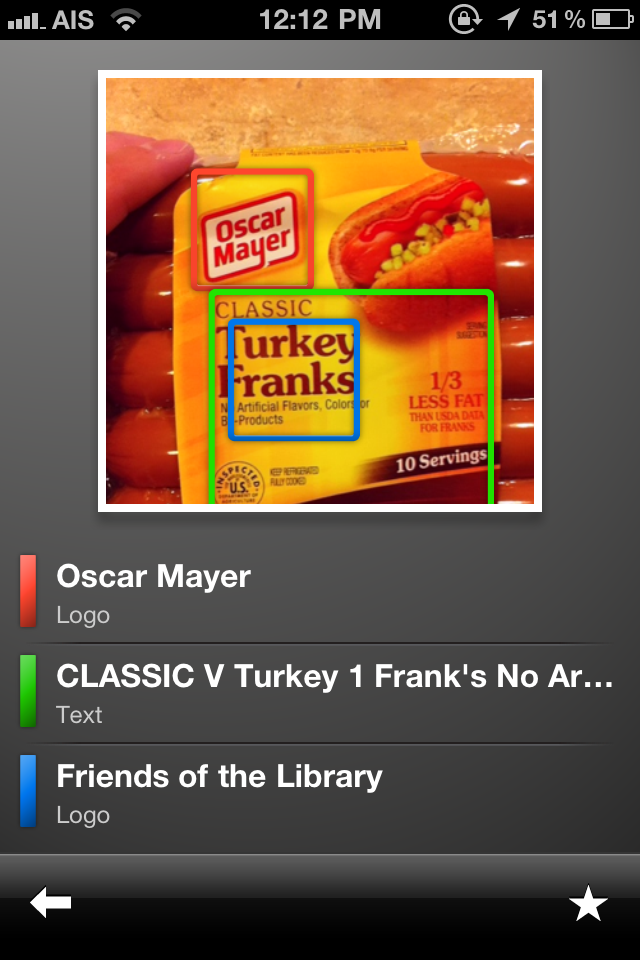
 Google recently updated their app to include a feature called Google Goggles. This allows you to search by just taking a picture. It works great on labels & logos. It’s also supposed to work on landmarks, books, art work and business cards. The feature has been available for Android phones for a while but has just now been added to the iPhone. Now we just need to get Google Maps Navigation on the iPhone!



 Loading ...