i101 – Episode 16

Show Notes

Twitter for iPad – http://itunes.apple.com/us/app/twitter/id333903271?mt=8
iSkin case iPhone 4 – http://www.iskin.com/iphone4/solo/
iSkin case iPad – http://www.iskin.com/ipad/duo/
Clean camera lens – Blurry photos? Clean your lens with your tshirt! Yay!

i101 – Episode 15

ipod-liveblog-2010-0076-rm-eng

Apple iPhone SchoolHere’s the show notes from Episode 15. If you’d like to watch video of the entire announcement from Apple, here’s the link: http://www.apple.com/apple-events/september-2010/
Show Notes

iOS 4.1
- proximity, faster 3G
HDR photos
- takes 3 pictures
Upload HD Video
TV show rentals
Game Center
- multiplayer games
iOS 4.1 Out Next week for iPhone and iPod touch next week [Read more...]

iPhone 101 Returns as i101

Apple iPhone SchoolSome of you may remember that we used to do a video podcast back in the day. Well we’ve decided to bring it back but renamed it i101! We’re planning on making it shorter and doing it more often. Here’s the latest episodes:

Episode 13

Episode 14

SBSettings Update for 4.0

photo 1
Available In: Cydia       Price: Free  

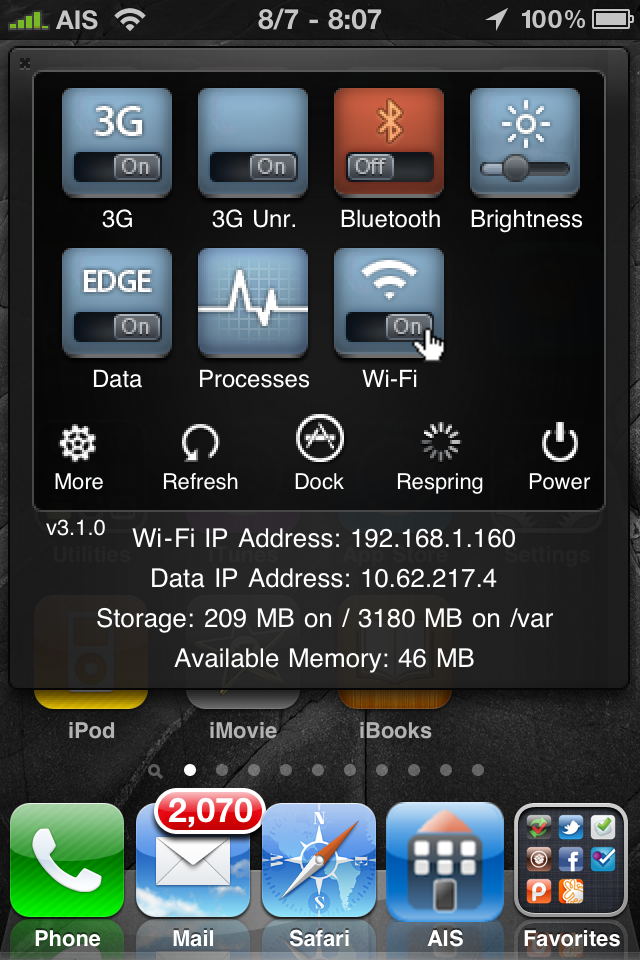
SBSettingsOne of the best hacks for the iPhone, SBSettings, now works with firmware 4.0. This hack let’s you swipe the status bar and a drop down menu pops out with all kinds of quick settings like brightness adjustment and toggles for wifi, bluetooth and 3G. There are different themes, all kinds of info like running processes, IP address, & memory. Best of all, it’s free. This is a must have app!
See our past reviews of SBSettings for more detailed descriptions.

Note: there is a small bug for 4.0.

ATTENTION 4.0 USERS: Currently an activator bug prevents the SBSettings window from appearing in some apps. For the time being, load settings, activator, and set SBSettings also to short hold home so you can hold home button to also bring up sbsettings in apps.

[Read more...]

3G Unrestrictor – Enable Wifi Features Over 3G & EDGE (FaceTime on 3G!) (video)

3gunrestrictor

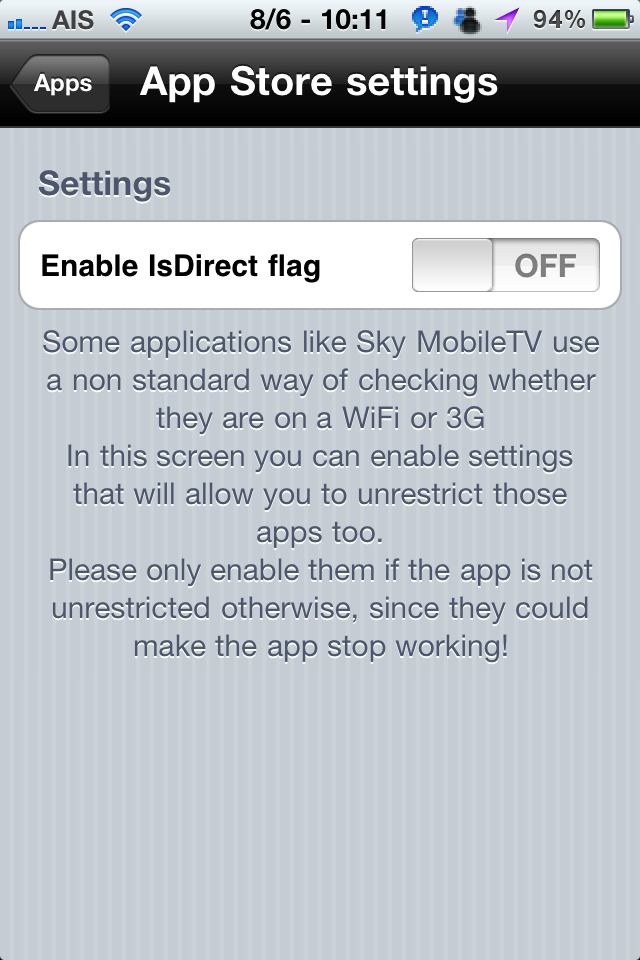
3G Unrestrictor has been updated to work with iPhone 4 and firmware 4.x. You know what this means! FaceTime calls anywhere! Now we’ve tested this out, and really it works better on 3G than it does on EDGE but it does work. Once installed you can just open the app and select apps you’d like to fake out. This makes them think your phone is on Wifi instead of 3G or EDGE. Other apps that this can help with instead of FaceTime are the App Store, which won’t let you download apps over 20MB. This goes for videos in iTunes too. Although Skype recently announced the use of Skype over 3G, you can avoid additional costs if they ever do decide to charge for it. Another place this will help is when videos download over 3G they are compressed more which makes them more blurry. With 3G Unrestrictor, YouTube thinks it’s on Wifi and will download the full resolution version. [Read more...]

Infinifolders – Unlimited Apps in iOS 4 Folders (more than 12 apps)

Available In: Cydia       Price: $1.99  

InfinifoldersThis is a major reason why you should jailbreak your iPhone or iPod touch if you haven’t already. Apple made a sweet move by adding the ability to add folders full of icons calling the feature ‘folders‘. Of course they probably just copied the jailbreak hack called ‘categories’. Anyway, I’ll admit that Apple’s implimentation is better and the GUI is beautiful. The major downfall to the feature is the limit of apps you can fit in a folder, just 12.

Well, what if I have 20 ‘Kids Games’ or 30 ‘News’ apps? With Infinifolders you can now have them all in one folder. And this is the stock folders from Apple. Now you can scroll down past the 12 app limit. Here’s a video fo what it looks like. [Read more...]

New JailBreak Using Jailbreakme.com, Easy Jailbreak Right From Device [video]

photo 1

Dev TeamThe new jailbreak is out! Just visit jailbreakme.com from your iPhone, iPod touch or iPad and follow the instructions. We’ll have video and more soon. Video below! We’re also going to post a list of apps that work and don’t work from Cydia. Please let us know in the comments or @reply us at @iphoneschool.
[Read more...]

Friday Night Movie Night: Apple iPhone 4 vs Motorola Droid X

YouTubeIntomobile is doing a comparison of the iPhone 4 and one of the most powerful Android phones on the market today, the Droid X. From what I can see, it has an extra mic and extra flash, otherwise I’ll keep my iPhone. I do like the notification system better on the Android software, but even with this high power of a device, the software is still laggy and glitchy. This is part 1 so as more videos are released, we’ll try to get them here.

Friday Night Movie Night: Interview With Jay Freeman (Saurik)

CydiaThis is an interesting interview with Jay Freeman, A.K.A. Saurik, the developer of Cydia. In the video, he shows a jailbroken iPhone 4. Unfortunately, he doesn’t release any info on a release date of the jailbreak.

iPhone 4 Commercials – Meet Her, Haircut, Smile and Big News

Apple Today, Apple released four new iPhone 4 ads; Meet Her, Haircut, Smile and Big News. All four commercials demonstrate the FaceTime feature of the iPhone 4. Personally, I’m not a huge fan… check them out and let us know what you think.

The iPhone Antenna Song [Video]

youtube Ok, I’m sorry, but this guy totally cracks me up. With just a few days until I have baby #3 (yes, it is currently nameless… we are working on that!)… I could definitely use a good laugh and this video did the trick! Not only is the guy just funny but, I love what he says at the end of the video. I also think it’s hillarious that Apple opened their press conference today with this video. I’m sure many of you have already seen it but if you haven’t… totally worth checking out (video below).
[Read more...]

iPhone 4 Firmware Updated to 4.0.1, Doesn’t Fix Antenna Issue [video]

Screen shot 2010-07-15 at 1.49.09 PM

AppleApple has released the firmware promised to fix the signal bar issues with the new iPhone 4. To make this clear, the problem, for me, seems to be a hardware issue. When I hold the iPhone in any way that covers the gap between the two antennas, I lose signal strength. I’ve demoed this in the video below. Now, does the firmware fix the problem? Let’s find out! I’ve also recorded what happens when holding the iPhone in the same way on the new firmware, 4.0.1.

Screen shot 2010-07-15 at 1.49.09 PM
[Read more...]

YouTube Mobile Redesign

image (1)

YouTube has updated their mobile webpage for the iPhone & iPod touch. The new layout is much cleaner and issuing HTML 5 technology. Updates include speed, larger buttons, search suggestions, ability to create playlists, ability to favorite & like. Here’s a video demo and some screenshots. [Read more...]

Trapster Update – Support Added for Background Location

Trapster Update
Available In: App Store       Price: Free  

TrapsterIf you don’t know what Trapster is, here’s a quick overview. It is “a FREE app that alerts you as you approach speed traps, red light and speed cameras, police check points, and other wallet hazards.” Before the recent update the app would give you push notifications when a hazard would be reported near you. But it only knew where you were when the app was open. So the notification could be for somewhere you were when the app was last opened, not where you are now. You can visit their website at trapster.com/push to set up typical routes you take each day for work to make it more accurate. [Read more...]

Bluetooth Mode – Turn on Bluetooth in One Touch

IMG_0067
Available In: Cydia       Price: $0.99  

BluetoothThis app is really simple. You just tap the icon, it toggles your Bluetooth and closes. Just one tap and you can turn on or off your Bluetooth. This should work on all iPhones and iPod touches but I could not get it to work on my iPad :( Here’s a little video of how it works:

Video

ScreenShots