 Developer’s description of the game: Game.
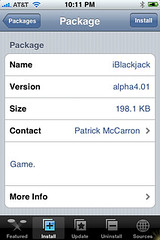
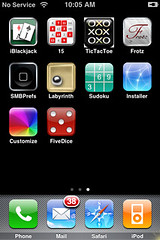
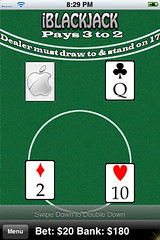
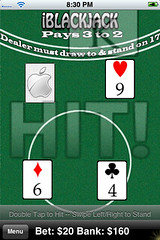
This game opens to the main menu screen which has three options; start game, preferences and donate via PayPal. There are a ton of preferences you can change such as; number of decks in shoe, shoe depth shuffle percentage and number of times to shuffle shoe. There are also game rules that you can turn on or off they include; five card Charlie, double down and insurance (it says that split will be coming soon). Once you click on “start game” you will get a menu in which you can select the amount of your bet; $20, $50 or $100. The cards are then dealt, the dealer’s hand at the top of the page, yours at the bottom. To hit, just double tap and to stand, swipe left to right. You can also swipe down to double down. Each time you hit, stand or double down a nice little graphic pops up! Once the hand is over it will say if you won or the dealer won then gives you the option to deal a new hand or to change your bet. At the bottom of the page is the amount of your bet and the bank’s running total. You can also get back to the main menu by tapping the menu button on the bottom left. Some screenshots:
AppleiPhoneSchool’s iBlackjack Articles:
“;
$i = 1;
foreach ($rss->items as $item) {
$href = $item[‘link’];
$title = $item[‘title’];
$description = $item[‘description’];
echo “
$description
“;
if ($i == 50 ) break;
$i = $i + 1;
}
echo “
“;
}
?>



 Loading ...
Speak Your Mind
You must be logged in to post a comment.