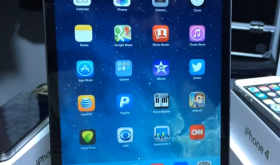
Today I found a video showing a quick way to hide Stock Apple apps on your iPhone, iPad or iPod touch running iOS 7.1 firmware. You do not need to be jailbroken for this to work, however, the apps will come back after powering off your device and turning it back on. Follow the steps carefully and you should be able to hide the icons you want (temporarily). If you want to hide stock apps without them coming back, jailbreak your device and install “Poof”. This allows you to hide stock apps without coming back. [Read more…]
Clear Background Apps – Close All Apps With One Tap
March 26, 2014 by
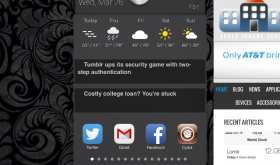
I’ve been looking for a nice, simple way to close all my apps in iOS 7 and I’ve found a hack I really like. It’s short and sweet and just takes one tap. Search Cydia for “Clear Background Apps” and install. Then just double click your home button and when the multitasking screen appears just tap the broom icon at the top. Depending on how many apps you have open, it might take a few seconds. Soon all your apps will be closed. This app is free and has no settings to configure. [Read more…]
Edit Clocks – Swipe to Delete Clocks
March 17, 2014 by
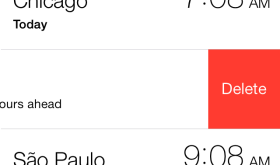
I always like hacks that seem like they are part of the original iOS and should have been there in the first place. This hack does this by allowing you to swipe to delete clocks under the World Clock tab in your Clocks app. Very simple and free hack found in Cydia. [Read more…]
NoLowPowerAlert – Disables Low Battery Alert
March 8, 2014 by
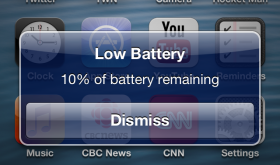
This is a simple little hack but just another one of the many reasons I still jailbreak my iPhone and iPad. The low battery alerts are super annoying. The worst is when I’m at the end of my work day and my iPhone is low on power and I’m trying to voice text my wife that I’m heading home and while I’m using the voice to text feature the low battery alert pops up and stops my dictation. AHHHH!!! Annoying!!!! I know that I have low battery because I can see the percentage in the top right of my screen at all times. I don’t need an alert at 20% and again at 10%. Ok, rant over. So, just search Cydia for NoLowPowerAlert and install. That’s it! Alerts gone. This hack is free. [Read more…]
PowerBanners – Low Power Alerts as Banners
March 8, 2014 by
So one annoying thing about the iPhone is the popup alerts telling you that your iPhone is low on power. It always seems to interrupt me at the worst moments and so I shut the alerts off using NoLowPowerAlert in Cydia. When writing the article about NoLowPowerAlert I was doing some research and I stumbled upon PowerBanners. This seems like a great way to be notified without stopping my video I’m watching or other task I’m trying to complete. This uses the banner notification method already built into iOS. It looks great and it’s available for free in Cydia. [Read more…]
Five Icon Dock (iOS7)
March 6, 2014 by
One of the most classic hacks is the ability to fit five icons on the dock of your iPhone. We’ve been writing about it since 2008! With each iOS firmware update different developers have released versions of Five Icon Dock and now we have one for iOS 7. Just install and then drag your fifth icon down to the dock. This app is free but you will need to add this source to Cydia to find this hack: Fr0st’s Beta Repository – http://gmoran.me/repo or http://repo.gmoran.me [Read more…]
Compose – Quickly Compose a Post Anywhere Using Control Center
March 4, 2014 by
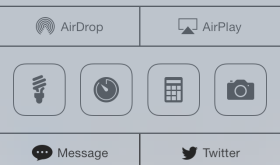
For reasons we may never know, Apple likes to remove some of our favorite features from it’s iOS firmware when they release new versions. One of the most complained about features that has been removed recently is the ability to create a tweet quickly from Control Center. One of the biggest pieces of advice I try to give app developers when reviewing their apps is to never remove a feature. So, this is why we jailbreak! Compose is a very simple hack to add back this feature and give you even more options. Compose adds two buttons to the bottom of your Control Center that allows you to post from a multitude of services. They include Messages, Mail, Facebook Message or Post, Tweet and many more I will list below. Just pick which two services you’d like in the stock Settings app. This hack is just $0.99 in Cydia. [Read more…]
Display Recorder – Video Record Your iPhone or iPad Screen
February 28, 2014 by
This application works great to capture your iPhone or iPad screen along with the iPhone’s microphone. Everything done on the screen is captured at an adjustable frame rate with the option for showing your finger taps. This app is really great for two reasons: it works really well and it has lots of features. Cost is $4.99. We’ll be using it more to demo apps for our reviews! [Read more…]
NCSingleTapClear – Clear Notifications with Single Tap
February 25, 2014 by
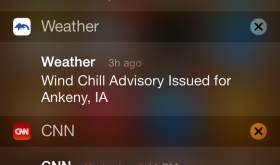
I don’t use the Notification Center that often on my iPhone, but when I do, I’ve always hated the way you clear notifications. Having to tap twice made the whole process take too long and make me not want to use the feature even more. Thankfully there is NCSingleTapClear! This removes the second tap needed to clear a group of notifications. Just tap the x and it’s cleared. Usually you have to tap x and then tap the word clear. This little hack is free in Cydia. [Read more…]
iCleaner – The Ultimate iDevice System Cleaner
February 24, 2014 by

I’ve never used one of these “cleaner” apps before but my storage was really full of pictures and videos from iMessages. I never delete my messages and I have many that go back a couple years. I has started cleaning out some of the media by searching for “attachment” but it was a really slow process and a little buggy. iCleaner supports cleaning message attachments. It has a lot of other features that I will list below. Some include cleaning out all the unused languages or images used by other devices such as the iPad if you’re on an iPhone. These are all individually selectable before the cleaning. After using iCleaner the first time I had about 3GB more space available on my iPhone. When running it again today while writing this article I cleaned up 5GB! [Read more…]
DynamicText – Friendly Lockscreen Greeting
February 21, 2014 by

This simple little mod changes your “Slide to Unlock” text to “Good morning, Douglas” or other greetings based on the time of day. The developer has been rolling out updates that include typing in your own custom greetings. I always love to have custom text on my lockscreen. It’s a great way to get people interested in jailbreaking when they see it and ask how I changed it. In the settings you can do things like hide the chevron > or hide all punctuation. You can, of course, change your name. This app is free and currenly doesn’t work on the 64bit iPhone 5S or iPad. [Read more…]
Bloard – Nice Light Black Keyboard
January 31, 2014 by
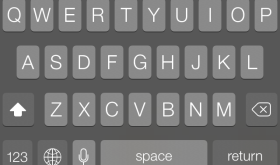
This is a simple mod but I love it. I love a dark keyboard especially on a black iPhone. This mod requires iOS 7 and is free in Cydia.
Developer’s Description
Requires iOS 7+
Tired of white keyboards in iOS 7? Install Bloard! Bloard will turn your white keyboard into a nice, light black keyboard that’s easier on the eyes. You can turn it off anytime from the stock Settings app. No other settings to configure. Works on every app with a keyboard. [Read more…]
Photo Blackground – Change Photos Background From White to Black
January 21, 2014 by

With iOS 7 Apple went all new age on their design. Lots of circles, thin fonts and pastels and white coloring. Thats all fine but one thing that is a bit weird is in the Photo app. When you are swiping through pictures, the background is white. If you tap the screen to remove the toolbars and buttons, the background is black. I really prefer black and so this is a great mod to your Photos app. This makes the background always black. Unfortunately the tool bar and buttons are still white but it’s at least headed in the right direction. This mod is free in Cydia. [Read more…]
Inform Me – All The Device Info You’d Ever Want
January 20, 2014 by
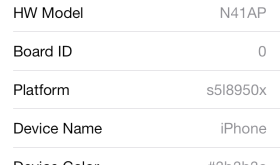
This application will tell you everything about your iPhone or other iDevice. Model number, serial number, battery info, chip info, wifi info, space, memory and a whole lot more. This application is free and works on all devices running iOS 6 or higher and supports 64bit devices. Once installed, just visit your Settings app and look under Inform Me. Here is a list of all the info it provides: [Read more…]
HUDDismiss – Dismiss the Volume HUD with a Tap
January 16, 2014 by
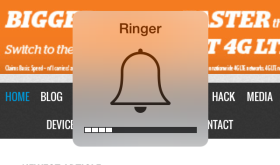
This free, simple hack allows you to tap the HUD (Heads Up Display) that pops up on your screen when you turn your volume up or down with the volume buttons on the side of your device and it will disappear sooner. [Read more…]


 Loading ...