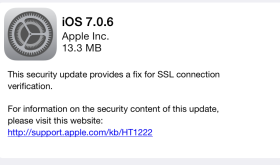
Apple has recently released a security update to iPhones, iPods and iPads. Running this update will remove Cydia and your jailbroken apps if you have them. If you really want to update but want to jailbreak again, there is a fix for evasi0n over at idownloadblog.com that you can download. It’s the same evasi0n tool that has been modified to work with 7.0.6. This is a trusted source. [Read more…]
HUDDismiss – Dismiss the Volume HUD with a Tap
January 16, 2014 by
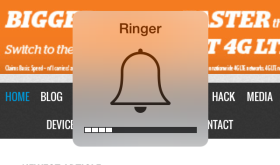
This free, simple hack allows you to tap the HUD (Heads Up Display) that pops up on your screen when you turn your volume up or down with the volume buttons on the side of your device and it will disappear sooner. [Read more…]
CES 2014 – Top 5 iOS Products
January 16, 2014 by

When I first started blogging about tech, I decided the best place to go and get information on the latest gadgets was the Consumer Electronics Show in Las Vegas. It’s an amazing experience and, at first, overwhelming. If you ever get the chance to go, do it! This year was the biggest year yet and there are some amazing new products being displayed. Here are a few of my favorites. [Read more…]
FlipControlCenter – Customizeable Control Center Switches
December 30, 2013 by
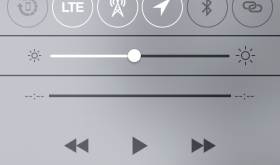
There are a few different hacks out already that add features to the Control Center. So far, I like this one the best for customizing my switches at the top. Here’s what the Control Center looks like from Apple without any changes: [Read more…]
evasi0n7 1.0.1 – Jailbreak for iOS 7 – iPhone 5 & Mac Tutorial
December 28, 2013 by
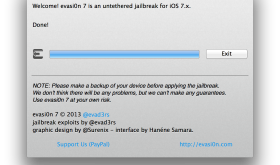
Finally, the jailbreak for iOS 7 has been released. There has been a little bit of drama with this jailbreak, more than usual. Basically, the people who wrote the jailbreak were paid to add an alternative App Store to iPhones in China. Like Cydia but for Chinese users. Users in China began to notice that the Chinese alternative app store, called TaiG, had pirated apps on it. That means that they were taking paid apps from the Apple App Store and copying them and making them free in the Taig app store. The jailbreak community wasn’t too happy about this. We even recommended users to not perform the jailbreak until the issue was resolved. Thankfully the alternative app store has now been removed from the jailbreak. [Read more…]
Should I Get My Kid an iPad?
August 13, 2013 by

There is a lot to this question including age, demeanor, maturity, parenting & discipline. In this video, I try to look at all angles and options and help you think through the process and decision of getting your child an iPad, iPod touch or iPad mini. [Read more…]
Why is My iPhone Running So Slow?
August 2, 2013 by

There are many things that can cause your iPhone to run slow. In this video I try to give you a few ideas to fix the possible problems, starting with the simple fixes to the most complex. [Read more…]
What is iCloud and Should I Turn It On?
July 26, 2013 by
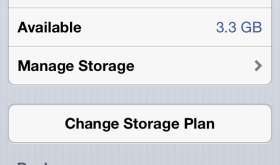
In this video I talk about iCloud. I explain what it is and why you should use it. I also give tips on how to customize your settings. [Read more…]
Set Your Vacation Responder for Gmail From Your iPhone
July 20, 2013 by

I took an entire week off of work recently for my 10 year anniversary and one of my son’s birthdays. During the beginning of the vacation I was somehow reminded that I needed to set an auto vacation response on my Gmail account. I remembered seeing it once in the settings of the Gmail app on the iPhone so I thought I’d check it out and see how well it works. [Read more…]
iOS 7 – Complete Redesign & New Features
June 11, 2013 by
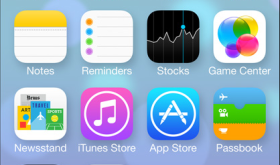
Yesterday, Apple announced a new version of iOS firmware, iOS 7. The biggest change is that the look of the whole software has been changed. Not the way it works or where things are but the colors, icons, lock screen, and just the way it moves as you open and close apps. iOS 7 will be available on the iPhone 4, 4S, 5, iPod touch (5th Gen), iPad 2, iPad with Retina & iPad mini. [Read more…]
Broken Mute Switch, Power/Lock Button or Home Button? Fix with AssistiveTouch
May 25, 2013 by
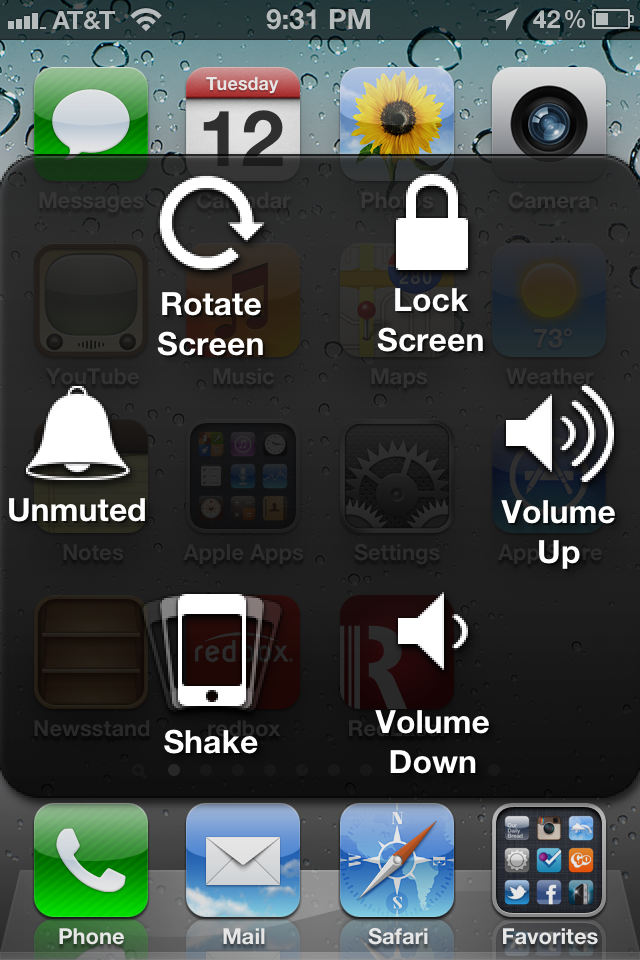
Back in July of 2011 we wrote about a new feature coming to iOS 5 called AssistiveTouch. This new feature gives you lots of control over the hardware of the iPhone using just the touch screen. It’s original purpose is to help those with physical handicaps. Now, unfortunately, this feature is being used by many to solve problems with their iPhone’s hardware fails. Personally, my iPhone 5’s Power/Lock button works only about 10% of the time and only if I press really hard on the left side of the button. My wife’s iPhone 4S’s mute switch no longer works. And many of my friends have had the home buttons of their iPhone 4 and 4S stop working. This includes ours also. [Read more…]
FolderCloser – Automatically Close Folder on App Launch
May 8, 2013 by
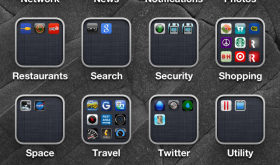
One thing that has always annoyed me is when I have apps in folders and the folder is still open after I close the app. Most of the time I don’t want to go back to that folder after I’m done using the app. So, this app simply closes the folder automatically as the app opens. This app goes great with an app called HomePage that scrolls your home screen back to the first page as an app opens so when you close the app you see the first page of your apps. Both apps are free and a great way to customize your device! [Read more…]
FaceDetectionDuringVideo
May 8, 2013 by

Face Detection is a feature of the iPhone that adapts the focus & exposure automatically when a face is present in the shot. This feature is only active when taking a picture but this hack allows it to work actively when shooting video. This is really nice as the environment can change quickly during a video and typically you want the video focused on faces if they are part of the shot. This hack is available in Cydia for free. [Read more…]
I Jailbroke Using Evasi0n, Now What Do I Do?
February 5, 2013 by
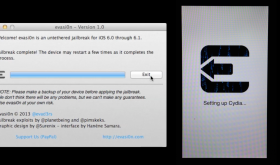
Now that you have successfully used Evasi0n to jailbrake your iDevice running 6.0 or 6.1 firmware, you may be wondering how to actually install an application using Cydia or how to add additional sources to Cydia so that you have more options on applications to install. If this is you, we have a few guides on our f.a.q page that may be helpful. There you will find a guide on how to install applications using Cydia and a guide on how to install additional sources to Cydia. If you are wondering what Cydia is or how you even jailbreak your device, you may just want to head over to our f.a.q page for more info. Feel free to hit up the comments with any additional questions.
Evasi0n Jailbreak Application Compatibly List
February 5, 2013 by
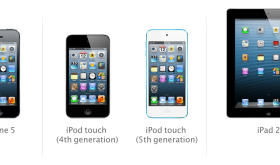
I’m going to start a list of what I’ve tried and let you know what works and what doesn’t work with the new Evasi0n jailbreak. For now it will be a simple list with more details and links to come. [Read more…]


 Loading ...