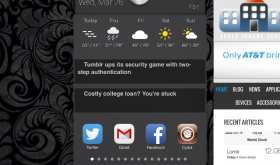
I’ve been looking for a nice, simple way to close all my apps in iOS 7 and I’ve found a hack I really like. It’s short and sweet and just takes one tap. Search Cydia for “Clear Background Apps” and install. Then just double click your home button and when the multitasking screen appears just tap the broom icon at the top. Depending on how many apps you have open, it might take a few seconds. Soon all your apps will be closed. This app is free and has no settings to configure. [Read more…]
Edit Clocks – Swipe to Delete Clocks
March 17, 2014 by
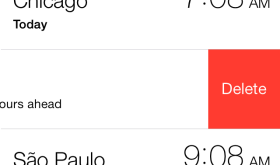
I always like hacks that seem like they are part of the original iOS and should have been there in the first place. This hack does this by allowing you to swipe to delete clocks under the World Clock tab in your Clocks app. Very simple and free hack found in Cydia. [Read more…]
NoLowPowerAlert – Disables Low Battery Alert
March 8, 2014 by
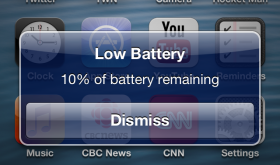
This is a simple little hack but just another one of the many reasons I still jailbreak my iPhone and iPad. The low battery alerts are super annoying. The worst is when I’m at the end of my work day and my iPhone is low on power and I’m trying to voice text my wife that I’m heading home and while I’m using the voice to text feature the low battery alert pops up and stops my dictation. AHHHH!!! Annoying!!!! I know that I have low battery because I can see the percentage in the top right of my screen at all times. I don’t need an alert at 20% and again at 10%. Ok, rant over. So, just search Cydia for NoLowPowerAlert and install. That’s it! Alerts gone. This hack is free. [Read more…]
PowerBanners – Low Power Alerts as Banners
March 8, 2014 by
So one annoying thing about the iPhone is the popup alerts telling you that your iPhone is low on power. It always seems to interrupt me at the worst moments and so I shut the alerts off using NoLowPowerAlert in Cydia. When writing the article about NoLowPowerAlert I was doing some research and I stumbled upon PowerBanners. This seems like a great way to be notified without stopping my video I’m watching or other task I’m trying to complete. This uses the banner notification method already built into iOS. It looks great and it’s available for free in Cydia. [Read more…]
Five Icon Dock (iOS7)
March 6, 2014 by
One of the most classic hacks is the ability to fit five icons on the dock of your iPhone. We’ve been writing about it since 2008! With each iOS firmware update different developers have released versions of Five Icon Dock and now we have one for iOS 7. Just install and then drag your fifth icon down to the dock. This app is free but you will need to add this source to Cydia to find this hack: Fr0st’s Beta Repository – http://gmoran.me/repo or http://repo.gmoran.me [Read more…]
Display Recorder – Video Record Your iPhone or iPad Screen
February 28, 2014 by
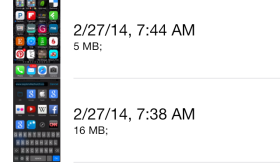
This application works great to capture your iPhone or iPad screen along with the iPhone’s microphone. Everything done on the screen is captured at an adjustable frame rate with the option for showing your finger taps. This app is really great for two reasons: it works really well and it has lots of features. Cost is $4.99. We’ll be using it more to demo apps for our reviews! [Read more…]
NCSingleTapClear – Clear Notifications with Single Tap
February 25, 2014 by
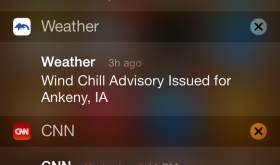
I don’t use the Notification Center that often on my iPhone, but when I do, I’ve always hated the way you clear notifications. Having to tap twice made the whole process take too long and make me not want to use the feature even more. Thankfully there is NCSingleTapClear! This removes the second tap needed to clear a group of notifications. Just tap the x and it’s cleared. Usually you have to tap x and then tap the word clear. This little hack is free in Cydia. [Read more…]
HUDDismiss – Dismiss the Volume HUD with a Tap
January 16, 2014 by
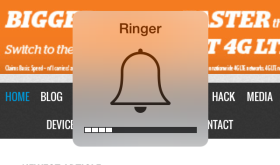
This free, simple hack allows you to tap the HUD (Heads Up Display) that pops up on your screen when you turn your volume up or down with the volume buttons on the side of your device and it will disappear sooner. [Read more…]
LiveWeatherIcon – Temperature & Weather Conditions on Your Weather Icon
January 9, 2014 by
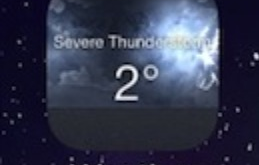
The LiveWeatherIcon is back! Although I like the original version better, this still helps speed the process up of checking the current weather conditions. All you have to do is install the app in Cydia and it’s ready to go. There are no settings for LiveWeatherIcon in the Settings app. I would like an option to turn off the text though. It’s just too small to read and not really necessary. I only check the temperature to see the way I need to dress in the morning and don’t care about current conditions. If I want to know the rest of the weather I will look at a radar app. Now they just need to make a live icon that shows the current radar conditions! Another setting that I really liked about the old version of LiveWeatherIcon was to have the current temperature available in your status bar. Hopefully they bring this back! What other options would you like to see? Write them in the comments below. This application cost $1.00. [Read more…]
FlipControlCenter – Customizeable Control Center Switches
December 30, 2013 by
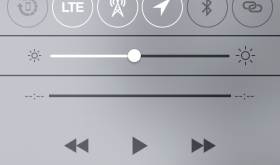
There are a few different hacks out already that add features to the Control Center. So far, I like this one the best for customizing my switches at the top. Here’s what the Control Center looks like from Apple without any changes: [Read more…]
ClearFolders – Transparent iOS 7 Folder Backgrounds
December 29, 2013 by
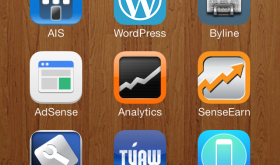
Cydia is starting to get some tweaks and mods for iOS 7 and one of the first ones I’ve tried is ClearFolders. This app simply makes the background of your folders transparent. It changes it like this: [Read more…]
FaceDetectionDuringVideo
May 8, 2013 by

Face Detection is a feature of the iPhone that adapts the focus & exposure automatically when a face is present in the shot. This feature is only active when taking a picture but this hack allows it to work actively when shooting video. This is really nice as the environment can change quickly during a video and typically you want the video focused on faces if they are part of the shot. This hack is available in Cydia for free. [Read more…]
AppCap – Add Day, Time, Frequency and WiFi Restrictions to Apps
February 14, 2013 by
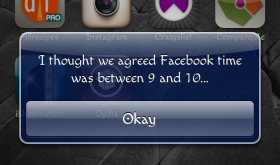
AppCap is a hack that allows you to set parameters on the day, time, amount of time and the number of times you can launch an application. When I heard about this hack, I knew I would have to check it out. We have four boys and our oldest, who is six, is extremely iPhone savvy… like father, like son. He does really well following the guidelines we put on his phone and it has a password that we have to enter before he is able to use it but an extra precaution couldn’t hurt right. Or, not going to lie, I might use this app to keep myself off Facebook!! [Read more…]
NCSettings – System Toggles for Notification Center
February 11, 2013 by
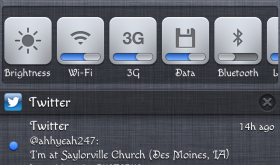
I discovered this hack on accident… kind of. NCSettings is a toggle hack and I already have SBSettings installed (another toggle hack). I wasn’t really looking to replace it, however I was looking for an easier way to toggle my mute on/off. Why you ask… because my mute switch is broken. Sad day. I blame it on children. The need to turn the mute switch on and off a million times a day apparently was not tested thoroughly. Apple really should have tested the mute switch on mothers of young children. ANYWAY… my mute switch is broken and I was getting seriously sick of moving my Accessibility AssistiveTouch button around constantly so that I could tap on things. And then Evasi0n was released and there were tears of joy (ok, there were not really tears of joy but I was happy). [Read more…]
Friday Favs – This Week’s Favorite Hacks and Mods
February 8, 2013 by
Hi! Welcome to Friday Favs… this is where I will talk about some of my favorite mods and hacks from the week. Since the Evasi0n jailbreak was just released on Monday, this post is going to be primarily made up of the must-have mods and hacks I install as soon as I jailbreak my iDevice (in this case my iPhone). [Read more…]


 Loading ...