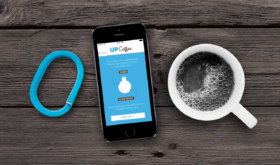
I was looking for an app that would track my caffeine intake and sync with Apple’s Health app. Up Coffee does that and more. The app’s main focus is on how your caffeine intake will affect your sleep but it works well for tracking your intake as well. Here’s our video review of the app: [Read more…]
Lose It! – Meal & Nutrition Tracking
April 2, 2016 by

I’ve recently started working on what I eat and have decided to go with a Keto diet. You can learn more about it on Google but it’s basically eating meat and vegetables and not eating sugar and carbs. When doing any kind of diet that tracks calories, carbs, protein or anything else you need, I always recommend Lose It! It’s been around for a long time and I really like it’s huge database of foods. Nearly everything I’ve scanned in is already in the database. Sometime I tweak it a little to my style of measuring but it works so well. [Read more…]
Geekbench 3 – iPhone Benchmark Utility
November 27, 2015 by

Many iOS developers lower their prices for Black Friday and some even lower them to FREE! Geekbench 3 is one worth checking out (usually $0.99). If you’re into stats and details, this app is full of it. Recently adding an iPhone 6S to our family, seeing how much faster it is than an iPhone 6 Plus. It shows a lot of stats, many I don’t really know much about what they mean. It was pretty nice to see the bump up in memory for the 6S and double the power. You can also do stats on your battery and connect it to dropbox for saving stats. Here’s a quick video showing what it looks like along with some screenshots. [Read more…]
Apple Watch App Store Up and Running
April 24, 2015 by
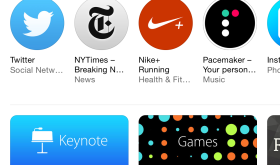
For a while now the Apple Watch app has had a non functioning tab labeled “Featured”. Now that Apple Watches have been delivered, the App Store styled page is up and running. There are a few categories of apps and you can now see thumbnails of screenshots just like you can with the full iPhone/iPad apps. Just to be clear, these are not apps you just install on your Apple Watch, these are apps you install on your iPhone and then have the option of accessing from your watch. There are definetly apps I will not have on my Apple Watch, such as games, but it’s great to have a section highlighting all the apps that have Apple Watch companions. [Read more…]
Hyperlapse from Instagram – Timelapse App by Instagram
August 29, 2014 by

Instagram has released a new app called Hyperlapse that is a very customizable timelapse video app. Funny how it’s put out by Instagram even though they are owned by Facebook. And it’s titled “Hyperlapse from Instagram” not to be confused with the app title just “Hyperlapse” which is a different timelapse app sorta kinda… Anyway, this app is not just a timelapse app. If so, it would become pointless once iOS 8 comes out because it is part of the Camera app update. This app claims some very nice features like: in house stabilization, speed up your hyperlapse to be up to 12 times the speed and quick recording with no account needed. [Read more…]
WhatsApp Bought by Facebook $19 Billion – Why?
February 20, 2014 by
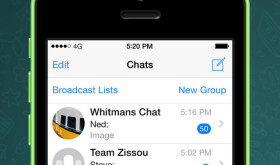
Ok, so this is going to be a very humbling article but I just gotta know from the iPhone community, What is so great about WhatsApp? I’m guessing it has to do with the fact I live in the US and most of my friends have iPhones so we use iMessage. I also use Facebook chat for some group messaging. So, when I open up WhatsApp, there are only about 20 of my friends that even show up out of my 1,200 total iPhone contacts. It feels a lot like Google+: If no one is on it, I’m not going to use it. And, if another app already has the feature, I’m not going to use it. I have lots of other apps like that, for example: Sceene, Skype, Voxer, Skype, HeyTell, Kik & Viber.
Splashy Fish – Best Flappy Bird Replacement?
February 18, 2014 by
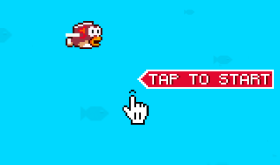
With most of the Flappy Bird drama behind us, many developers are attempting to become the next Flappy Bird. If you read the reviews of Splashy Fish, it may be the best alternative, possibly even better! At the time of writing this article, Splashy Fish is currently the top free app in the App Store. I only made it to about a 6 on the original Flappy Bird so I thought I’d see if this game is still as difficult or if it was easier. [Read more…]
Should Our Family Share an Account in the App Store?
July 31, 2013 by
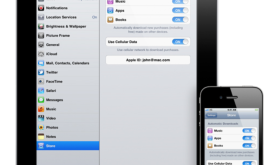
Lots of people wonder if they should share an account in the App Store with people in their family. I highly recommend it and in this video I explain how it works and why you should. If you have anymore questions that I didn’t cover in the video just leave a comment below. [Read more…]
Set Your Vacation Responder for Gmail From Your iPhone
July 20, 2013 by
I took an entire week off of work recently for my 10 year anniversary and one of my son’s birthdays. During the beginning of the vacation I was somehow reminded that I needed to set an auto vacation response on my Gmail account. I remembered seeing it once in the settings of the Gmail app on the iPhone so I thought I’d check it out and see how well it works. [Read more…]
AccuWeather Update Getting Poor Reviews
March 27, 2013 by
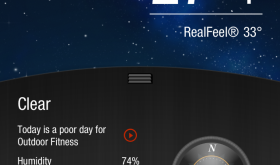
AccuWeather recently updated their iPhone app and I have to say that I do not like it. It had a nice clean design with iPhone style graphics. It functioned. I finally had it figured out since the last update changed so much. Now the new app is ugly, clunky and unorganized. You’ll see there are a lot of grab handles that require you to swipe to get to more data which takes more steps to get to the same info as before. Here’s a before and after of some of the screens and lots of unhappy tweets. What do you think of the new update? Do you have another weather app that you’d recommend to others wanting to switch? [Read more…]
Subway Surfers – Video App Review
February 9, 2013 by

Denver, my son, wanted to show you his most recent favorite game in the App Store. It’s called Subway Surfers and it’s a lot like Temple Run only you’re running from the police… The goal is to collect coins to get upgrades like fasters shoes and different characters. Check out the video and download it free in the App Store. [Read more…]
Bike Race
January 2, 2013 by
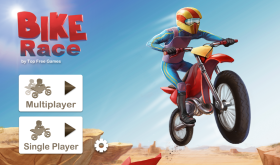
I recently installed a new motorcycle game over the Christmas holiday called “Bike Race”. I have to warn you, this game is highly addictive! The game itself is addicting enough because of the nature of the game. But, what’s even more addicting is the ability to play with others online including your Facebook friends. I currently have several games going with both Facebook friends and random people I’ve met through the game.
The game itself is pretty simple. You steer a motorcycle through a race track viewed from a two-dimensional angle on the side. A game I play on the Xbox called “Trials HD” is a lot like it but this version is not as high graphic. Nevertheless, it’s still as addictive! [Read more…]
Timehop: What did you do 1 year ago today?
November 14, 2012 by
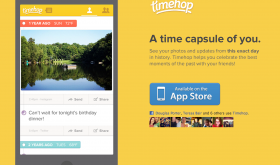
This is a simple, yet fun app really worth downloading. All you do is open the app and you will get a list of things you’ve done 1 year ago today. The app also goes back 2, 3, 4, & 5 years. It pulls info from Facebook, Twitter, Foursquare, Instagram, flickr and your camera roll. Of course it’s really fun when you have kids because they grow up so fast. Now you can see your memories much easier and you can even get a daily push notifications once your Timehop is ready. [Read more…]
Robotek
November 9, 2012 by
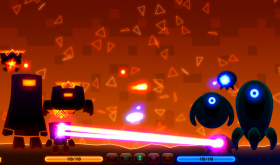
A recent game my son and I found for the iPhone that’s pretty addicting is called Robotek. There is also an iPad version and even a version for your Mac. You start off with only one robot and you play against the computer who also has one robot. The first thing you do is spin three reels to see what kind of help you can get to defeat your opponent. There are also three different categories you can spin the reels in: little robots, defense & offense. Once you pick the category, you tap the green arrow and see what you get. If you spin three different images you get all three. If you spin two or three of the same image, you get that item at two or three times the strength. I like to start out with getting at least three robots. Then prepare a defense; then go on the attack. Between each spin there is a battle and it’s a fight to the death. [Read more…]
Cinemagram – It’s Like a Moving Instagram
November 8, 2012 by

There are all kinds of apps the are trying to get in on the Instagram popularity. Many apps are just knockoffs or just plain junk. Cinemagram is not one of those apps. It allows you to create a moving gif image, kind of like a very short video but in a picture format. The kewl thing is, you can have the image loop, go forward & back, or loop backwards. You can also make only part of the image move. There are some amazing and hilarious Cimemagrams. Here are a few to show you how it looks: [Read more…]


 Loading ...