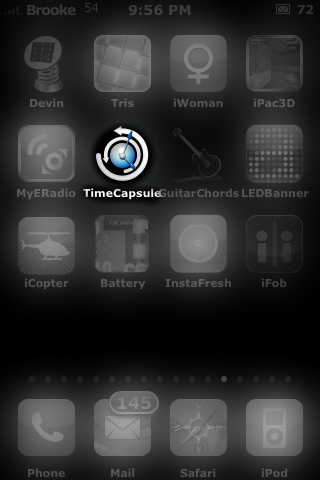
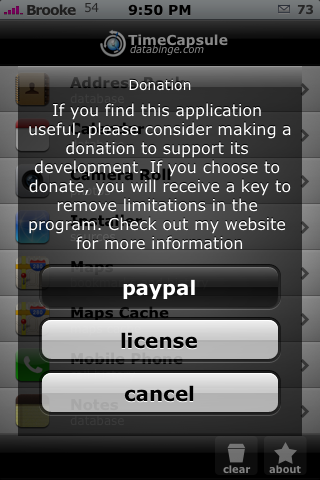
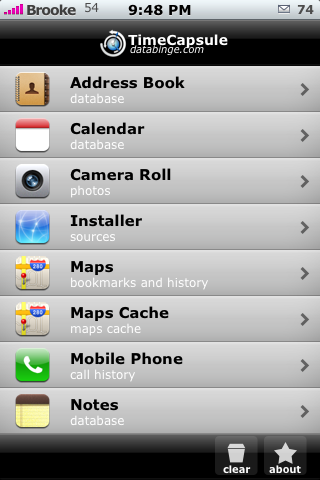
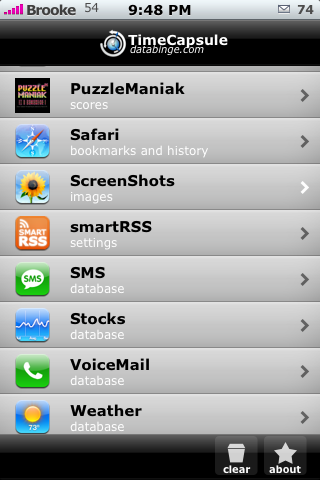
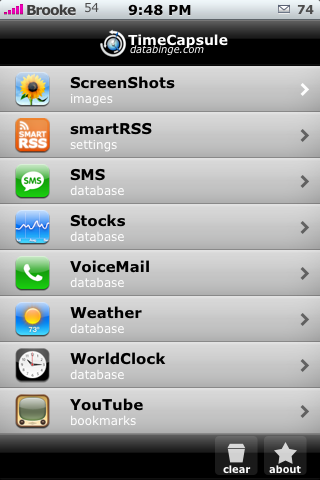
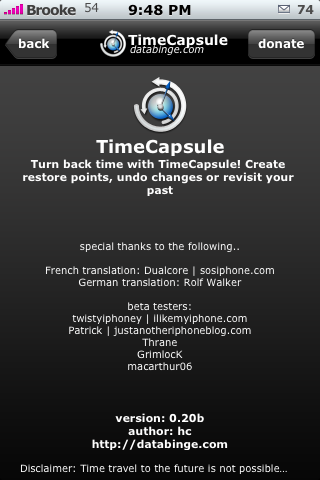
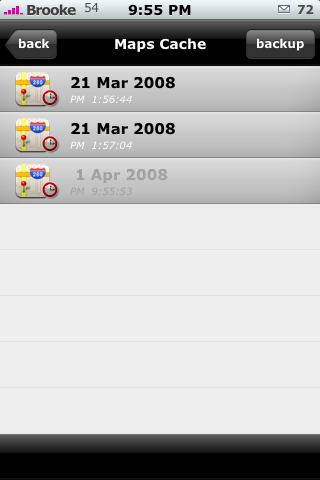
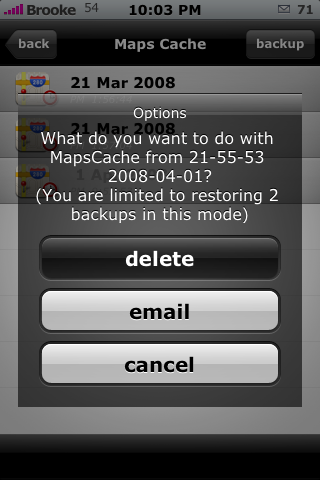
 Version 0.20b of TimeCapsule has a few changes including, a new icon! I really like the new icon…very nice! Also, when you open the app you now get a pop-up asking for a donation and letting you know that you can get the full version of the app by donating. You can also enter your license key from here as well (at least I think that is new…I don’t remember it doing that before!). There have been two new apps added to the list of apps that can be backed up; ScreenShots and smartRSS. Both of these can only have one back-up on the free version of the app. Now, down to the nitty gritty. I love the new icon…I love the new About page…much more elegant and sleek. However, this version of TimeCapsule randomly crashes WAY too much for my taste! Which, I don’t remember it doing in past versions! Also, I have an issue with the Maps Cache back-up. You are allowed two back-ups (on the free version) of Maps Cache. I already have it backed-up up twice and I wanted to update the back-up to today. Normally, it would just overwrite the other back-up with today’s back-up. But, with Maps Cache it adds a third back-up that is greyed out and that I can’t back-up to. So, I tried to delete one of my previous back-ups to make room for today’s but, there are no options to do that! I’m assuming this is a glitch in the app…maybe we will see a fix in the next update! For now, if I need to back-up my Maps Cache I have to do it with March 21st back-up! All that said…I still love this app! TimeCapsule is availble through the databinge source.


 Loading...


 Loading ...
Using this app and think it’s great.
Next version will include languages: Germen, French and Danish…
I don’t know if there are any specific differences between the backups made with the old version and the new, but I do notice that the new backups indicate how many records are included in each backup, so this would suggest at least some minor differences. My suggestion is to delete all old backups and re-create new ones to ensure maximum compatibility. This may not be necessary, but it couldn’t hurt.
Would this app be useful to recover from a full restore? Say I have the phone the way I like it. Could I move the backups out of the iphone, then if I have to restore, simply re-jailbreak, re-add this app … move the backup files over and then be able to restore my entire phone to the way I like it?
Thanks.
p.s. BTW … This is my new procrastination site. I check it a couple times a day, and unfortunately, you guys keep updating things. Way to keep the addiction going. ;-)
Oh yeah totally.
http://databinge.com/blog/?cat=6
Major: SMS contact specific backup for 1.1.3 and above (now for all firmwares)
Major: SMS Search for 1.1.3 and above (now for all firmwares)
Major: SMS Conversation backup in IM-style enabled for 1.1.3 and above (now for all firmwares)
Major: SMS Conversation backup in CSV format
Major: View contents of Installer backup
Major: Sync contents of Installer PackageSources.plist
Major: Recreate contents of Installer PackageSources.plist
Major: Transfer of all text to external file for localization (French and German version coming soon)
Major: Added support for smartRSS, WorldClock, Screenshots
Major: Added entry counts for AddressBook, Calendar, CameraRoll, Installer, CallHistory, Notes, smartRSS, Stocks, VoiceMail, Weather, WorldClock, YouTube Bookmarks, WebClips, Screenshots
Major: Added About page, acknowledge beta users and translators
Minor: Disable restoring of SMS repository over 1000 SMSes in 1.1.2 and below
Minor: Disable restoring of SMS repository in 1.1.3 and above (currently it is risky, so I will only recommend that users that know wht they are doing do it manually.. more instructions in the TimeCapsule main page of this site)
Minor: New icon, and icon shown on top bar in main view
Minor: Custom text labels used on top bar instead of default navigation item text
Minor: key not cap sensitive
Minor: Change icon of Camera Roll and WebClips
Fixed: Crash when trying to backup SMS Repository by email
Fixed: Check phone number for all format in Backup by Contacts
Fixed: SMS Search crashes
Fixed: Find program’s settings path by checking the application user
Fixed: Create tmp folder if doesn’t exist
Fixed: Contact name in email conversation shown as null
Fixed: Crashes when pressing on Installer repository
Fixed: Screenshots not showing count
Fixed: Crash when going back from content to files
Coming Soon:
Backup all
Sync Call History and WebClips
Preferences page to..
hide/show applications not backup often
specify application to backup using ‘Backup all’ function
What else do you suggest?
Known issues:
If you try to backup too many SMS in csv format, iPhone will hang. I have tried 800 SMS and it hanged. I will put a limit, just like the IM-style backup so that backup can be done in parts.
WebClips backup will crash. Backup is created without problem.. it just crashes and doesn’t shown count after that. (fixed, but not released yet)
Restore of WebClips and CameraRoll will copy the backups to the original locations, but doesn’t remove the originals. It should, will fix this.
See I had told everyone, it will have smartRSS support !
Once I back up my data on my phone, what’s the next step?
Do I have to save it on my Mac? Sorry, I’m still a rookie, any help would be appreciated, holla!
Using SSH you can back up the following folder to your computer: /private/var/mobile/Library/TimeCapsule
Yea, I’m with Da187suspect. What do I do after I back up the data on the iPhone itself?
Also, what is Maps Cache?
Cache is temporary saved information. When you view a map it caches it on your iPhone. So it saved the square images of the map. It makes it load faster.
thx :)
One small point: If you require payment for a full version it’s no longer a “donation” it’s a fee for shareware. While I understand why someone would want compensation for their time at least be honest about it.