 |
Available In: Installer |  |
Price: Free |
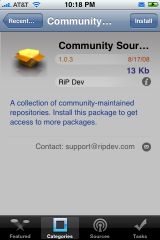
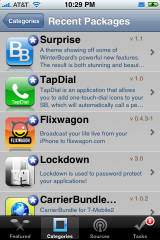
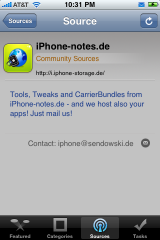
 There is a new version of Installer out today which also comes with updates to community sources. They include a source for modmyifone.com and iphone-notes.de Here’s a list of what’s new from the RiP Dev blog:
– Many visual enhancements and fixes in regards to source and packages display.
– Fixed an issue with failing installs with dependencies under some circumstances.
– Fixed a bug causing package information to be displayed incorrectly (size 0 bytes) on the first access, or when the custom information HTML page (such as packages from Big Boss’ repository) was not displayed.
– When updating a package, and one of its dependencies also has an update available, the dependency will be updated as well.
– The package icons will only be downloaded when on the Wi-Fi to help you save on bandwidth.
– The repositories are being refreshed upon Installer.app launch so you always stay on the bleeding edge with the updates. This is experimental behavior and we’re not yet sure it will make it to the final release.
– Fixed a script command Confirm that was returning invalid button index for the “OK” button.
– Lots and lots of both cosmetic and internal application core fixes that improve the overall performance, presentation and stability of the application.
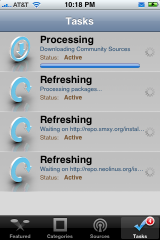
I’m still having a lot problems with the app. When refreshing sources, sometimes it hangs for a long time. I also have had it crash randomly (a lot). Of course this is still in Beta so it’s not a surprise. Let us know you’re experience so far with Installer 4.
The sources area:
ModMyiPhone.com – http://i.modmyifone.com
iPhone-notes.de – http://i.iphone-storage.de/
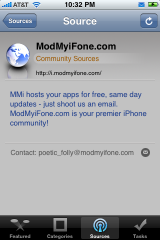
Thanks to @iphonejunky for tipping me on this one via Twitter!

 Loading...


 Loading ...
I’m still showing that I have 4.0b2, I have all the sources installed including the new ones that came out today. I am unable to find the updates for installer itself. I have nothing in the updates folder and have searched through all apps while encountering lots of crashes… :-( So far I have adopted Cydia, losing patience with installer.
nothing meaning no installer update, I have all the other apps.
Should be under updated pkgs, under categories
Yep… should be. Not on mine however.
did you try refreshing your sources?
my hangs when i load it under edge. it shows 7 tasks then 6 and stays stuck at 6. does NOT happen when on wifi
I have the opposite problem, works great on EDGE and 3G, but on WiFi, it sticks on 3 tasks for about 30 seconds. Other than that, it’s a much better release.
I like Cydia better… Installer lags WAY to much
Out of the two cydia kicks butt right now. If Cydia can run with the momentum it’s gained due to Installer being a beta, it may just take over.
Does Anyone know if it is possible to update to the custom firmware that you make in pwnage or do you have to restore to it?? Thx in advance.
this is the wrong place to ask, it is ment for discussion related to this news, not for troubleshooting. if you have a question, go to the forum.
update isnt posiible as far as i know
Good question! Can someone please answer this? In my opinion I think we have to restore to the custom firmware but I could be wrong…
Restore the custum firmware with itunes (you need 7.7!)
I’ve you choose upgrade you go to the itunes store to buy version 2.0.
Make shure that you pwnd the firmware good!!
gtzz Pasterior
I can’t find Orblive in my Multimedia folder. I have installed the ste source for 4.0.
Help
mine gets stuck refreshing the first source and I have to restart the phone. I’ve tried about 15 times, is there any way to fix this? Thanks
Just a thought here. Try turning off 3G when you refresh/update with Installer/Cydia. EDGE seems to handle it better. At least for me.
I have the same problem. Has anyone solved this? Installer hangs when I start it. I can see that it starts refreshing the sources and then the phone restarts after a while. Non of the sources succeed it hangs directly.
I have tried on 3g/edge and on wifi. Same result.
Is there a way of reinstall installer without having to to totall restore of the phone?
im still dissappointed. installer needs more work, more organizing, and a better menu layout if it wants to compete with cydia.
I second that. I won’t knock on anyones work but Cydia is light years ahead at this point.
Better organized in terms of where to find stuff. I don’t see me using Installer thaqt much..
Mine got hung up on its refresh for like 10 minutes.. finished finally andi have left it alone till i hear a update to fix that..
Hmmm, that sounds like what happens with me. For me though it has a lot to do with the spotty 3G signal. I usually have to turn 3G off in Settings THEN run Installer or Cydia to get proper source refresh and/or downloads. I was only able to get my Installer refresh and update on the EDGE network…
I would say that Installer 4.0b5 still has a long way to go before it is gonna be accepted properly again, although saying that i still managed to get a lot of rouge sources for it and the results are good. The only problem that i’ve had was after installing MonkeyBall, when i tried to play it, it just kept on crashing, So right now i think its best to continue using Cydia as the main app installer, until the past master gets back up & running properly….
this wont apper 2 upate…
how do u update?
try manually refreshing your sources. Then close Installer and reopen it. There should be a popup asking if you want to update. That’s how it worked for me.
As posted above cydia just might take over the jailbreak scene due to the slow and sluggish release of a stable installer. Installer was popular because it was default, well now the tables have turned.
it’s not in the update section or any other sections at all in my iphone. but actually no need to use installer anymore. now we have cydia…
update is now visible after deleting all the sources and refreshing it…
as soon as I opened Installer last night I got a popup window telling me there was an update and gave me a choice to close the window or update. I of course chose to update. Granted I only saw this popup AFTER I manually refreshed the sources, closed Installer, then reopened it. In the Recent Section I saw Installer but when I tapped on it it didn’t give me an option to update. That’s when I decided to close it and reopen. Then voilà that’s when the popup appeared.
i didnt’t get a pop-up after refreshing, closing, restarting etc.
only deleting the sources and refreshing the packages solved it for me. (not a pop-up again but file was visible in the recent list this time)
People…..This is still only a BETA release, it’s not a complete version and can’t be expected to work well just yet, there is going to be problems with it…..
don’t write it off and hammer it just yet as it’s still very much a work in progress…..
I completely agree. :-)
my oppinion is that you shouldnt release a beta like that. it doesnt serve any good to the people and just spoils the installer image.
Well my feeling is that they should have ported the original version to 2.0, and THEN behind the scenes created a newer version.
To me it looks like they are releasing Alpha version not a Bets.
Beta or not… Look at Cydia… Didn’t have any issues like this & they have been running strong with 2.0 & 2.0.1 with no problems at all.
Cydia is now the “daddy” installer
I have to admit that even though I love Installer (and this is mainly from my version 3.x use of the app) I am more in love with Cydia right now. And I know Installer is still a Beta. So I’m not going to count it out. So far Cydia has been surprising me with how user friendly it is. I used to have both Cydia and Installer when my iPhone 2G was on FW 1.1.3. Installer was always my fave over Cydia. The tables have changed somewhat for obvious reasons. The only app I actually have installed through Installer 4beta is Kate. Which by the way NEVER worked right for me pre-2.0. Seems to work flawlessly now and made me actually BUY it. Totally worth the $ IMHO.
Anyway I’m still an Installer supporter. This latest update seems to tweak it so it works a little better. Can’t wait to see the finished product! :)
I am having the problem that many are…unable to decode package…2.0.2 Any idea’s Cydia works…like it…but I want genesis roms and Nintendo roms and such…can’t find any sources for cydia that offer those. Am I able to downgrade to a lower firmware so as Installer would work? Any help would be great. e/m sdstephens74@yahoo.com…Thanks
ok it’s still Beta… but why is it buggier than the previous version? One step forward two steps back!
How can I contact the makers of installer to ask how to fix my problem? Now that installer automatically refreshes and refreshing freezes my phone, I cannot do anything at all. Is there a way I can delete some sources through ssh or uninstall it and re-install it? Thanks
thats not a beta-version – it’s in its actual state an alpha and shouldn’t have been released to the public IMHO.
I deleted this off my iphone right away. Crashed 5 times right after I installed it. And now it would freeze the whole iphone EVERYTIME.
I don’t know why they still even bother. It’s been months and Cydia’s stable as ever. Installer has NOTHING going for it except the seemingly better-looking interface.
Installer is a shadow of its former self. It’s not worth the space it consumes on the device. It should not have been released in its current form.
I’m sticking with Cydia. Installer way to BUGGY !!!!
i was noticed when i was looking for the installer update under Updated Packages, Air Horn is listed like 100+ times. Has this happened to anyone else?
Yes, it has for me…. Air Horn X 100 ! Don’t know why…
I’ve always been an Installer addict…. Didn’t even had Cydia installed on my 1.1.x ! But, as things goes, I,’m slowing inclined towards Cydia now !
My point is that both devs had the same time in adapting their “apps”… and Saurik’s made his stable, user friendly and reliable … Will see for the future but for now, Cydia wins my heart….
I like installer BUT this latest release really is a let down. I wish I would have waited to upgrade because now you cannot delete apps and like many have said an auto update source is silly. Edge it freezes. I would rather perform this manually.
Yes it’s still In beta but if anyone would have tested this inthe slightest they could have saved more loss of face. Other than the rouge sources installer doesn’t have much use at this point. I am the first to hope this changes fast.
Does anyone know when Categories will be available?
I e-mailed the Boss and asked if he was working on it and I never received an answer. Guess he’s to busy with other things to answer.
Scott J
That’s a pity.
Thanks for mailing, Scott.
can i install it on 1.1.4 firm¿?
No, also Installer update wont work freezes because of my sources..
no
Sounds and looks great, but holla back when its out of Beta and works smoother..seems like there are issues still. Cydia has worked well for me. I am still a 2.0, guy until Apple upgrades the firmware with something worth having and the dev’s crack it…
I found a way to stop the lagg with wifi, as soon as you open up installer go to tasks as fast as you can and wait till it’s done.
ive been doing the same thing but it will still freee sometimes before it finishes. the least tasks ive had is 7 (just froze again on 8 as i type) i have not yet got it to finish since i first launched installer 4b5
How do I get Cydia to update for the latest versions of apps that exist on the jailbroke iphone version 2.0.1. I broke used winpwn to jailbrake the phone. Any help would be appreciated. Also, does anyone know how to get customize to work with the version2.0.1?
Thank y’all,
Brian
Quick question when the full version of installer is out will we have to restore are iphones or will it be available in an update like this one?
Andrew, when a complete and properly functioning Installer is ready it will be available as a download through the “king of packagers” Cydia!!
For those who can’t seem to update 40b2 to 40b5 should try to manually install 40b4 and go from there.
Mind you 40b4 Installer.app is a pain to find.
And why RiP Dev do not have a link for a manual install of installer 4 is beyond me.
If this was useful info to someone I would be happy to provide a link for Installer.app 40b4.
-Riff
trust me you dont want 4b5 wait
How can I get installer?
HUH?
Its not on the latest version of PWNAGE!
Yes it is.
That how I got it.
Riff
I know now. I tried again.
Sorry =-|
I have Both and i love cydia no problems except for not as much sources as installer :( …and installer is terrible at this point it freezes up counting down the sources, and i cant delete the apps after there installed, the icon remains on my springboard. i have to hide it…. i guess we just have to wait and c…..Question ?????? How can i update installer if i cant run it ????? ugh
When installer is functioning properly it will be available for download in Cydia…
How do u get cydia.. i need that app for my ipod touch and i cant get it…can u tell me how to get it..thanks:0
I can’t use installer on my iPod touch. I have the beta version (4.0b5-4)
It says something about installing the “Community Sources package to get access to more packages and watch our weblog at ripdev.org”
I can’t run any apps from the sources I have accepted and I can’t add most sources. I get error messages such as the following:
“Unable to decode package more info at http://…”
Can anybody help me get this to work?
can’t uninstall apps
any idea?
SSH into your iphone go to /Applications and delete the app you dont want.
They shouldn’t release Installer now. They should have waited and then released it when it could compete with Cydia.
through what source can i get summerboard?
it very good
Somebody help!!! Cant find orblive in my installer under multimedia.
I have a 1st gen iPhone with firmware 2 & cydia but no installed so how do I install installer
i wants to know how can i download installer 3 for my iphone
Hello, I was wondering if you figured out o found the link to install, installer.app >?
Thanks
why is my not coming on and its apparently charging itself and the only thing being displayed is a black screen with the apple logo. oh i have a iphone2g
COMO FAÇO PARA CONSEGUIR O SummerBoard POIS NÃO O ESTOU ACHANDO ??
I never had on iphone
I never stimulate to get exclusively based upon the Internet critiques, BUT I always stimulate buyers to consult with the reviews prior to making the last conclusion. The opinions
only at BowCritic are put together in ways to truly save you time as well as make certain that you do not miss the forest for your bushes.
This can allow you form them from the compound bow ratings and to see all
the most popular bows.