 |
Available In: App Store |  |
Price: Free |
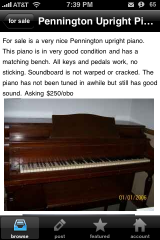
 I’ve looked into a craigs list app for the iPhone before but the only one I could find cost $2.99. Gizmodo wrote about craigsphone today so I thought I’d check it out. The first thing that bugs me about this app is that you can’t view listings by their category in the for sale section. It’s all mixed together. You also have to be careful when you’re looking at an item and want to go back, you have to wait for the for sale button to load. Otherwise, if you do it too fast, the browse button is still there and it takes you all the way back to the first login screen.
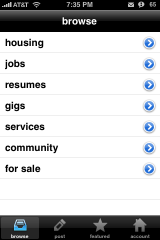
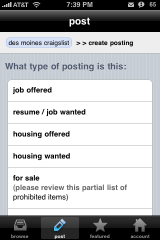
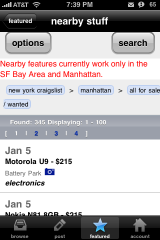
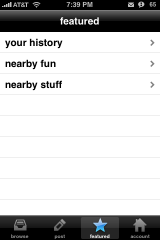
Don’t get me wrong, there are a lot of good features to this app. First that it’s free, then the sweet icon. There’s lots of other categories than just “for sale” like housing , jobs, resumes, etc. You can create a new post right from your iPhone. It looks like they’re working on a nearby feature but there’s a warning that says, “Nearby features currently work only in the SF Bay Area and Manhattan.” And finally, something to remember. If you’re going to create a post on your iPhone you have to upload the images first under the account tab.
For a free app it works to get the job done. If they clean up a few things this will be an amazing app that most craigslist addicts will love!




 Loading...


 Loading ...
Works OK, then used the web version on Safari. Think I’ll save springboard space and use the web. At this point in time in my opinion, a totally wasted development effort.
I prefer CraigSearch. It’s also free and I’ve been using it for a few months now.
yeah but craigsearch doesn’t have any pictures for the posting right?…
Oh thanks! I like how user friendly craigsearch is!
@Douglas – actually if you want to view the listings by category in the for sale section you need to push on the arrow over to the right of For Sale…if you just click on For Sale then yeah you will see everything.
Yeah, craigsearch doesn’t show computers category, for sale?
Hi everybody, I use a new application called ikraigslist, it’s easy, has many features and is quite fast. Try it here : http://picturasystems.com/products/ikraigslist/
The best one I have seen is Craigslist+. It is easy to use and makes searching and browsing really quick. http://itunes.apple.com/us/app/craigslist/id457406375?mt=8