 Developer’s description of app: GBA Emulator for the iPhone/iPod Touch.
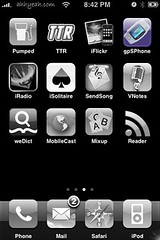
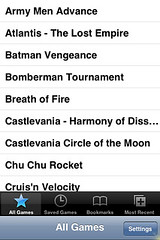
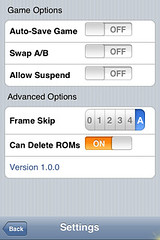
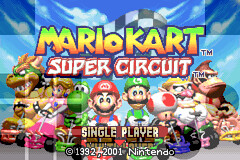
So I finally sat down and tried to get gpSPhone to work on my iPhone. I think a lot of people are confused by the name and think it’s some type of GPS for the iPhone. It’s actually an emulator for Game Boy Advance games. There have been a few updates lately and I’ve heard the developer got a little help from the developer of the NES app. A big difference in this app from NES is that you have to download the bios (gba_bios.bin) to run the game yourself. You can just search for gba_bios.bin on Google and it’s usually the first link or you can download it from an actually Game Boy Advance. Another big difference in this app from NES is that the buttons are layered over the game. This way the game plays full screen. The buttons appear as shaded shapes over the game. See screenshots below. Ok, so now how do you install gpSPhone, get the bios, games, etc. Here’s a step by step guide:
1. Install gpSPhone via Installer.app under the game category.
2. Install openSSH via Installer.app under the system category.
3. download the bios file needed to run the emulator – google search for gba_bios.bin or download from an actual Game Boy Advance.
4. upload the bios file (gba_bios.bin) to /Applications/gpSPhone/ on the iPhone via SSH.
5. download game files (end in .gba) these can be downloaded via P2P or bit torrents, or downloaded from actual Game Boy Advance games.
6. create a folder on the iPhone /private/var/root/bin/Library/ROMs/ via SSH.
7. create a folder on the iPhone /private/var/root/bin/Library/ROMs/GBA/ via SSH.
8. upload the game files (end in .gba) to /private/var/root/bin/Library/ROMs/GBA/ via SSH.
Now just run the app and pick a game. Most games I tried are still glitchy but the developer is working on this.
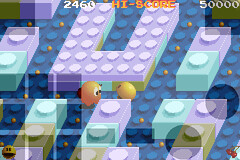
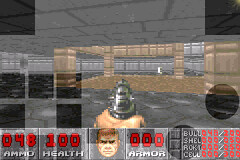


 Loading ...
so i hav a ipod touch 4th gen,i used cydia to get gpsphone,den used it to get openssh,downloaded the bios from gamefront,then moved it from downloads to gpsphone folder,downloaded pokemon fire red and then the rest was same,created a bin folder,then inside it library,then gba,then ROMs,it ran the games saying it needs a gba image,and then to place it n the gpsphonefolder,just dont know what to do,so please help
!!!!!!!!!!!!
some people say it should be in media file
Place the gba_bios.bin in “/private/var/root/bin/Library/ROMs/GBA/”.
That is all.
_
Anon’s Unite.
you can find here the .gba-s… : /var/mobile/Media/ROMs/GBA
i have an ipod touch 4th, have got gpsphone (ver. 6.6.7) thru cydia, and have gba_bios.bin within the “../var/mobile/media/roms/gba/” folder, where there’s an empty text file named PLACE_GBA_BIOS.BIN_HERE.txt) and some gba roms. but gpsphone just won’t start the games totally with a black screen…
then i have gba_bios.bin in the “applications/gpsphone/”, but the games still won’t start…
then i manually created “/private/var/root”-“/bin”-“/Library”-“/ROMs”-“/GBA”, and put the .gba games and the gba_bios.bin into this folder, but the games still won’t show up…
anybody knows what’s the problem?
wont let me get the bio’s and sugestions?
it’s a tutorial on how to install gpsphone + play gba games
hey there and thanks for your information ? I?ve certainly picked up anything new from proper here. I did alternatively experience a few technical issues the use of this website, since I experienced to reload the website lots of occasions previous to I could get it to load properly. I have been considering in case your hosting is OK? Not that I am complaining, however sluggish loading cases times will sometimes have an effect on your placement in google and can harm your high quality rating if ads and ***********
I used to be recommended this web site via my cousin. I’m not positive whether this publish is written by him as no one else recognise such specified approximately my trouble. You are amazing! Thanks!
can’t find a working bios?
When placing the gba_bios.bin in the var/mobile/media/ROMs/GBA, you need to delete the other .txt file, or else gpSphone will be confused. I also recomend that you get iFile from Cydia, as it will be easier to keep track of your files on the ipod without using a computer.
I got a gameloft duo controller, haw can I connect it to gpsphone app?
Magnificent website. Lots of useful info here. I am sending it
to a few pals ans also sharing in delicious. And
naturally, thanks in your sweat!