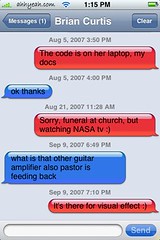
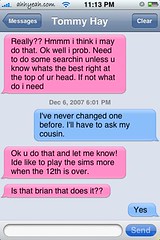
The text application on the iPhone lets you send SMS text messages to other cell phones. The design looks like two cartoon like chat bubbles talking back and forth. All past texts are always visible by scrolling up. I feel this looks is designed to feel more like chatting than texting which will increase text messages and make AT&T more money. Some downfalls to the text feature are no MMS texting. So no picture or video texting, and also no texting to a group. And you can’t receive picture texts either. You have to go to viewmymessage.com and enter a username and password that comes with the text to see the text. Links however are clickable within the text and will open right into Safari.
Custom Balloon Colors
You can also change the colors of the balloons by installing Customize. Here’s what it can look like:

 Loading...


 Loading ...
nice i think it great how you are useing your own videos instead of youtube ones.
How can I forward a text message to another user? Thx
could you put sms on your ipod touch..
jailbreak 3G Unlock iPhone 2.1
I got this site from my friend who informed me about this website and now this time I am browsing
this site and reading very informative articles here.