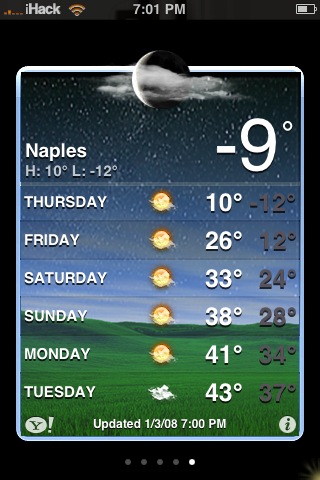
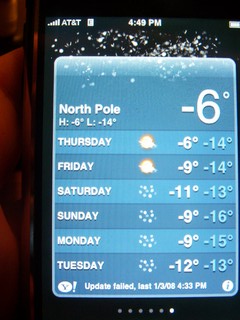
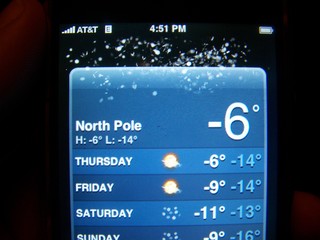
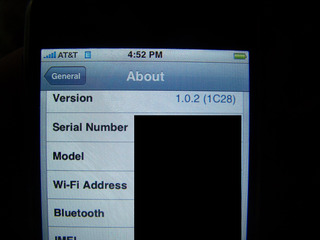
Thanks to viewers, Chris & anonymous, we have proof the iPhone can display negative degrees. How is this possible? Well, FW 1.0.2. Seems it wasn’t a glitch at all, or at least not widespread. Here’s a few screenshots:
Learn how to use, hack and mod the Apple iPhone, iPad & iPod touch
Thanks to viewers, Chris & anonymous, we have proof the iPhone can display negative degrees. How is this possible? Well, FW 1.0.2. Seems it wasn’t a glitch at all, or at least not widespread. Here’s a few screenshots:
 (No Ratings Yet)
 Loading...


 (5.00 out of 5) (5.00 out of 5) (5.00 out of 5) (5.00 out of 5) (5.00 out of 5)
 Loading ...
My iPhone always can display negative degrees! In FW 1.1.1 and 1.1.2!
o.Ô
Rafael: Keep in mind that 1.1.1 and 1.1.2 come after 1.0.2.
I have 1.1.1, I double checked and it is working:
eFoobar: is there anybody using an older FW than 1.0.2?
o.Ô
I don’t think is an iPhone glitch, I saw the same glitch on the weather widget on my Mac, it was -13 and it was showing 13. Maybe the problem is at the information source “Yahoo!”
Err…. Perhaps it is because the SETTINGS are set to Celsius (C) instead of Fahrenheit (F)?
Push the ‘ i ‘ on the bottom right of the weather area, and at the bottom, you’ll see a button for F on the left, and C on the right.
When I took that screenshot I was using Fahrenheit. I haven’t changed any settings since I had the error last time. I’m thinking it’s a Yahoo thing also.
Where did you get that weather background? I like it :p
Where did you get that weather background?
i have 1.1.4