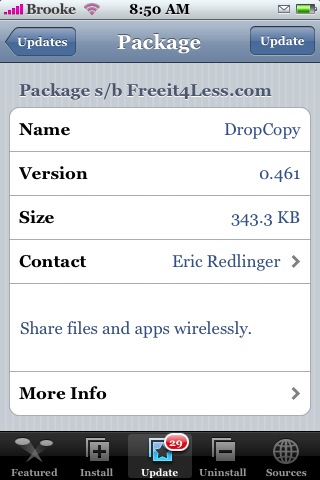
 Version 0.461 of DropCopy should fix the issues everyone was having with the app installing but not running. Give it a try and let me know if it is working for you. DropCopy is available through the Ste Packaging source.
Learn how to use, hack and mod the Apple iPhone, iPad & iPod touch
Version 0.461 of DropCopy should fix the issues everyone was having with the app installing but not running. Give it a try and let me know if it is working for you. DropCopy is available through the Ste Packaging source.
 (No Ratings Yet)
 Loading...


 (5.00 out of 5) (5.00 out of 5) (5.00 out of 5) (5.00 out of 5) (5.00 out of 5)
 Loading ...
I’m using iPhone firmware 1.1.4….
This updated version of Dropcopy is now running for me…. I was able to connect to, and transfer a song to another iPhone user with Dropcopy running on it as well… Great response time on addressing the issue !
Now….. on to figuring out how to get the files on to my PC :)
ps. as mentioned earlier, a Bluetooth version would be stellar!
I face problem when tapping on PDFs tap the application crashed immediately..
I am traying to install/un-install with all possible cases without any result can you please advice me or its known problem
Info:
Jailbroken 1.1.4
When i try and run the app, it just keeps telling me that an update is avaible, also when i cancel the update, after installing it of course, i can never find anyone, and my work mate is also running the app beside me on her iPhone !!!!, but I can only find myself ???? Can anyone please help ???
I’ve encountered a couple of issues after some usage…. I’m running iPhone 8gb w/ unlocked 1.1.4
1. I was able to connect to and transfer a file to a friend using iPod Touch jailbroken 1.1.3, however, when i tried to do the same with another friend using an iPhone 16gb w/ unlocked 1.1.4, I was able to see their connection, but when i tried transferring a file, my iPhone showed connecting and file transfer progress, however, nothing showed up on his iPhone that identified an incoming file..when the transfer showed complete on my iPhone, there was still nothing on his… checked inbox as well…. don’t know where my file got transferred to :)
2. In both cases above, when the other unit was identified, the label came up as (null)iPhone, even though the Preferences Identification field was fillled in with descriptive text.
Can someone explain me how to transfer a song (that I downloaded from itunes) to another iphone user, with dropcopy? Thank you.