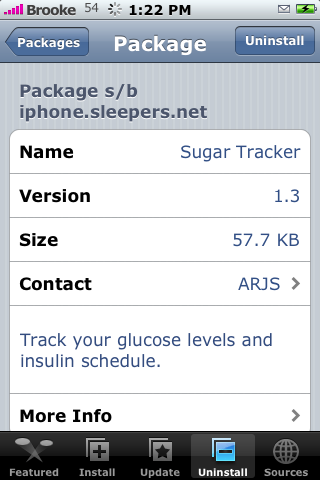
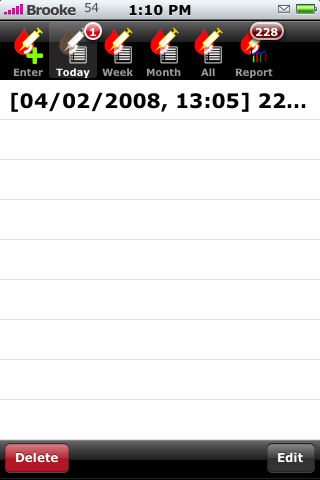
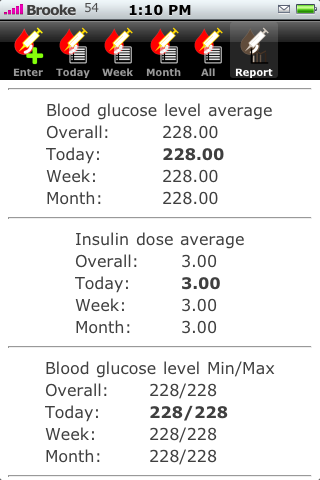
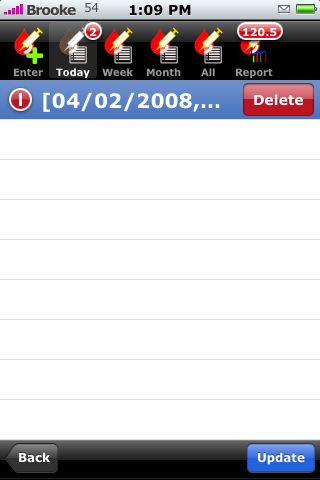
 I finally got version 1.3 of SugarTracker to work on my iPhone! SugarTracker is an app that allows you to track your glucose level and insulin schedule. The app opens to the main screen which shows the current date, time and two areas where you can enter the Glucose Level and the Insulin Dose. I know absolutely nothing about this subject so, I did what any person in my situation would do…I Googled it and WOW was that overwhelming! But, I think I got an accurate example…I think! Once you have entered the Glucose Level and Insulin Dose just tap save. This will then add this to the list of entries. On the upper menu bar you are able to choose to see entries from today, the week, the month or all entries. The Report option will give you the Blood glucose level average, Insulin dose average, Blood glucose level min/max, Insulin dose min/max and Blood glucose level average for the last seven days. It will also put a badge on the Report displaying the average blood glucose level…that way you can see it quickly without opening the report. Entries can be deleted my selecting it and then tapping Delete. However, after you delete an entry you must tap on Update in the lower right corner for the changes to take affect. Overall…this seems like it would be a handly little app! SugarTracker is available through the BigBoss source. Screenshots below.



 Loading...


 Loading ...
how come you dont have any new apps in catigories on the left side of this webste.
Because it takes FOREVER to do it so, I massively procrastinate it!! But, this morning I did just put two big underlines under “Update Side” on my To Do list…two underlines means business!! :) So, I should have it updated tonight!
karajan is my new favorite app. Make sure you get it!