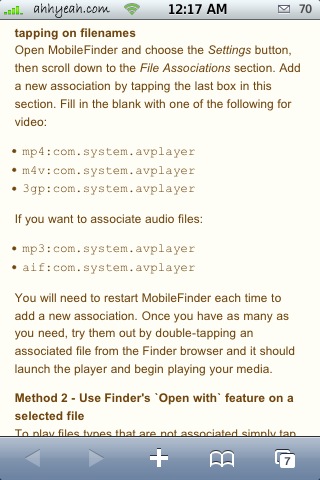
 AVPlayer allows you to play videos stored on your iPhone without loading YouTube or iPod. You will need Finder to open the files. Open finder and add the following file associations under the settings:
mp4:com.system.avplayer
m4v:com.system.avplayer
3gp:com.system.avplayer
mp3:com.system.avplayer
aif:com.system.avplayer
mp4:com.system.avplayer
amr:com.system.avplayer
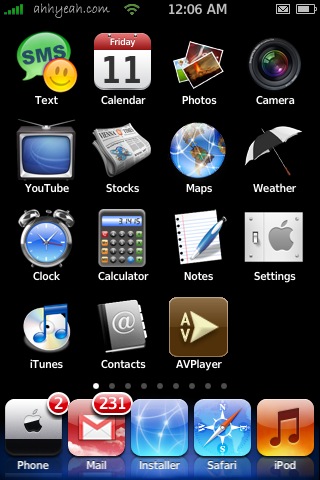
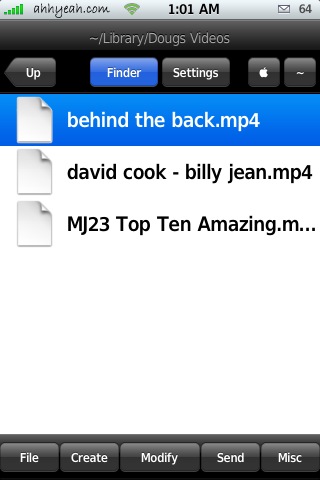
I’ve created a couple folders on my iPhone to hold my music and videos. I put them in /private/var/mobile/Library/ I named them Dougs Videos & Dougs Music. Now I just open Finder and double tap the files to play. It’s not so great for music because you can’t make playlists and it does’t keep playing when you hit the home button but videos on the other hand work great! I use a website called KeepVid.com to download YouTube videos. It links you to the hi res mp4 file so there’s no conversion time. I just ssh them to my iPhone and they play great! Tap the AVPlayer icon to play the most recent item. I just hid the icon because it’s not really needed once installed. This app is available through the Ste Packaging source.

 Loading...


 Loading ...
if i doubletap an mp4file the avplayer will be opened. but instead of playing the movie it opens safari… please help!!!
Please Help!! I have the same problem?
Does anyone have a solution for it yet?
Please!! I have the same prob too!!!
Somebody could help us
Which file formats does the program support? Also is there anyway we can get a review for iBlacklist?
It supports: audio, video, seeqpod, mxtube, torrent, mp4, m4v, 3gp and mp3
could you PLEASE give us a lInk to, download the clock icon seen on the screenshots: I’ve been looking for it for ages. Or could you please put it in the custom icons section.
MANY THANKS
@Brooke : I insist….PLLLLEEEEAAASSSEEEEEEEE
THANKS
I’d still prefer the iPod app. Its interface is way better…..
of course! but this is a solution for the files downloaded with safari… ;)
@Brooke I thought about an application that someone should develop. The application should know how to collect all your sources and all the programs you have installed on your iphone. Now, this program should not save the programs, but should just know which one’s you have installed. When you restore, it would know how to re-download them all, restore all preferences, and restore your sources.
It would save a lot of time after a restore.
Haha!! Yes it would!! I would definitely use it!
@Brooke I really think Erica Sadun could write something like that, i wish we could get in touch with her.
jk111
@Brooke Would be a good addition to Time Capsule
this app is awesome! Now if only swirlyMMS can send videos……..
glad you enjoy the app. I will be adding lots of cool stuff in the next version, so don’t forget my silly icon ;)
stay tuned
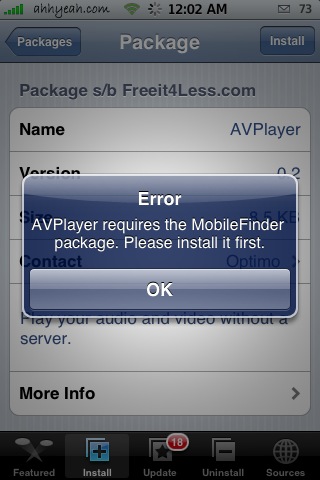
Please HELP!!!!!!! I tried everything above but still can’t install AVPlayer on my iphone. Same msg appear “AVPlayer requires……….” . Also, I use itunes transfer the video(mp4) to my iphone. I couldn’t locate it. It should be somewhere in the phone when I check the phone usage…. video>>>>1
” if i doubletap an mp4file the avplayer will be opened. but instead of playing the movie it opens safari… please help!!! ”
I still have the same thing !! how can i do ? thx
AVPlayer extension: mp4, m4v, 3gp, mp3, aif, amr, m4r and mov. Don’t work with avi, wmv, flv, mpeg and rm.
Awesome tool! Just tap on it and you have start/stop and more option :)
HABLEN EN ESPANOL CULEROS
I really like this app, anybody know if there is 2.0 version of htie app? or if there is a alternative app for 2.0?
hi! i installed avplayer, added the extensions but when i play the file, it doesn’t show video and just plays the sound. can you help? thanks
I am using avplayer mixed with the mobile finder app to play my videos that i downloaded with mxtube, i am wondering if there is a way to play an entire folder of videos without having to re open mobilefinder after every video and selecting the next video from there. When I am playing a video through avplayer and i press the button to go to the next song it just quits the app and goes to the home screen.
If not with this app, is there any other way to play my videos continuously without having to select the next one every time?
I cant play 3gp files on the avplayer. Everytime i open it with avplayer it on plays the sounds