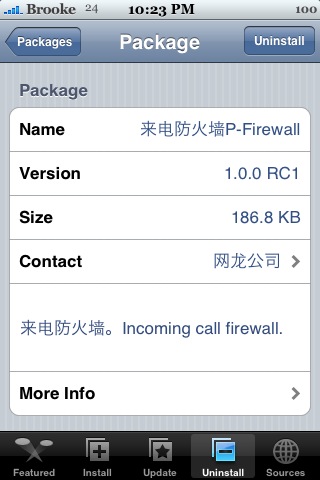
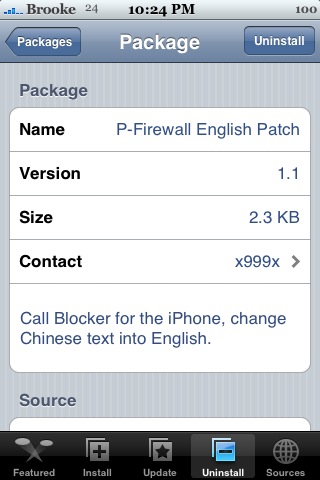
 P-Firewall is an app that allows you to filter your calls. However, it requires two apps to be installed for it to work correctly. The first app is through the iPhone Cake source and it is the main app. To get it, go into your Installer under Install and then the iPhone Cake category. You want the app P-Firewall…though, it has some Chinese writing in front of the P-Firewall so, you have to look carefully (see screenshots below). Once that is installed…you will need to install the English Patch for it. It is available through the Fight Club source and is titled…P-Firewall English Patch. The English patch will not show up on your SpringBoard…it is just a code app that changes P-Firewall to English.
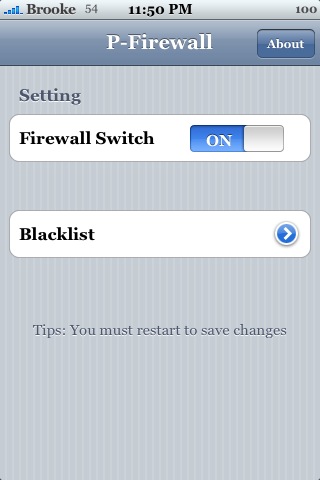
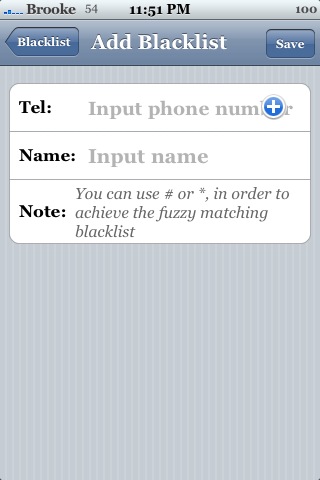
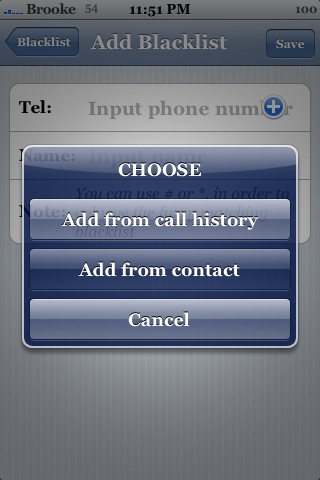
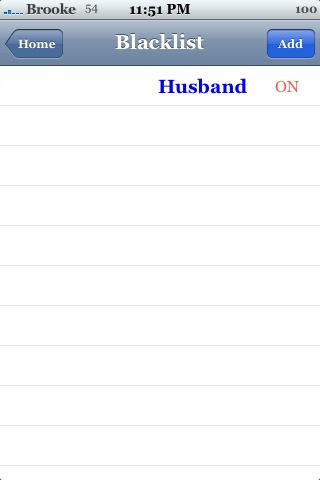
After you install the apps you will want to turn your iPhone off and back on (not just resping your SpringBoard). After you have done that, you can open the app. When the app opens, you will get the main menu. Here you will see two options; the ability to turn on/off Firewall and Blacklist. When you tap on Blacklist, you will get a blank screen. To add a number to your Blacklist just tap Add in the upper right corner. You can manually add the phone number, get a number from your contacts or get a number from your call history. Once you have the phone number entered…tap Save in the upper right corner. You will see it has been added to the main Blacklist.
If you want the Blacklist activated…you have to turn on Firewall. When you do, it will ask you whether or not you want to respring your SpringBoard. You do…so, tap Restart. Now, after it has resprung…you will want to turn your iPhone all the way off and then back on. Every time you add or remove a number from your Blacklist, you will need to restart your iPhone (not just respring it). After you have done all that, the phone numbers in your Blacklist will go straight to your voicemail. Doug said that the first time he called me after I put him on my Blacklist…it rang once then had about 20 seconds of dead air and then went to my voicemail. From then on when he called…it went directly to my voicemail. It did not ring for me…but, it did show that I had a missed call from him. Overall, this app did exactly what it was supposed to do. Though, just as a fair warning, I have had issues with other apps like this. So, install at your own risk. For me, it worked great!



 Loading...


 Loading ...
Thanks for the heads up Brooke… As a windows mobile migrant, this is the one type of add-on / application that i really do miss. Been keeping an eye on Pysl too, luckily didn’t install that last buggy version. You’re running 1.1.4 is that right?
Yep…I’m on 1.1.4.
Sorry for the inconvenience, but it’s because this app is still in RC1 stage and need some bug fixing, so there is only Chinese version.
It’ll have an official English version when it release.
Anyway, I’ll try to put a English version on my source.
ps. don’t block your husband :P
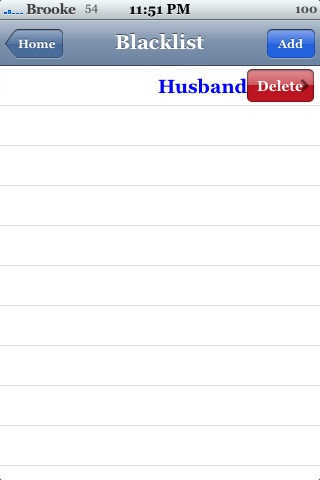
Sweet…can’t wait to see an English version w/o a patch! And, don’t worry…I deleted him off the Blacklist after my review!
Hi,
Does this app work on firmware 1.1.1? By the way, does anyone have iBirthday version 1.2.1? the new version doesnt work on my 1.1.1.
thanks
I’m not sure…everyone here at AppleiPhoneSchool.com is on 1.1.4 now!
Hi Brooke ,
Thnkz for your notice about this app .. my question is does it really works for you without crashing your iPhone ? I’m asking that cause’ there is a warning all over the world ( i’m out of state ) about serious crash statements on the iPhone after installing and using this app . Its stabililty is far out from normal use .
please notice me on this issue .
Thnkz , Jayz
Well…it worked for me. However, Pysl did mess up my iPhone and it is a similar type of app. So, I can’t guarantee that it wont mess up your iPhone…it is always hard to tell with apps that affect the System settings of the iPhone. They could work…they could not! If restoring your iPhone makes you nervous…I would say don’t install it. If you are comfortable restoring your iPhone then you could give it a try.
It’s not that i’m afraid to restore my iphone .. but if I can avoid it , it will save me alot of time during this period . And after Pysl experience .. I’m sure to be askin’ all those questions .
Anyway , thnkz for your respond :)
I’m looking for the opposite.
Is there an app that has a whitelist and block everything else? (even hidden numbers)
It would be very useful to active when e.g. at night when I don’t want someone who’s dialed the wrong number to wake me up and disrupt my sleep.
I know Pysl has a whitelist and a blacklist. Though, the most current version of Pysl messed up my iPhone and I had to restore. So, you might want to hold off on installing it until we see a new version.
Ok, I guess I have to wait some more then.
Thanks for the answer :)
It seems to be a “clone” of PYSL :-)
i should of never installed da new Pysl! I’m serious it screw me over big time. I try to uninstalled it, then I just restarted my phone and it got stuck on da apple logo screen. I didnt want to restore because my iPhone was like soo perfect. I customied everything, I had a lot of apps(which they were organized). I was on 1.1.3 upgraded to 1.1.4 used ziphine but my mail and youtube don’t work. I downloaded the 2.0 firmwire frm a torrent. and it worked, exept I got the “pink screen of death”. For me 1.1.3 works better.
So far my exp with PYSL was good. Nothing major problem. Maybe it depends what method we used for jailbreak.
i installed this app, and while it worked when i added contacts, i couldn’t seem to find any way to add Private/Unknown numbers, so i removed it… Went searching again, and found iBlacklist. After initial install issues where springboard wouldn’t load after a restart (the developer didn’t account for someone not having summerboard installed – i hadn’t gotten around to it) and to his credit, he actually guided me through fixing it via msn!! Long story short, the app is working great so far, blocks private numbers, contacts etc, and has a whitelist feature, and sms features coming soon apparently. Lastly, it is a donate to get full app ($8) i can only speak for myself, $8 aint too bad
Hi,
I loaded the named source, but there is no new category such as “Cake”. The source gets classified as uncategorized… So I thought, it must be visible in the “all Packages” but nope…
I have a 1.1.3 – Why does the installer not show the same programs on every phone? Thank you for any input!
working great on my 1.1.4 without any problems
Peter i have had isues with sources before so i found a site to make my own http://iappcat.com/ join it then its as simple as find the apps here u want go there search and add to ur own source simple, hope that helps !
Hi!
I have a question to ask you, If I don’t want it now.
How can I uninstall this app. out of my iPhone without effect. Because I had done before, but it had an effect to my iPhone (always have apple logo on screen)
Thanks a lot.
Hi, Did you get your phone done…
How did u do it cos I am having the same problem after uninstalling…
Teşekkürler. Ama nasıl Download edecegiz ?
i tried to input my home number into the blacklist and turn on the firewall and blacklist switch, tap the “save & restart springboard” to restart my iphone. but it doesn’t block it when i call my iphone #…
how come??? please give me some advice,, thanks
I’ve been having trouble downloading it. I tried adding it to my sources but it keeps telling me that it can’t refresh the sources. what am i doing wrong?
I just uninstalled P-Firewall and the English Patch but now my iphone is not turning on. I reset the phone but still no lucky I get the apple logo and thats it…
Please HELP!!!!!
Buy Iphone 3G @ 350 in this website!
http://www.electronicsupplyltd.com