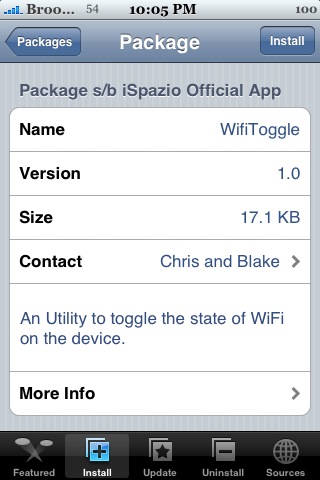
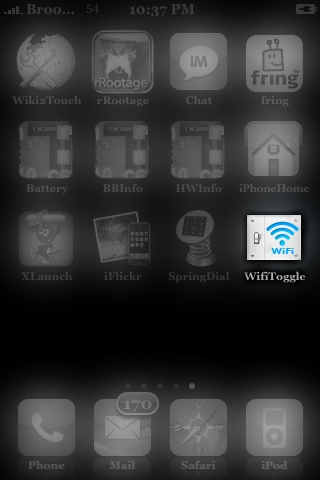
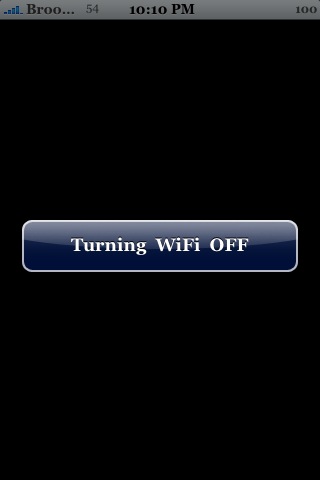
 Looking for a one tap solution for turning your Wifi on and off? Well…now you have it. When you tap on WifiToggle it will either turn your Wifi on or turn it off based on what your Wifi’s status was before you tapped on WifiToggle. If your Wifi was on…when you tap on WifiToggle…it will turn it off. If you Wifi is off, it will turn in on. You will see a little pop-up displaying whether your Wifi is being turned on or off. Very simple, very easy. WifiToggle is avialable through the iSpazio source. Below are the screenshots.


 Loading...


 Loading ...
Awsome!!! I was looking for an app like that since i got my ipod touch :D It’s useful and exelent!!! Thanks for the information.
Very good app.
better them all others.
thx for the tip
Marcelo
Brazil – RJ
Nice…they should make a bluetooth version!
What for? In my iphone i can turn off and on my wifi in the settings menu, so why it is better to use this app? Can somebody explain me?
less steps
It’s a one-tap solution. More convenient.
Now if only there was a way of the icon actually displaying wether wifi was on or off..
Very good idea…cheers!!
By the way, is there any app to control the “strength” of the Wifi signal? The Wifi really kills my battery life… :-(
Really useful, bluetooth version will be even more useful !
A one-click solution to toggle flight mode on an off would be fantastic. I have to use this option very often, since there is no cell connenction at the place I work and that kills my battery if I don’t switch the iPhone off or use the flight mode.
Naa, I’ll keep using bossprefs for that :)
Nice App, but I still Perfer “BossPrefs” Can’t see the point of having a app on my springboard that only turns on and off your Wi-Fi when you can have one that does Wi-Fi, Edge, SSH, Airplane, Phone and Bluetooth.
I´m using this time ago and it´s Perfect for me on 1.1.4 ;)
Regards
VERY useful, but the icon doesn’t match to the others… can anyone create a better one? thanks!
how is it usefull???
Perfect for ipod touch users who only really need just a one-touch wifi toggle.
Excellent app
On and off in just one step
This is hardly new. This was the first app I installed when I jailbroke my iPod over two months ago.
Same as WiFi Switch. I guess….
But its a very helpful app.
How come the button opens a program and then shows a sign, “Turning on/off”? This takes several seconds and is annoying, couldnt the program just switch on/off without notification since we get that in the wifi icon? The delay is irritating enough not to use this. Also you cannot use anything during this startup. Better to hide in background, please make another version, ill donate…
I noticed that when this app is installed, wifi does not go to sleep when the phone is in sleep mode, wasting the battery. By default, the phone automatically shuts off wifi when the phone is not in use, which conserves the battery.
is an app where wifi can be toggled from the menu bar
that would be useful
being able to switch it off from any app without a popup
tap it, wifi icon disappears
tap it again, wifi icon come back
Its a convenient application to have, shorter step than having to go through boss pref. although i would prefer to have some feed back directly on the icon of the wifi status. Yes, you can look at the top menu bar for status, but it would be even better for the icon to show whether it is on or off.
sumh: interesting point on wifi being on in the background all the time? does the same effect happen using Boss Pref?
i cant download this i sez package download error
is this only for jailbroken phones?