LiveClock Mod on 3.0 Firmware
| Available In: Cydia | Price: Free |
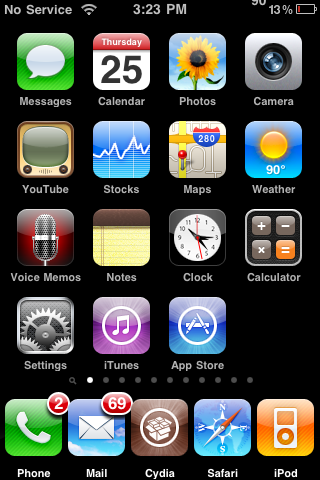
I have had quite a few people asking me about the LiveClock mod (a mod that displays the current time on your Clock icon) and whether or not it works on the 3.0 firmware….the answer is, yes!
The first time you install the mod, it will be over the top of your Stock icon which makes it look weird because it will have two hour, minute and second hands. All you need to do is go into WinterBoard and disable LiveClock. Your iPhone and/or iPod Touch will respring. Now, go back into WinterBoard and uncheck the LiveClock Disabled option…your device will respring again and voilà you will have the LiveClock mod (working correctly). You can get this mod via the iSpazio source.
Blue Aqua - WinterBoard Theme
June 9, 2009 by Brooke
Filed under Cydia, WinterBoard, iSpazio, themes
| Available In: Cydia | Price: Free |
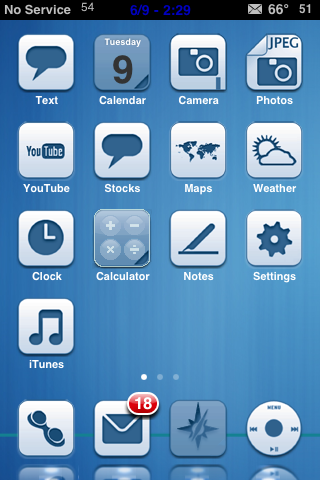
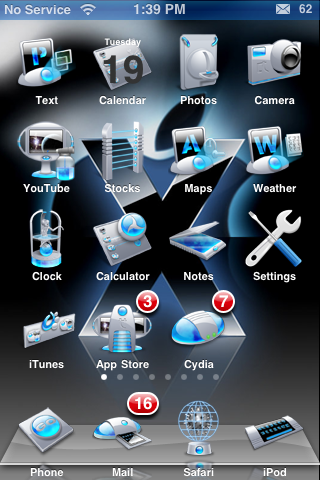
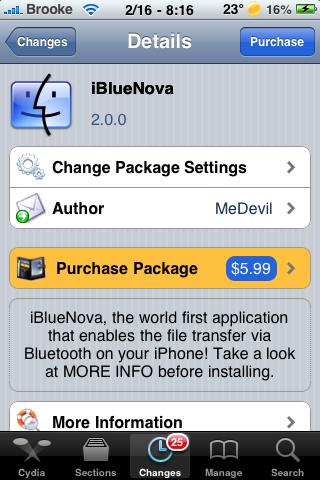
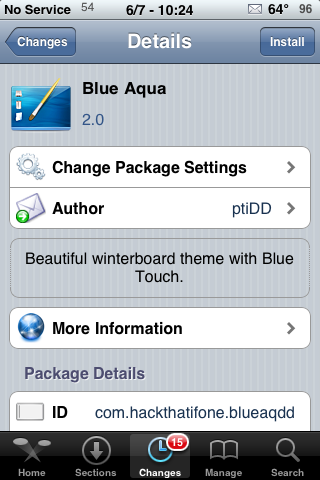
BlueAqua is a clean theme that contains 45 icons, a dock, a wallpaper and a Weather App theme. As much as I really do like the icons for this theme, I have a few qualms…the Mail App icon does not display correctly without some SSH work, I’m not big on the blue font on the status bar and the Weather App theme doesn’t match the rest of the theme. But, if you are looking for some decent icons, you might like this theme. You can get blueAqua via the iSpazio source.
To fix the mail icon, just SSH into the Library/Themes/blueAqua by DD/Icons folder and change mail.png to Mail.png. Read more
aTimeTool - Set Timers for Airplane Mode, Bluetooth and Wi-Fi
| Available In: Cydia | Price: 3 Day Trial then $5.99 |
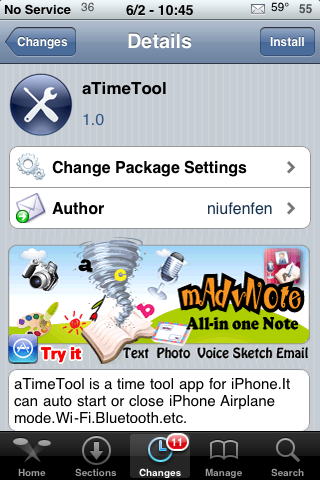
aTimeTool is an application that allows you to set a timers that allow the ability to turn on/off your iPhone or iPod Touch’s Airplane mode, Bluetooth and WiFi. It is a pretty simple application. Once installed you have four options; Airplane Mod, Bluetooth, Wi-Fi and Settings.
In each option (Airplane Mod, Bluetooth and Wi-Fi) you are able to set timers in which you can control when each will be turned on/off. When you add a timer (using the + icon) you have the option to make it a repeating timer…say you want your Bluetooth to turn on from 6:30am -7:30am every Mon, Wed and Fri. You can also set up multiple timers….say you want your Bluetooth to turn on from 6:30am -7:30am every Mon, Wed and Fri and from 4:30pm -5:30pm on Tuesdays and Thursdays. You could create two timers to do that. Or, you can just create one timer that does not repeat. Read more
IFDark No Logo - iNav WinterBoard Theme
May 31, 2009 by Brooke
Filed under Cydia, WinterBoard, iNav Theme, iSpazio, themes
| Available In: Cydia | Price: Free |
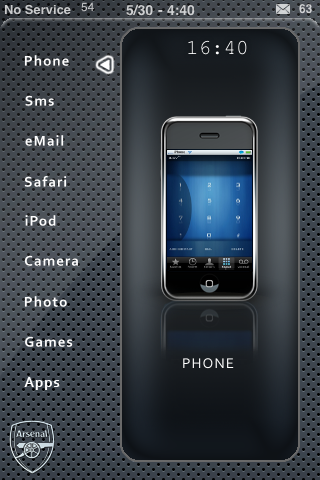
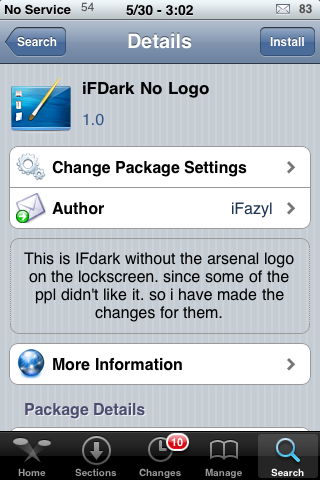
IFDark No Logo is an iNav inspired theme, actually it is basically like a skin to the original iNav theme. It is definitely one of the easier iNav themes to set up. To do so, you will want to have all your application in an Apps and Games folder except the following; Phone, SMS, Email, Safari, iPod, Camera, Photo, Games and Apps.
You will want one icon on each page of your SpringBoard (in the same order they are listed in above). The icons need to be in the third row, the third icon in (see screenshots below). Once you have all nine icons arranged correctly, you can go into WinterBoard and activate the theme. Read more
BluIce - WinterBoard Theme
| Available In: Cydia | Price: Free |
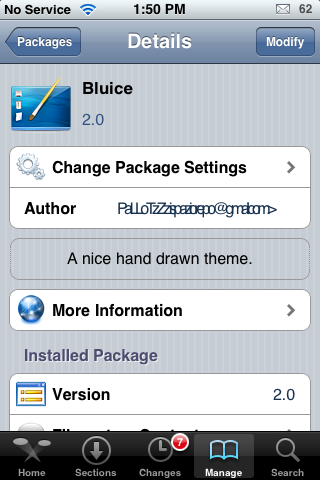
BluIce is a theme with kind of a space, futuristic feel to it. The theme contains 27 icons, a wallpaper, dock and statusbar. The only issue with this theme is that the Calendar icon is named incorrectly in the folder so, it doesn’t show up correctly without changing the name of the icon. If you are comfortable with SSH…you can SSH into the Library/Theme/BluIce/Icons folder and rename the icon from Calendarpng.png to Calendar.png (just remove the extra png). I also am not too sure about the Settings icon…it doesn’t seem to fit the rest of the theme. I think it would also be better with a blue badge instead of the stock red one. All that said, I think it is a great start. Read more
Dictionary - Translation Dictionary
| Available In: Cydia | Price: 3 Day Trial then ? |
Judging by the title of the application, I figured this application would be a dictionary for your iPhone or iPod Touch. You know, look up words and find their definitions. Well, upon installing and reviewing the app…I found that it is actually a translation dictionary.
Dictionary will come with a few translation dictionaries already installed. If you select the settings icon in the lower left corner, you can delete those dictionaries and choose the ones that suit you best. In the Settings you can choose the size of the font, edit the list of dictionaries that are installed and download new dictionaries. The dictionaries that are available for download are in categories based on the language you would like to translate from. The languages include; Danish, English, Bulgarian, French, German, Hungarian and Russian. Once you choose the language you would like to translated from (say English) you will then get a list of of languages to translate to. For Example, English to Latin or English to Spanish or English to French…etc. Read more
Round and Round - WinterBoard Theme
May 14, 2009 by Brooke
Filed under Cydia, WinterBoard, iSpazio, themes
| Available In: Cydia | Price: Free |
Round and Round is a theme that consists of transparent round icons. Unlike the popular Glass Orb theme, Round and Round adds a bit of color with a colored graphic inside of each transparent circle. Honestly, I feel like I have seen these icons before but, I can’t come up with the name of the theme so maybe they are just similar to another theme’s icons. Round and Round only contains the basic 16 icons and a Cydia icon (no iTunes and App Store icons with this one), a dock and a wallpaper. However, the wallpaper is a little too crazy for me…I went with a plain black wallpaper. You can get Round and Round via the iSpazio source. Read more
Twidget - View Tweets on Lock Screen
| Available In: Cydia | Price: Free |
Twidget is a sweet application that allows you to view tweets on your lock screen. When you install Twidget, it will add an icon to your SpringBoard. When you launch the app, you will need to enter your Twitter info. Next, you will need to go into WinterBoard and activate Twidget.
Once you have entered your info and activated Twidget via WinterBoard, you can lock your iPhone or iPod Touch. You should see a menu bar with the options; Friends, Own, Replies, Favorite and Refresh. You will also see a bar indicating that your tweets are loading. The first time it took quite a while for my tweets to load acutally, I ended up deactivating and reactivating it in WinterBoard and then it went. Once your tweets load, you are able to view your most recent 10 tweets by your Friends, your own tweets, your @ replies and your favorites. You can also refresh the tweets using the refresh option. Sometimes it refreshed really quickly, other times it took a while….usually it is pretty quick. Read more
Safety Not Guaranteed - WinterBoard Theme
May 10, 2009 by Brooke
Filed under Cydia, WinterBoard, iSpazio, themes
| Available In: Cydia | Price: Free |
Safety Not Guaranteed is a clear icon theme. I personally love clear icons because I can change my wallpaper and feel like I have a whole new theme! This clear icon set is actually a little different than most…it has a design to it. Most transparent icon themes tend to just be the stock icons…but see-through. The theme contains a dock, wallpaper, status bar, 128 icons and a few UI mods. I did find that I had a little bit of trouble getting the theme to work correctly with the LiveClock and WeatherIcon mods. In order for it to look correct, you can either disable both mods (using the LiveClock Disabled and No Weather Icon mods) or you can move your preferred weathericon and liveclock mods above the Safety Not Guaranteed theme in WinterBoard. You can get this theme via the iSpazio source Read more
Nova - WinterBoard Theme
April 19, 2009 by Brooke
Filed under Cydia, WinterBoard, iSpazio, themes
| Available In: Cydia | Price: Free |
Nova is a very unique theme…it is clean and well designed. It contains 21 icons, a dock, status bar, badge and wallpaper. The only downfall is that there is no icon for the Maps application. I even took a look at the folder to make sure it wasn’t spelled incorrectly but, nope, no Maps icon. The upside is that the folder does contain a .psd file so that you can create your own icons. So, if you are ssh savvy and photoshop savvy…you could take care of the no Maps icon problem. If you are ssh or photoshop savvy…you might have to wait for an update before getting a Maps icon! Hopefully we see an update soon! Read more
Relax - WinterBoard Theme
April 5, 2009 by Brooke
Filed under WinterBoard, iSpazio, themes
| Available In: Cydia | Price: Free |
Relax is a nice, calm theme that contains 34 icons, a dock, a wallpaper and a lock screen background. One thing to note about this theme is that when you install it, the theme’s iTunes icon does not display…it is in the file, it is just named incorrectly. If you are comfortable with SSH…you can SSH into the Library/Themes/Relax Theme/Icons folder and rename the icon file Itunes to iTunes…then it will show up correctly. Also, the red badge just does not go with this theme…I would have loved to have seen a nice semi-transparent badge (or maybe one that matched a little better!). But, it is still a nice theme that is easy on the eyes! You can get this theme via the iSpazio source.
How to Install
1. Your device must be jailbroken. (how?)
2. Make sure you have WinterBoard installed via Cydia.
2. Make sure you have the iSpazio source installed in Cydia.
3. Search for Relax in Cydia, run the install.
4. Open WinterBoard and activate the Relax theme.
Read more
6 iPhone 3.0 Icons - WinterBoard Theme
March 27, 2009 by Brooke
Filed under Cydia, WinterBoard, iSpazio, themes
| Available In: Cydia | Price: Free |
6 iPhone 3.0 Icons is a theme that includes the Stocks, iPod, Phone, Voice Memos, SMS and MMS icons from the 3.0 firmware. When you install 6 iPhone 3.0 Icons (via the iSpazio source), it will add the theme into WinterBoard where it can then be activated/deactivated. When activated, the Phone, Stocks, iPod and SMS icons will change to the 3.0 icons however, you will not see the Voice Memos or MMS icons due to the fact that there are no apps with these titles on your SpringBoard (or at least not on my SpringBoard). But, the icons are in the theme’s folder so if you want them you can go to Library/Themes/iPhone 3.0 Icons/Icons folder on your iPhone or iPod Touch. I also added them to this post (see screenshots below) The theme only contains these six icons. I will say that I’m a little confused by the MMS icon…I’m not sure if it is based on the country you are in or what but, Doug does not have that icon on his 3.0 upgrade.
Read more
Rotation Inhibitor Update - Turn off Auto-Rotating Feature
March 24, 2009 by Brooke
Filed under Rotation Inhibitor, SBSettings, System, iSpazio, updates
| Available In: Cydia | Price: Free |
Yesterday, there was an update to Rotation Inhibitor (a SBSetting toggle that allows you to turn off the auto-rotate feature). I was impressed with how quickly the app was updated and I personally love the what the update does! With the previous version of Rotation Inhibitor, you used to have to toggle the feature within each application that you didn’t want to auto-rotate. With the update, you can turn off the Rotation Inhibitor while on your SpringBoard (or while in any application) and it will turn off the auto-rotate for all applications! Very nice! Read more
Rotation Inhibitor - Turn off Auto-Rotating Feature
March 22, 2009 by Brooke
Filed under Cydia, Rotation Inhibitor, SBSettings, System, iSpazio
| Available In: Cydia | Price: Free |
Rotation Inhibitor is a toggle for SBSettings (I seriously love SBSettings…sorry, tangent). The toggle allows you to turn on/off the auto-rotate feature. This includes the auto-rotating in Safari, iPod or anything else that changes orientation when you turn your iPhone or iPod Touch. I was SUPER excited when I saw this toggle in Cydia. I don’t know about you but, when I am laying in bed and surfing the web (you know you do it!), it is so annoying when my iPhone switches to landscape mode (or continues to rotate between portrait and landscape mode!). Anyway, once you install the application, you will then need to go into SBSettings and make sure that it is activated. If it doesn’t automatically show up, you will need to go into the More option in SBSettings and then the Set Toggles option and turn on Rotation. Read more
Flash- WinterBoard Theme
March 22, 2009 by Brooke
Filed under Cydia, WinterBoard, iSpazio, themes
| Available In: Cydia | Price: Free |
Flash is an interesting theme that is available via the iSpazio source. The stock theme comes with a wallpaper and 42 icons, 19 of which are extra icons that can be labeled (via SSH) as any application you would like. The 19 extra icons actually come in handy since both the Stocks and iTunes icons do not have an icon when the theme is installed stock.
Honestly, it took a little bit of work to get this theme to a state in which I thought it looked good. When you install it, there is no icon for Stocks or iTunes. However, because there are 19 extra icons, you can SSH in and pick any of those 19 and easily rename them to Stocks and iTunes. Also, the theme doesn’t comes with a dock so, I turned on the Transparent Dock and the ReflectiveDock in WinterBoard. This made the theme look better. I did go one step further and changed the wallpaper to just a plain black wallpaper so that there wasn’t so much going on in the theme. Below are screenshots of the theme stock and what it looks like after a few tweeks. Read more
Hosted by Mosso - The RackSpace Cloud