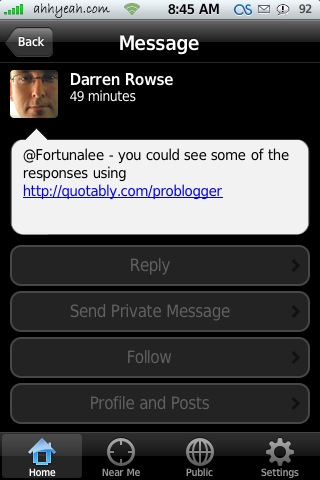
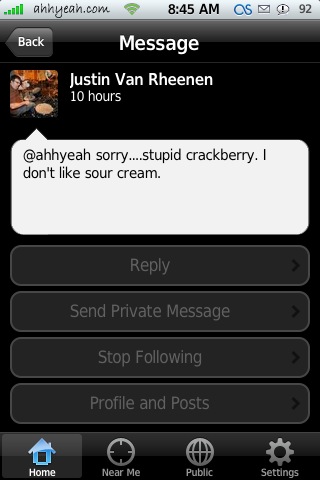
 Yay! Clickable links! and that’s not all! Now everyone can see the image you took with Twinkle via a link in your Tweet! Ok, enough with the exclamation points but this is really sweet. I also noticed the distance I choose in “Near Me” stays even after a respring. One more feature I noticed was that you can now follow people. Seems to be a glitch though, if I’m already following someone the button still says follow, I tap follow then it changed to stop following. It should start as stop following if I’m already following them. Do you follow me? :)
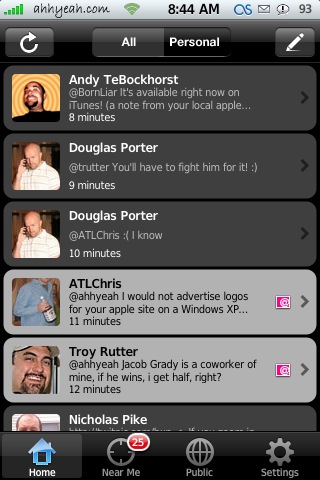
The “Near Me” section also seems to show 25 tweets now instead of just 20.
Some features I’d still like to see are when the iPhone is unlocked for it to continue to run in the background and give me a badge number of new tweets. Also, the ability to choose from camera roll when adding a pic and search ability. Still the best and I use it all day long!


 Loading...


 Loading ...
Whats your twitter id?
ahhyeah, there is also link to my twitter on the right hand side of this site under Subscribe.
I just love this app!
Skicks is my twitterid!
This really needs a ‘Replies’ section like Mobile Twitter. Can you pass that on to the guy who makes it Douglas? I seem to remember reading you’d been in touch. Cheers
It seems like I’m logged in, but the Home sections keeps saying “Hang in there for a sec. We’re loading all your tweets for the first time”, even if I keep hitting the refresh button. I can see the Public timeline, as well as the “Near Me” section. Also, I cannot post messages either..
Anyone has the same problem?
I had the same problem: couldn’t post any messages…
I can post now, but my tweets still won’t load :-/
I’m have the same problem. I can post a twitt and then go to the twitt site and see my post but not able to see it on Twinkle. I’ve uninstalled and reinstalled it and still the same problem
I can post but can’t see them on Twinkle – have un and reinstalled multiple times – no dice.
@Tara – Twitter is down right now, try again tomorrow… hope it works for you, Twinkle has gotten slow the more popular is has become. :(
I had this problem since I updated from 0.7 to 0.75
My “home” tab looks like this:
http://bildr.no/image/190025.jpeg
I’m having a little problem. I used 0.7 before and after i updated to 0.75 I see 0.7 in Installer as an update and can’t seem to get rid of it. Any ideas? :-/
Eliii is twitter id
twinkle randomly crashed on me for no reason! Anyone else face this issue?
Same problem here =(
yeah, mine doesn’t pull my home twitters either… just stays on “hang in there for a sec”
same here. Since the update, it crashes ever minute or so. boooooo. I love this app. and now I’m irritated.
started working for me. works fine now
Yeah, Still not pulling my followed tweets, can’t figure it out!
Anyone other than Will figure out how to fix it? I even tried tinkering with the prefs file, no luck yet. I tried: Reinstalling, Adding fake cache, disabling Locate before using it the first time . . .
Is Twinkle compatible with 1.1.1 ??
I cant get it to work here!
=[
hey everybody i need some help with this so i can use the twinkle app
i have entered my password and user name for twitter and i have logged in on the program
when i click the “home” button (should show all my tweets) all i see is this message
hang in there for a sec we are loading all your tweets for the first time
i waited 10 minutes and yet nothing happened help?
oh i have 1.1.4 software unlocked and jailbroken
all twinkle ever shows for me is my private messages — my tweets and my friends’ tweets never show up on the Home page. what’s the deal!
(i’m version 1.1.4, jailbroken)
.. hm gibt’s einschränkungen beim login? Twitter login funzt, aber nicht über Twinkle …
Did Twinkle change anybody ringtone?
twinkle is broken for me too. Won’t pull my tweets.just sits at the “hang on” screen. Mobile twitter however works perfectly…
ask someone to send you a direct tweet. This will make it work again.
read this thread for more info:
http://tinyurl.com/6kf3f9
for some reason twinkle isn’t in installer anymore