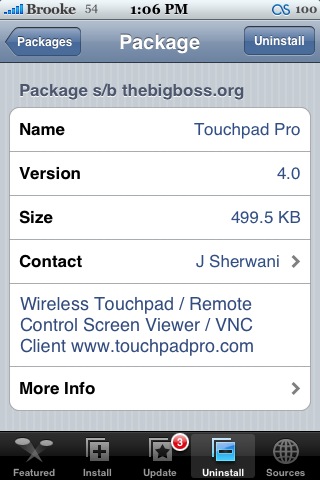
 Version 4.0 of TouchPad Pro adds a new ScreenView feature! You are now able to see what you are controlling with your iPhone, on your iPhone! So, instead of just a blank screen with controls on it….you actually see the screen of what you are controlling! However, this feature is only available through activating the app. Activation costs $15. Check out the video below for a demo of what the ScreenView feature looks like. TouchPad Pro is available through the BigBoss source.


 Loading...


 Loading ...
It kinda sucks that you need to pay an activation fee for the new feature….
thats too much-.-‘
5 Dollar, or a free donate…but so!
i mean, i’m from germany. must pay in €!
Hi! This app is realy cool! but i have a q: Does the ScreenView feature work with Leopard??
It’s based on vnc, so yes :)
Hey when I refresh my sources the Touchpad pro update doesnt show up.. i have version 3.0 now
too much money
Having used RDM+ and LogMeIn to remote control PCs from my iPhone, ScreenView is definitely the best execution of RC software.. At £12 it’s a steal.
Does this work better than VNsea which I can use with limited success? VNSea is a big buggy.
lol why would we need to pay for that feature? it’s already present in VNSea, and it works fine… i have even turned off my computer’s screen and go to other part of my house, and use it, without being forced to be in the computer’s room!! :)
This app has always been better than vnSea when navigating the screen. VNSea is usable, but it’s quite frustrating. I believe this is much better code, if you indeed need to use this a lot. Since I can sort of get by with vnSea, I’m holding off on the donation for this myself, but I’m trying to get in touch with the developer. If it’s really better implemented, then it will be worth it to me.
Way too expensive! a donation would have been better as i’m all for donating. I think its great when a developer allows you to donate what amount you think for the app. BUT saying that, i’m not a developer and i’m guessing a lot of time and effort went into this, so technically its only fair that he charges what he thinks….. just sucks that i wont get to try the screen feature!!!!
way too much dang money you guys are starting to act like Steve jobs
15 bucks is to much. Also its too much because even if you bought touchpad media center he won’t give free upgrades or discounts for this.
Where can I find a tutorial to set this up?
Thanks
http://www.touchpadpro.com
Even without screenview I find there is always a very high CPU usage on my mac with Touchpad pro whenever I move the pointer. This is not present with Vnsea.
Anyone else get the same?
It suxs when you can download a vnc server from nate for free..
http://cre.ations.net/creation/webvnc—remote-desktop–vnc-on-your-iphone
How can J Sherwani charge $15 for something which is provided by nate for free… ??
I paid for touchpad media server and now I have to pay for this again :(
No way i’m going to buy this..
One. Nate’s version doesn’t work on the mac. 2, this works infinitely better. For occasional use, I don’t think it’s worth it, but if you need this a lot, this is a much better option. IMHO.
Dude … check out how to setup vnc in mac … http://www.macminicolo.net/Mac_VNC_tutor.html
and use the free of cost vnsea …
http://code.google.com/p/vnsea/
this is much better than paying this sherwani guy over and over again.
I think if this guy is going to make any os he will charge it @ $1000 no less, the way he is going …
Previous version turned up on torrent sites. Expect this version will.
It’s one thing to solicit donations, but this guy is a scumbag. You want to make money off iPhone apps? Wait for the appstore and release it there.
do u have to have wifi for this
im interested in this program, but exactly how does it work on both mac/windows? do you need to setup a vnc client on any pc you want? therefore if youre away from your pc/mac and it automatically restarts for whatever reason while youre using this iphone app, youre screwed?
Yes. I use Vine Server on the mac and it works really well.
Terryl: Yes.
Cramster: Yes, you set up a VNC client on the machine you want to control. It’s easy enough to put a VNC program in your startup so it starts if your system reboots.
One thing I have noticed: Using this guys media player controller eats a fair amount of CPU. Enough to see noticeable performance degradation in World of Warcraft, I can state that for an absolute fact, and that’s on an AMD 64×2 4000.
Have you had a good experience using VNsea for the iPhone?
For just viewing the screen, yes. if I’ve ever figured out how to actually do stuff via it though.
I’ve been able to control stuff through VNSea … even via edge, but it requires skill. This is why this program is interesting to me. It seems to be a better implementation.
On the other hand, I’ll probably just use this to keep an eye on my computer – make sure a render is still going, or hitting okay to an annoying dialog box that might have stopped a long computation – so VNSea might be enough.
How do you set it up to view from outside your home network?
i cant be able to connect. i try everything and it it alway come up with Connection failed
connection could not be made to host 192….(IP ADDRESS) port 5900
can someone help me? please…..!!!
i be want to use this program for awhile
i have vista on my comp and i have a firm 1.1.4 on my iphone please help -=\
Do you have a VNC server running on your computer? ( Sorry, if it’s a dumb question, but it won’t work without it … so it’s worth asking )
Yes i have VNC server installed in the comp. i tried using ultravnc, tightvnc, and etc. i dont know what wrong and why it not connecting…..
are u connecting from a different network? the ip address should be the same as tightvnc reads it, to know this put ur pointer on top of the icon on the bottom right corner, it should display an ip adress, it should be the same one u have one the touchpad app, (eg home pc) or whatever, if u still can connect or if u want to connect using some other network (meaning not at home, drop me a line)
maiden3r@gmail.com
this program is amazing. well worth the 15 €. U guys should see the source code before saying that its too expensive. the guy that made this is a genius. if i had made it i would sell it for a lot more.
It works great, but the only thing i wasn’t able to so was connect to my computer over the internet. Anyone know how to do it?
This is how I do it.
Get an account with DynDNS and install their deamon to keep your home domain updated with your computers “external” ip. ( If you have a fixed ip coming into your home, you dont’ need this )
Install a VNC server on your computer. ( which you already did, if you have it working locally )
This is the tricky part. Setup your home internet router to allow the port that your VNC server uses to be accessed from the outside. You are basically making a ‘hole’ in your firewall.
Now … you just set TouchPad to connect to your DynDNS account url, and in you go.
I finally caved and payed too. I’ve used VNSea before, but it’s always been a mixed of frustrations and good results. Even though this is based on the same base code, this implementation is many times better. This works like it should. If you need to check on your computers while you are away, don’t hesitate to get this … it’s worth the $15.