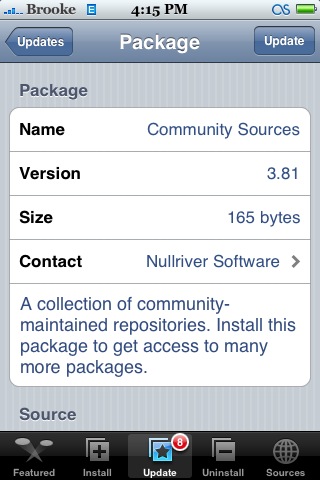
The update to Community Sources 3.81 removes the iPod Touch Fans repo from Community Sources.
Learn how to use, hack and mod the Apple iPhone, iPad & iPod touch
 (No Ratings Yet)
 Loading...


 (5.00 out of 5) (5.00 out of 5) (5.00 out of 5) (5.00 out of 5) (5.00 out of 5)
 Loading ...
Why did they remove that source?
maybe because they released too many secret betas of apps that weren’t supposed to be released yet….just a guess
No I’m pretty sure its because it doesn’t work with the latest version of installer.
thats really messed up.
Getting very tired of the growing greed and petty nature of this scene.
Sorry, to clear things up, I requested to have the source removed. I have so many things going on these next few months, not the least of which is a cross country move, that I simply won’t have the time to manage the repository. I also won’t have the time to so much as think about my iPhone all that much.
Over the enxt few days, I’m going to work with the theme/app developers to get their packages up onto new sources.
Sorry,
Skylar
Skylar:
Good Luck with your move, hope all goes smoothly.
Thanks for all the support, hope to hear from you again real soon.
JW
i can update or not?
I updated Community Sources 3.81 and Boss prefs. and then restarted my iphone and when i touched a icon on the iphone it would just darken it up and not open the app up and none off them worked. I have turned the iphone off several times let the battery drain but it still does not work!! So, if anybody can help me please.
By any chance have you run the boss tool? If so the new boss prefs could have broken the symbolic link to your applications folder. If not it may be a permissions problem. You can fix it using ssh and a good sftp client if you know what you are doing. You might be best restoring your phone though, could be easier in the long run. Setup an iappcat repo before you do and it’ll make it a lot quiker getting back to where you are now. Also be wary of iTunes backup as it will bring back all your old plist files and permissions which could bring the problem back too.
Im going the eazy route restoring and jailbraking with ziphone, thank you.