QuickPwn GUI for 2.0.2 Firmware
174 Comments
17,766 views
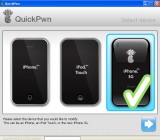
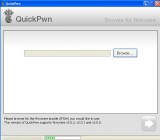
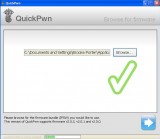
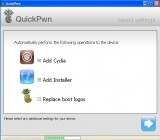
We recently upgraded Brooke’s iPhone to 2.0.2 firmware. I’ve been waiting for the best way to jailbreak it for Windows. QuickPwn GUI is now availble for 2.0.2 firmware so I thought I would give it a shot. It’s very easy to use. You just follow the steps it gives you. This will jailbreak your iPhone but will not unlock the 3G yet. It will add Cydia and Installer without the need to restore your firmware. The Dev Team says the mac version is coming soon. Read more from them at blog.iphone-dev.org.
Here’s some screenshots of the process:
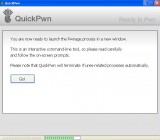
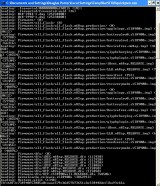
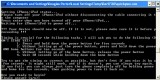
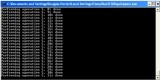


i’m still waiting for the mac version…….
[Reply]
SgtDecimal on August 21st, 2008 11:02 pm:
So am i but the mac version will probly be the same
Jazza on August 31st, 2008 2:21 am:
Can anyone help me i have downloaded QuicPwn but i cant find the firmware bundles where is it.
awesome
[Reply]
what if we have 2.01 on first generation and also have cydia and installer already installed. Can we just upgrade the firmware and leave everything else the same?
Thanks
[Reply]
mdleers on August 22nd, 2008 12:06 am:
Yes, if you want to stay on 2.0.1 and not update to 2.0.2. Just be sure to choose the 2.0.1 firmware when prompted by Quickpwn!
Will it overwrite all my settings (winterboard) and applications??
[Reply]
mdleers on August 21st, 2008 11:44 pm:
No,All apps are still present. IF you already UPDATE to 2.0.2 through iTunes, used the old quickpwn version with 2.0.1 firmware and then this newer one with the 2.0.2 firmware. That is my only experience so I cannot speak for your particular situation.
I can say that after you UPDATE to 2.0.2 through iTunes, all of your App-store apps are still there, but you will have to reinstall all of your Cydia-Installer apps, but after Quickpwn, you will have BOTH Cydia and Installer to do so!
Did u guys upgrade first to 2.0.2 tru iTunes then QuickPwn or how u guys did it? Did u lost all ur apps(cydia or appstore).
Thanks
[Reply]
Douglas on August 21st, 2008 11:25 pm:
yes, upgraded through iTunes and did lose all jailbroken apps.
lokko21 on August 21st, 2008 11:36 pm:
Ok now I get it thanks for the fast reply, by the way love this site.
I know this has nothing to do with this but can u do a review on PYSL 2.0b2 app it’s on cydia if u can.
Thanks again..
mdleers on August 21st, 2008 11:38 pm:
I upgraded to 2.0.2 through iTunes and used the previous version with a 2.0.1 firmware. I just re-did with the new Quickpwn and the 2.0.2 firmware. I lost nothing, so far, and ALL apps (Cydia, Installer, and App Store are all there and working! Dock is still working – Your results may vary if you miss steps, or do not follow all of the routine exactly. Even if you don’t, you can just start over
please Doug and Brooke explain if we will lose any data (cydia,installer,appstore,jailbroken apps?????) I am actually wanting to try quickpwn but don’t want to lose anything. :I
Please reply,
Adam
[Reply]
mdleers on August 21st, 2008 11:56 pm:
If you use iTunes and sync, you CANNOT lose app store apps (why does everyone spell lose – loose?
) When you UPGRADE to 2.0.2, you WILL lose all Cydia-Installer apps, bur Quickpwn fixes this by jail breaking i.e. installing Cydia and Installer…….
mdleers on August 21st, 2008 11:57 pm:
Which means you have to reinstall your jail broken apps – sorry, forgot to add that!
does this unlock 1st generation?
[Reply]
Jim on August 21st, 2008 11:45 pm:
Yes it will unlock the 1st Gen iPhones
Shikoro on August 23rd, 2008 11:45 am:
no, QuickPwn won’t unlock. if your phone is not unlocked, you’ll need BootNeuter (available in Cydia) to do so.
this Quickpwn thing is awful close to Ziphone’s method. But who really cares right?
[Reply]
HEY Guys if it’s not working for you, should try this guide, it worked for me!
http://www.youtube.com/watch?v=VL8pXcTO74Q
┏┫ ┏┓ ┏┓ ┣┓ ┃┃
┗┫ ┃ ┣┛ ┏━━┻┃
┃ ┗━━━┛ ┃ ┣━━ ┃
┗━━━┳━━━┛ ┣━━ ┃
┏━━▇▇▇━━━━━┻━━━┛
[Reply]
Ok, forgive my question if it sounds redundant but i just want to make sure I have the facts straight.
I have a jailbroken and unlocked 1st Gen 1.1.4. I am now looking to upgrade to the newest firmware. Here are my questions
1. Do I use the 2.0.2 firmware from Itunes?
2. By using Quickpwn software, will this Jailbreak AND Unlock my 1st Gen iphone in one process. (Like Ziphone did)
Thanks!
[Reply]
mdleers on August 22nd, 2008 12:20 am:
Yes. Sort of. Upgrade to 2.0.2, then quickpwn. You will have o start over with Cydia – Installer needs a bit of work yet for 2.x.
I am creating a “virgin” 1st gen iPhone on 2.0.2 (full restore) to see how quickpwn works on it! I’ll update in a bit…..
[Reply]
mdleers on August 22nd, 2008 1:09 am:
OK, after the restore, no longer unlocked – I get the “Slide for Emergency” screen. After running quickpwn the phone is now unlocked and jailborken. Cydia and Installer present and accounted for!. 2.0.2 (5C1) Version and 04.05.04_G Modem firmware. So there you have it! Quickpwn takes a phone restored to 2.0.2 and unlocks and jailbreaks! (1st GEN UNLOCK ONLY).
MaverickC17 on August 22nd, 2008 5:24 pm:
Is there an option to not unlock but to just jailbreak v1 iPhone?
mdleers on August 23rd, 2008 4:16 pm:
Not that I saw…it will unlock AND jailbreak 1st Gen.
Question…
Did you notice any difference in your 3G signal? Is it any better/worse/nonexistent?
[Reply]
Douglas on August 22nd, 2008 9:44 am:
unfortunately we do not have 3G here, it’s coming in a couple months…
frnestrada on August 26th, 2008 2:53 pm:
The update of firmware 2.0.2, does fix you 3G problems. Here at my house, I had 1 bar with firmware 2.0.1 and after I upgraded to the newest software, I had over 3 bars. Also this new software does fix some crashing issues and other issues. Any questions email me at frnestrada@hotmail.com
I have just used the quickpwn GUI on my new three g 16gb iphone.
All seemed fine and I had cydia and installer on the phone. I actually managed to get winterboard on the phone. I was very happy with the new jailbreak. However, I spoke to soon. On closer inspection, I discovered problems using the keyboard. When I wanted to make a call from my contacts list, the keyboard would display and then after a couple of seconds it would revert back to the home screen again.
I had full signal strength and did managed to make a call by using the call option in sms.
I then uninstalled and then reinstalled the jailbreak again. The same problem arose again. Bummer…
I used the ipsw: 1,2_2.0_5C1 restore
I used the Quickpwn GUI 120
My iphone firmware is 2.0.2
I followed the instructions very carefully and even watched a video to be sure i had all the correct tools to do the job.
Can anyone tell me if i have done something wrong?? Because i am stuck.
(
So ,so very close, but yet so far
Many thanks.
[Reply]
Cheeto on August 28th, 2008 2:35 pm:
John I had the exact same problem. Everything installed properly. Had the half eaten pineapple and everything seemed gravy. Note, that when I did update winterboard and cydia my phone did restart a minute later. Didn’t think anything of it except what really bugged me is that I couldn’t make a phone call. I would go to my keypad and after a couple of sec’s it would return to my home screen. Someone suggested that I dl a different keypad from cydia, which i did, aand same problem. Furthermore I could receive calls but even so it would go back to the home screen with the green bar uptop suggesting I had manually pressed the home key. Alotta people seem to be ignoring this question making me believe that no one knows how to fix this. Please someone think about poor johnny over here. Any advice could help. Thanks
Is it possible to SSH the apps off the phone then return them to the phone after the 2.0.2 jailbreak? I am already a pro at removing and putting the themes back on. I even figured out how to make my own icons and such. Which I might say is quite a break through for a noob like me.
[Reply]
Alex on August 22nd, 2008 5:08 am:
Yeah it is but some might not work because they may need another app to make it work so it depends on the app and Lol Icons can be made thru photoshop I have my own theme
frnestrada on August 26th, 2008 2:56 pm:
When I upgraded the new software, I did lose all my jailbroken apps. but when I restored my phone and jailbroke it, I installed like Mx Tube and Winterboard and everything was still there saved. But I am not sure about the other apps. But it is not nessesary to ssh files if you want to save Mx Tube files or winterboard files.
To anyone who like myself experienced a lot of crashes with their v1 with pwned firmware … I definitely recommend this method as someone else mentioned it is very close to ZiPhone…
I did a full restore to 2.0.2, then quickpwn … iphone is now working like a charm, no more crashes, no more “no music” problem… definitely the way to go …
cheers
[Reply]
corey on August 22nd, 2008 9:01 am:
what about lag with typing or starting up applications did it solve those issues?
galadriann on August 22nd, 2008 12:05 pm:
It definitely fixed these too … 2 days since restore … still very happy… I remember having instability too on 1.1.4 when I tried to pwn my iphone… ziphone fixed it at the time like quickpwn did this time … go ahead and let us know ….
)
galadriann on August 22nd, 2008 12:09 pm:
itunes backups still last forever though …
My advise would be to “restore” not update and then set it up as a new iphone …
cheers
So I “upgraded” through iTunes to 2.0.2 the quickpwn by selecting the 2.0.2 FW
But prior to quickpwn, iTunes gave me an error message (forgot the error message but it told me that I needed to restore)
Ignoring that, I ran quickpwn but nothing happen so I use the costume FW from Winpwn and restore it back to normal.
I guess I will wait for Winpwn 2.5
[Reply]
I have a jailbroken and unlocked 1st Gen 16gb 1.1.3. I am now looking to upgrade to the newest firmware.
My questions are: do i need to pass to 1.1.4 first or can i go to 2.0.2 through itunes and then use this ?
Thanks !!
[Reply]
bori on August 22nd, 2008 10:44 am:
just upgrade normally to the latest firmware using itunes. The QuickPwn it…it’s that simple
What would be the benefits of going through all this? Even though it might only be 5min (if all goes well!).
What are the firmware upgrade benefits from 2.0.0 to 2.0.1 and between 2.0.1 and 2.0.2…??
I’m not convinced that there is REAL benefit other than some ‘bug fixes”…??
Maybe I just need more motivation to start the journey to 2.0.2 …;)
[Reply]
mdp on August 23rd, 2008 2:20 am:
“bug fixes” aren’t so beneficial to you? That’s the “benefit” you were looking for!
frnestrada on August 26th, 2008 2:59 pm:
I was happy when I upgraded to the new software because I got some huge problems fixed. For example
-Crashing issues
-3G problems if you have a I Phone 3G
-slow I Phone programs
-battery problems of you have some
My youtube doesnt work after restoring to 2.0.2. and this quickpwn
And i heard there are some problems with installer, i am restoring from backup now so i cant see coz its restoring for ages…
[Reply]
shoo on August 22nd, 2008 10:25 am:
Ok i found solution for my problem on hackintosh:
“If you still have Winpwn 2.0.0.4 installed goto
/program files/winpwn/bundles/
and copy
YouTubeActivation.tar
to your desktop. Untar the archive.
SFTP into you iPhone and go to
/private/var/root/Library/Lockdown/
replace the three files data_ark.plist, device_private_key.pem, device_public_key.pem on the iPhone with the three you find in the untared archive on you desktop (they are in var/root/Library/Lockdown/).
You have to set permissions and owner to all the three files
permissions: 0644
owner: root
group: wheel
Delete the folder “pair_records” if it is in there. Restart the iPhone and you should be set – worked for me.”
Hope it helps…
shoo on August 22nd, 2008 11:30 am:
Who is this using my names? Can’t remember typing this…..dude choose ur own name.
shoo on August 22nd, 2008 7:56 pm:
Sorry, thats my name if u want u choose ur own name
sorry but I’m new with iPhone (3G model 2.0.2) and I do not understan most of your blogs. I downloaded QuickPwn into my PC with Vista, I lauched the program and after 3rd window pop up and ask to “browse” but browse what ?? what shall I look for into disk “C” ?? or shall I download program into iPhone ?? Thanks for help
[Reply]
ennio, you’re browsing for iPhone1,2_2.0.2_5C1_Restore file.
[Reply]
Hi, i have downloaded 2.0.2 fimware in itunes but how do i find it using quickpwn i have no idea where itunes keeps downloaded firmware.
By the way im using Windows XP Pro & Itunes 7.7.
Please help.
Cheers
[Reply]
Douglas on August 22nd, 2008 9:46 am:
See our firmware page at appleiphoneschool.com/firmware, it has the paths for iPhone firmware on your computer for Mac and Windows.
Ronnie Dilli on August 23rd, 2008 1:13 am:
I had sent the links to the new firmwares but I think they forgot to update http://www.appleiphoneschool.com/firmware with the 2.0.2 firmwares.
Where is the restore file located i cant find it
[Reply]
Does this work with the ipod touch?
[Reply]
I see QuiPwn with the original iPhone (2G) Jailbreaks and Unlocks… does it also Activate?
Also, my iPhone (2G) is WinPwn’d with 2.01 firmware. Can I just use QuickPwn to jump up to 2.02 and retain all my apps from Cydia or do I have to go through iTunes and Upgrade and then use QuickPwn?
[Reply]
Scott on August 22nd, 2008 3:49 pm:
There is no reason that I can see for upgrading a Gen.1 phone from 2.0.1 to .0.2 unless you are having trouble with it on 2.0.1. If your phone is already pwn’d with Winpwn there is no need to use Quickpwn at all!!
Moviecouple on August 22nd, 2008 6:48 pm:
Very good. Thanks.
mdleers on August 23rd, 2008 4:25 pm:
2.0.2 is MUCH better than 2.0.1 on the 1st Gen. Google-Maps automatically tracks where you are and is much more accurate, along with “various bug fixes”, I suggest you sync for all of you App Store apps and contacts and music, etc, do a full restore to 2.0.2, then quickpwn. Set up as NEW iPhone and put youself, er iPhone, back together!
Hi,
I have 2G iphone.
I have the same problem with ennio16, what shall I look fo into Disc “C”? How do I find the firmware?
THANKS!
[Reply]
shoo on August 22nd, 2008 10:06 am:
If u are on XP look in:
C:\Documents and Settings\USER\Application Data\Apple Computer\iTunes\iPhone Software Updates\
Or try to search .ipsw files…
THH on August 22nd, 2008 11:16 am:
I need help guyz!
I did it with my 2G, I restore and updated, after that I use QuickPwn to Jailbreak and activitate my phone but I insert my SIM it doesn’t show reception.
I retry this already and still don’t work.
HELP!
Tony on August 22nd, 2008 9:32 pm:
Turn on wi-fi open Cydia and look for app bootnueter. Install it then run it, it will then unlock your 2G IPhone. I had to do the same. You may want to test your utube too.
THH on August 24th, 2008 4:45 am:
Hi Tony,
Thanks but I just tired and it still doesn’t work. I have 2.0.2 firmware. I direct updated from 1.1.4.
Any advice? Should I restore the phone and try again?
Tony on August 25th, 2008 8:02 am:
THH; Install boot nueter set to 4.6 everything on then flash. You will need to turn on/off after the flash procedure is done.If you restore again I think it still will be lock.
Noone answered my earlier question…If you used Mac Pwnage tool to jailbreak and activate your 3 G phone, can you now use the Quick Win PWn tool to upgrade to 2.0.2 and then jailbreak and activate the same phone.? Maybe a stupid question, but I just want to be careful here.
Thanks and keep up the good work guys!
[Reply]
I think I am finally going to upgrade now that this and Snapture 2.0 is out. Yay me!!
[Reply]
@justin this also works for the touch. You just got to make sure you get the restore file for the touch and not the one for the iphone.
[Reply]
Hi,
I live in Bangladesh where iPhone is not available yet. One of my cousin is bringing an iPhone 3G for me from US. I don’t know much about iPhone so i’ll be really glad if u clarify some questions which may seems like foolish to you.
Q1. Can i use my local SIM after JAIL BREAKING iPhone 3g?
Q2. If i can use my local SIM, then is there any extra procedure to JAIL BREAKE the brand new iPhone, which will be direct from Apple store?
Q3. Do i need to activate it through AT&T?
Q4. In which step of installation of JAIL BREAKINFG i’ll insert my local SIM?
Q5. Do I need to run iTune when I am JAIL BREAKING iPhone?
Q6. How will I attach my iPhone to computer, will it be ONed of OFFed?
[Reply]
shoo on August 22nd, 2008 11:32 am:
The answer to all ayour questions are NO…. NO….NO…
3G is not unlocked….
You can jailbreak the phone and use it as I Ipod…
Unless you buy one of those sim unlock cards… Good luck with that…
frnestrada on August 26th, 2008 3:02 pm:
you can unlock I Phone 3G but you need to buy a special sim card called furiosim and you can search it in google but you need to jailbreak you iphone I think.
I have a 3G jailbroken 2.0 iPhone. I’m a little confused on the steps I need if I want to upgrade to 2.0.2 — are they as follows:
1) Upgrade iPhone to 2.0.2 through iTunes, lose jailbreak
2) Jailbreak 2.0.2 iPhone through QuickPwn
3) Reinstall every single Cydia app that I’d downloaded, including all my winterboard themes
Am I correct here? Or is there a way to upgrade to 2.0.2 through QuickPwn so I can have my iPhone keep all the settings/apps/themes I’ve gotten since I jailbroke?
If the only way to do it is above, does this mean every time I upgrade my phone I have to reinstall every single jailbroken app/theme? If I do, is there enough in 2.0.2 that it’s worth all this effort or should I just wait until 2.1 since I’d have to do this whole process again to upgrade to 2.1?
Thanks everyone.
[Reply]
Jeremy on August 22nd, 2008 2:34 pm:
you can use the SSH method and copy themes to pc then copy back to phone.
I upgraded through Itunes and this does not remove the files from the user partition of the hard drive.
This is good as It keeps all your music on and settings intact.
But because Cydia moves all your files into the ’stash’ folder and then creates symbolic links all the files that are in applications, themes, ringtones etc will still exist on your iphone. This is obviously using up your drive space.
I had to ftp/ssh to the phone and delete the old folders, of course you could possibly move the old ‘Themes’ or Cydia applications into the new folders but cydia wont be able to update these as it wont know you have them installed.
[Reply]
Man …. I have all the comments and I am a bit confused.
Right now I have a 1st gen Iphone 8gig unlocked with Ziphone for Tmo. If I want to upgrade to 2.02 will I have to upgrade through itunes?
From what I have read it looks like I may lose my unlock. Will I need to download the 2.02 FW from this site then quickpwn to not lose my stuff?
Sorry for all the questions but you guys know your stuff and I don’t want to mess it up lol
[Reply]
Shikoro on August 23rd, 2008 2:55 am:
not so sure about ZiPhone. but i also have 1st gen 8Gb although i unlocked/jailbroke using WinPwn in order to upgrade to 2.0 from 1.1.4.
after 2.0.2 release, i updated using iTunes to 2.0.2 from 2.0.
unlock didn’t go away, but no longer jailbroken, meaning no Cydia, Winterboard etc.
used QuickPwn GUI to jailbreak again, now Cydia and Installer both back. only downside, re-install all apps all over again.
hope this helps
Shikoro on August 23rd, 2008 3:05 am:
by the way, if you currently have 1.x.x FW, first of all you’ll have to use WinPwn in order to UNLOCK the phone after you update/restore to 2.x FW.
QuickPwn GUI WILL NOT unlock, it only jailbreaks the FW (2.0 or 2.0.1 or 2.0.2).
as far as i know, QuickPwn GUI is the only program that jailbreaks 2.0.2; WinPwn does only 2.0 and 2.0.1, but i might be wrong too.
@adam, the only way is to do what you have said above. It does suck having to redo all your cydia apps and winterboard themes.
[Reply]
I have a 1.1.5 ipod touch, jailbreak. is there and reason to upgrade to 2.0.2 ??
[Reply]
does this support fake activation??
[Reply]
Anyone know if It’s possible to put Installer 3 on a 2.0.2 jailbroken iphone?? I have jailbroken my 2.0.2 with Quickpwn but I want vwallpaper and mobilecast back on my iphone!!!! thanks guys love this site.
[Reply]
Scott on August 22nd, 2008 3:38 pm:
No Adam you can’t.
frnestrada on August 26th, 2008 3:06 pm:
wait until the developers come with a solution with this problem. remember that you are in a I Phone OS 2.0
Everything is very different from firmware 1.1.4
I am have gotten lost somewhere in installing
QuickPwn, I’ve gotten stalled!
I have the 3g phone, I run XP, I’m updated with
2.02 and when I get to the page where it says Browse…
there’s nothing on my sytem to browse.
Sorry if this is a repeat question, but I cannot find
what someone else has said to do. Thank You.
[Reply]
How long does it take to quickpwn the iphone .
Everything went fine and now i see the “performing operation 0, 100% done ” for more then a hour now. Is this normal ?
[Reply]
ADam Kara on August 22nd, 2008 10:49 pm:
took me about 25mins but don’t let go of the home button til the black command screen goes away. Happened to me like 3 times before I realized not to let go
From 1.1.4 2G, updated via itunes to 2.0.2 then QuickpwnGUI.Had to do a youtube fix , and also had to BootNeuter to unlock. QuickpwnGUI did not do these atutomatically for me ? Anyone else with same prob ?
[Reply]
Scott on August 22nd, 2008 3:42 pm:
Tony,
Contrary to popular opinion, Quickpwn does not unlock Gen.1 or 3G phones. When you updated to 2.0.2 your baseband was locked. Quickpwn only pwns and activates your phone. Sounds like you took care of it with Bootneuter so you should be set….
ab03 on August 22nd, 2008 3:45 pm:
what did you do for a youtube fix?
Scott on August 22nd, 2008 4:39 pm:
I didn’t need one Tony. My youtube worked just fine…you might try Bossprefs/more/fix permissions….you can download boss prefs from Cydia. I’m just taking a guess at that, so it might not work. If not try google! youtube fix for 2.0.2 iphone. Good luck !!!
Tony on August 22nd, 2008 7:21 pm:
For the Youtube fix, I took the 3 files from regular Winpwn 2.0.4. Youtube fix folder and SSH it in /private/var/root/Library/Lockdown/ replacing the 3 original files.The files were;
data_ark.plist, device_private_key.pem, and device_public_key.pem.
Now, I am confused, some say that quickpwngui does unlock and some says does not.I know it didnt for me.
Scott on August 22nd, 2008 9:19 pm:
If you Quickpwn a phone that has already been unlocked after updating to 2.0.1.2 etc. it wil stay unlocked. It does not however, unlock a Gen.1 or 3G phone that is recently updated to 2.>>>!! You have to use Pwnage (mac) or Winpwn (pc) to unlock the Gen.1 phone. And everyone knows that the 3G has not been unlocked yet…
Tony on August 22nd, 2008 10:02 pm:
Thanks Scott, I will now try it on my 16gb 1.1.4 2g phone and see what happens.
mdleers on August 23rd, 2008 4:31 pm:
I took a freshly restored 1st gen at 2.0.2, locked and unjailbroken, quickpwned, and now have an unlocked (activated( and jailbroken 2.0.2 1st gen iPhone…
Scott on August 23rd, 2008 10:38 pm:
mdleers,
On the dev-team’s site (blog.iphone-dev.org/ ) you will see where it is stated that ” it will also activate (not unlock) devices that are being used outside of their initended territories and cannot be activated by i
tunes…..
Tony on August 23rd, 2008 10:47 pm:
So it is safe to say QuickPwnGUI will not unlock then right ? I was getting mix reports from all the postings. Anyways, I have 2 more iphones to do, so let see what the outcomes is. I definately know my first attemp I had to you tube fix and unlock with bootnueter coming from 1.1.4. I will try the next one with 2G, 1.1.4 unlocked, and just updated to 2.0.1 from itunes, if I can even get the 2.0.1 firmware in
Tony on August 24th, 2008 12:13 am:
Ok on 2nd 2g unlock on 1.1.4 I updated with QuickPwnGUI to 2.0.1. Had to unlock with bootnueter. Utube didn’t work, even after fixing permissions with Bosspreffs.Got message must connect to itune with internet connection to enable Utube. I did that but still kep getting the same message. Finally replacing the 3 utube files and turning off and back on again utube was then ok. All is good now Jailbroken and unlocked on 2.01. Will Quickpwn again, but this time go with 2.0.2. firmware already unlocked to see what happens.
Tony on August 24th, 2008 1:01 am:
Ok, updated from 2.0.1 to 2.0.2 from itunes, Phone remains unlocked. Lost all 3rd party apps,Cydia, and Installer as expected. Utube still works
.Now QuickPwnGUI with firmware 2.0.2. Iphone is jailbroken with Cydia, Installer, and still is Unlocked. Utube still ok too. So it is true if on firmware 2.0.and up and you are already unlock, it will remain unlock.
Tony on August 25th, 2008 8:23 am:
Quickpwn my 3g 16gb today, jailbroken and activated all ok, but still had to Utube fix again. Could it be that my Quickpwn or itune is bad ? I did update to the latest versions.
Tony on August 26th, 2008 9:26 am:
Bad news again, dont know what caused it, but it appears that my 2g on 2.0.2 with quickpwngui dialing pad crashed. Contacts from phone wont open,numeric keys do nothing.The whole phone application is useless. Anyone out there knows a fix other than restore ? I am getting the feeling 2.0.2 and quickpawngui is not stable enough to use right now.
ok i did the 2.2 update thru itunes. getn ready to quickpwn it to use it on tmo after the update was done and my iphone 1gen came back on it was still jailbroke and unlocked and itunes says its been updated y is this i didnt even have 2 use quickpwn
[Reply]
Anyone have any idea why when I try to quickpwn, the DOS screen dies after the 30 second bit?
I can’t get this thing to work at all.
[Reply]
Y3k-Bug on August 22nd, 2008 7:29 pm:
I simply can’t get this to work. Is the iphone screen supposed to turn all black, or all white?
ray on August 22nd, 2008 8:32 pm:
You’re not in dfu mode. Keep trying until you put it in dfu mode.
Y3k-Bug on August 23rd, 2008 12:29 am:
I am putting it in DFU mode. After the DOS prompt closes for the millionth time, When I restart quickpwn with the iPhone in the same state, the DOS prompt says “Congrats for getting your phone into DFU mode, please await update.”
Then it goes right back to asking me to turn my phone off. I have no idea why the software isn’t working for me.
I updated to version 2.0.2 on my 2G iphone. I then used this tool about five times now to quickpwn the phone. Everything seems to work perfectly. It performs all of the steps, but when the iphone restarts I don’t have cydia or installer on the iphone. Anyone know what I’m doing wrong?
[Reply]
Brandon on August 22nd, 2008 8:37 pm:
Just wanted to add that I get the custom boot screen and everything, just not cydia or installer — which are very important for me to have.
mdleers on August 23rd, 2008 4:32 pm:
I suggest you sync for all of you App Store apps and contacts and music, etc, do a full restore to 2.0.2, then quickpwn. Set up as NEW iPhone and put youself, er iPhone, back together!
Brandon on August 23rd, 2008 4:46 pm:
I found out the problem. I had cydia and installer hidden via poof and was accessing them via dock. When you quickpwn all of the apps you previously had hidden stay hidden. I had to do a complete restore to 2.0.2 and then re-quickpwn. Total pain to setup everything again.
IF YOU USE POOF, MAKE SURE YOU UNPOOF INSTALLER AND CYDIA.
THH on August 24th, 2008 4:12 am:
Brandon, are you able to use the phone?
I used to have 1.1.4 with Ziphone break.
Now I have restore and updated the phone to 2.0.2 and use QuickPwn successfully BUT I cannot use the phone after I put simcard in it.
http://www.readwriteweb.com/archives/4_great_iphone_app_review_sites.php this site says you one of the top 4 greatest iphone review sites
[Reply]
Hi Doug,
I’m currently still on 1.1.4 1st gen iphone unlocked and jailbroke by Ziphone. Can I use this method if I decided to upgrade to 2.0.2 FW? My iphone has never been pwned before.
[Reply]
Thanks a lot for previous reply. Can you suggest me which SIM unlock card works best to use other SIMs around the world?
[Reply]
OK I have succesfully jailbroken & unlocked firmawate 2.0.2 but when i go onto youtube it says (you must first connect to itunes with an internet connection to enable youtube) i have done this but it still does not work does anyone no why or what should i do.
Cheers.
[Reply]
Tony on August 23rd, 2008 1:57 pm:
I had the same problems, just read a little higher in this post for the you tube fix.
mdleers on August 24th, 2008 5:03 pm:
Tony’s post WORKS for YouTube Fix! I had it working then disabled some settings in Rip Dev’s Kate which took my phone back to stock appearance (all icons condensed and the welcome screen for rearranging them) AND reset my root SSH password back to alpine. I checked with bootneuter and I was still unlocked, but after Tony’s fix, YouTube worked.
Can someone help me?
Quickpwn keeps quitting on me.
Can someone tell me why?
[Reply]
Shikoro on August 23rd, 2008 3:13 am:
follow the DOS-prompt instructions carefully. it turned off on me a couple of times, until i realized that i was starting the countdown session too early. after the DOS-prompt gives you instructions on how to put the phone into DFU mode, it asks you to type Y (yes) and press ENTER. and then it starts to countdown right away. this countdown is to prepare you for the real deal. after the first 5 seconds, you should start by holding down the power button for 5 seconds and so on.
hope it helps
Y3k-Bug on August 23rd, 2008 10:58 am:
Its the same issue I’m having as well. The quickpwn DOS prompt closes out after the 30 second bit, saying that “Either you did this operation wrong, or you need to check your USB ports.”
Huh? I’m doing the timing PERFECTLY. But my screen doesn’t turn white, it just flashes white for half a second.
I did restore to 2.0.2, since for some reason itunes ALWAYS crashes when I try to upgrade from one firmware version to another. Could it be because I restored to 2.0.2?
Ok it never told me how to put it into DFU mode and it never asked me to press Y and press ENTER.
Oh yea I am using a touch.
[Reply]
Thank it did help I was using the wrong firmware.
[Reply]
Ok I downloaded it now I am stuck with a blank black screen with a spinning wheel at the bottom of the screen
[Reply]
Hi, first thanks for the software but i have couple of questions. i have a first generation Iphone (2G) and have 2.02 firmware loaded. i m trying to unlock the phone, do i go tru step steps with my old card or the new card i wanna use? second comand promt closes itself so i cant see if ends succesfully , but it asks me for the unlock code at end, so it means it is not unlocked ? thanks in advance..
[Reply]
frnestrada on August 26th, 2008 3:10 pm:
no help
Heya..
I Tryed ti jailbrake my new iphone 3g not so long ago with no luck all i keep getting is the connect too itunes thing come bak up with error message in itunes itself tryed a few times.. As its new im scare to brick it.. How likey is it i can do that with this new software and by the chance it did get bricked would it void warranty i bought from Carphonewarhouse an using it on O2
Thanks for any help
Andy
[Reply]
Scott on August 23rd, 2008 10:20 pm:
Andy,
It’s not likely that you can brick your phone using quickpwn. However, it is likely that if you did it would void any warranty. I would personally recommend that you wait for Winpwn 2.5 as it should be released in the next few days. I think it would be your safest bet, and what’s a couple days wait? Go to winpwn.com and check the site every day for the release. Good luck !!
Andy on August 25th, 2008 5:53 pm:
Thanks for that scott will deffo take your advice and wait till 2.5 comes out an then giive it another bash…
Thanks Again
Andy
I know alot of ppl hate Ziphone, but i like the way it was made to jailbreak the iphone (HANDSFREE), one click and the software does the rest. I used quickpwn to jailbreak my buddy’s iphone last night and its pretty much 1 click. It took me back to when ppl first started jailbreaking the iphone: when you had to hold the power button down for 5 sec, then the home button for 10 sec, and you still got to have your timing down . (call me lazy for not wanting to hold two buttons). Now once all of this was done i didnt have a problem. My Iphone is still on firmware 1.1.4 (Ziphone jailbreak) and i havent had any problems with it so im waiting for them to update becuase there isnt alot of applications ported to 2.0 for me to upgrade.
[Reply]
I updated to 2.0.1 last week on my 2G iphone from 1.1.4 using WinPwn. There are lots of benifits to being on the 2.0.x firmware (AppStore), but I was disappointed to see that almost all the 3rd party apps I had from Installer are not available to install anymore. There are lots to replace them with on the AppStore, but some of them aren’t as good as the ones we’ve had for over a year. This website has been great for learning everything to know about the iPhone, keep it up!
[Reply]
Is the phone supposed to be detected as a new USB device every time its put into DFU mode properly in Windows XP?
[Reply]
well i just had one question. My 2.0.1 1st gen iphone IS unlocked, i checked it with bootneuter. its also neutered, fakeblanked, and 3.9 version, and yet I cant get a SIM from another country to work on my iphone! is anyone else having the same problem?
[Reply]
THH on August 24th, 2008 4:06 am:
Hi Bobby,
I have the same problem! Now I cannot use my phone. I inserted the SIM and it is just show no signal. It didn’t say no service or sim error.
bobby on August 24th, 2008 1:22 pm:
yea it makes me connect to itunes with the foreign SIM?? i dont get it..i thought 2.0.1 was supposed to unlock it. Kinda stupid. any way out?
OK. Someone PLEASE HELP ME. I used this and now I think my phone might be bricked. I’m stuck at a screen showing THIS.
This is my story. I have an iPhone 3G and was running 2.0. I used QuickPwn to try and update to 2.0.2. I found out afterwards you have to do this first in iTunes. So after I was done with QuickPwn I tried to update using iTunes. And now I am stuck at the above screen. I try restoring and the same thing happens.
[Reply]
Tony on August 26th, 2008 9:30 am:
My phone App crashed and did a restore, during the process of restore I to notice that picture popped up for several seconds. Anyone has a clue as to what it is or how it got there ?
Im concerned about this sentence on their blog page…”remember that the 2.0.2 update includes a baseband update for the 3G iPhone, so depending what your long term intentions are for the phone, update wisely,”…what exactly does this mean???! Also where do I find the 2.0.2 IPSW file on my comp? I looked in my Apple Folder and don’t see it? Thanx for your time!
[Reply]
Jesse on August 24th, 2008 1:00 am:
I forgot to mention I am running 1.1.4 at the moment and have not gone to iTunes to update yet. Also should I save my 1.1.4 IPSW file(if I can find it) in case this doesnt work/
Everyone … Just wait for the Winpwn 2.5
[Reply]
THH on August 24th, 2008 8:51 am:
Hi Taylor, what is it coming out?
You from the dev team
Scott on August 24th, 2008 9:41 am:
Not a bad idea Taylor. I think Winpwn 2.5 will be the bad boy of Windows pwning tools !!
I have a 1st Gen iPhone. I just upgraded to 2.0.2 using Quickpwn and the instructions on the Dev Team blog, and it worked smoothly. The interface on 2.0.2 seems alot faster, and generally seems more stable. Only possible problem I’ve encounter so far is my phone freezing when reciving an incoming call. This has only happened once so far (but never happened on 1.14) so I’m not overly concerned yet.
Both App Store and Cydia absolutely rock. Talk about having the best of both worlds!
[Reply]
Tony on August 25th, 2008 6:07 pm:
My phone froze too when I got a incoming call. Hope its just a minor issue. It happened just once thus far.
I have a quick question regarding about QuickPwn. Rite now I have a jailbroken 16gb 3G iPhone on 2.01 Firmware. I want to upgrade to 2.02, but my question is if you can upgrade to 2.02 with QuickPwn without losing all my 3rd party apps. I’ve read in other comments that you first have to upgrade to 2.02 with iTunes, and then QuickPwn your iPhone, but can you upgrade with QuickPwn to 2.02 without losing 3rd party apps without using iTunes?
And when WinPwn 2.5 comes out, will it be able to save my data and apps when I upgrade to 2.02?
[Reply]
what is the fix for youtube, I get “you must first connect to itunes”
[Reply]
mdleers on August 24th, 2008 9:33 pm:
Search above for Tony’s post…
QUOTE – Ok i found solution for my problem on hackintosh:
“If you still have Winpwn 2.0.0.4 installed goto
/program files/winpwn/bundles/
and copy
YouTubeActivation.tar
to your desktop. Untar the archive.
SFTP into you iPhone and go to
/private/var/root/Library/Lockdown/
replace the three files data_ark.plist, device_private_key.pem, device_public_key.pem on the iPhone with the three you find in the untared archive on you desktop (they are in var/root/Library/Lockdown/).
You have to set permissions and owner to all the three files
permissions: 0644
owner: root
group: wheel
Delete the folder “pair_records” if it is in there. Restart the iPhone and you should be set – worked for me.”
Hope it helps…
END QUOTE
Doug:
I really need your help to get Youtube up & running in 2.0.2. Maybe, you can suggest a patch, especially for us rookies that do not have a clue on how to go about with what mdleers is suggesting. Although, I did give it a shot last night but two things didn’t go right for me:
First, that untar bit for YouTubeActivation – mdleers talks about 3 replacement files – I found only one at /program files/winpwn/bundles/.
Second, my group is set at ‘admin’- can’t change it to ‘wheel’.
Ended up with a blank screen and then had to restore in iTunes and Quickpwn but still no Youtube.
[Reply]
Tony on August 25th, 2008 8:17 am:
The one file you saw, did it have a .tar extension ? If so the 3 files you need is in there. .just unzip the .tar file after you have it on your desktop.
Kyle on August 25th, 2008 9:08 am:
Tony:
Thanks
I checked and found the 3 files. But what about group, which is set at admin. How do I change that to wheel?
Tony on August 25th, 2008 1:24 pm:
When I did the utube fix it was already set to wheel with 0644.right click to open the file’s properties once it is in the iphone to double check.
I’ve upgraded using quickpwn last night.
The process run as mentioned below for me:
- Before upgrading, i firstnote down my cydia apps, uninstalled them.
- After that i’ve updated the firmware through itunes.
- After the update, my phone was unlocked (because it was unlocked with bootneuter beore) but not jailbroken.
- I’ve jailbroke it using quickpwn. took less than 10 minutes. After pwning, my device was jailbroken too.
- all my appstore apps, contacts, notes, sms’s etc. were there. I re-installed cydia apps.
note: I was unable to answer phonecalls. The slider was not sliding. I was just about to restore but an idea came to my mind. Ringtones. The problem was contacts with mp3 ringtones. I’ve ssh’ed into the phone and saw 2 different ringtones and 2 different applications folders. i’ve moved my ssh’ed apps from one folder to another and they appeared in the springboard. I’ve deleted the old app folder. I did the same to ringtone folder. Then i had to re-select ringtones for users. After that, i’ve deleted old ringtones folder. After deleting old ringtones folder, i had the ringtone and sms sounds but lost the keyboard, lock, voicemail, calender etc sounds. I’ve but the formerly deleted ringtones folder and all was ok. so don’t delete your ringtone folder even if you have 2 of them(with a different ending like ‘ringtonesylvc3). you can delete the old applications folder. i’ve deleted it and nothing bad happened.
[Reply]
cihan on August 25th, 2008 6:47 am:
“. I’ve but the formerly deleted ringtones”
I’ve put back the…
Finally made the move from jailbroken (ziphone) 1.1.4 to 2.0.2. The upgrade went smoothly, oddly enough my custom carrier logo created with MIM was still there after upgrade. QuickPwn worked like a charm the first try. Alas, there is a problem and I don’t know if it occured during the upgrade or during the pwnage. E-mail is now crashing after downloading to the inbox. I get the alert sound, but it just crashes back to Springboard. Anyone run in to this yet?
[Reply]
WaitWhat on August 25th, 2008 12:59 pm:
Fixed it! The great and benevolent BossPrefs ‘fix user dir permission’ solves the problem.
I’m receiving the same issue that John Buckle had written about earlier. I was curious if anyone know how to possibly going about fixing this, or if I might have to restore the phone before I can make another call. I’ll copy and paste the problems that he had listed above earlier.
“All seemed fine and I had cydia and installer on the phone. I actually managed to get winterboard on the phone. I was very happy with the new jailbreak. However, I spoke to soon. On closer inspection, I discovered problems using the keyboard. When I wanted to make a call from my contacts list, the keyboard would display and then after a couple of seconds it would revert back to the home screen again.
I had full signal strength and did managed to make a call by using the call option in sms.
I then uninstalled and then reinstalled the jailbreak again. The same problem arose again. Bummer…”
Any help would be greatly appreciated. Thank you!
[Reply]
Quicpwn to 2.0.2 Mail settings there is an option to import sim contacts. I dont recall this beeing there in 1.1.4. Was it also available in 2.0, and 2.0.1 ? Is this like Isims, and SimPort ? I already sync with address book so cant test any more.
[Reply]
I’m kinda having the same problem, downloaded last night all work well until now, cant dial out but I can call from contacts and receive calls. Any help?
[Reply]
PwnageTool 2.0.3 for Mac OS X is now available…
http://blog.iphone-dev.org/post/47366643/happy-update-day
[Reply]
Hi,
I used quickpwn to upgrade my 1.1.4 2 g phone. Everything went well but somehow I am unable to get network for my sim card on the phone. It is just showing NO SERVICE.
Also I tried to restore it to 1.1.4 through itunes but it showed me an error
Any suggestions?
A
[Reply]
Tony on August 26th, 2008 1:54 am:
Turn on wifi, run Cydia, download Bootnueter. Run it then it will unlock your phone.
Tony on August 26th, 2008 1:57 am:
Sorry, forgot to mention you may have to turn off your iphone after then turn it back on for the Bootnueter to work.
Tony on August 26th, 2008 8:15 pm:
Coming from firmware 2.0.0 and up getting a restore back to 1.1.4 is a bit tricky. I cant find the instructions, but I know it is done with itunes 7.5 only. You cant use itunes 7.7 to restore back to 1.1.4.
But your problem is an easy fix with bootnueter.
THH on August 27th, 2008 12:56 am:
Bootnueter should fix your problem but before you run the program after installation, turn off your wifi and unplug your USB from iphone. When you run bootnueter, turn everything on and press FLASH.
DO NOT TOUCH ANYTHING UNTIL FLASH IS COMPLETE OR YOUR PHONE WILL BRICK!
A on August 27th, 2008 4:27 am:
thanks guys…will try it soon.
i am sorry but i have no idea on bootnueter. could someone guide me on where to find it and how to go about it step by step
I have a quick question regarding about QuickPwn. Rite now I have a jailbroken 16gb 3G iPhone on 2.01 Firmware. I want to upgrade to 2.02, but my question is if you can upgrade to 2.02 with QuickPwn without losing all my 3rd party apps. I’ve read in other comments that you first have to upgrade to 2.02 with iTunes, and then QuickPwn your iPhone, but can you upgrade with QuickPwn to 2.02 without losing 3rd party apps without using iTunes?
And when WinPwn 2.5 comes out, will it be able to save my data and apps when I upgrade to 2.02?
[Reply]
QuickPwnRC3 – Is out – Any reviews on it yet Doug ?
[Reply]
Does quickpwn work on window XP?….i downloaded quickpwn and when i try to run it the error message pops out,i have tried it a few times with no luck…….can anybody help?
[Reply]
Hey, guys!
If I use the QuickPwn GUI for 2.0.2 Firmware will it erase all my contacts and data (notes and calendar). Originally I used ZiPhone and I have 1.1.2.?
[Reply]
when i try to open quickpwn by clicking on the icon a msg showing”the application failed to initialise properly(0xc0000135).to terminate the programme press ok”
what can i do???
[Reply]
1st of all, awesome site, keep it up.
I have firmware 2.0.1(5B108), can I Quick Pwan it, to upgrade to version 2.0.2, but my questions are, 1.should I download a version already hack or can I download it directly from apple thru itunes.
2.If I quick pwn with a hack firmware, am I going to loose al my contacts, music, ring tones, and application that I’ve already download it ? or am I going to be safe from that.
3.If I quick pwn with a download it firmaware from apple, after I quick pwn will I loose everything or am I going to be safe.
thanks in advance,
by the way I have a 2g iphone.
[Reply]
hey guys. i just bought a 3G iphone 16GB from my friend brand new sealed. I have at&T simcard that i use.
when i plug this into the itune it saids i need to activate it. how can i use this phone without activateing with itune???
is this program going to make this work
[Reply]
Does anyone know where the firmware bundle is and what is the name of it
[Reply]
HI guys
I’ve 3g 8 gb.i jailbroken it usin quickpwn about 2 weeks ago.worked well till yesterday.now i can’t make a phone call .it says that user is busy and hangs up on me.Please help.
[Reply]
so today i jailbroke the new 3G…. why aren’t any of the apps i got from apple store work?
when i open them, it runs, then it goes back to the home screen. Any clue what i can do?
[Reply]
hello there,
can u help me with my new iphone that had state to freezing and now it all about my keypad i cant make call with it when i tuch the pad to make a call if freez and it retend to the sreen mod so i cant make a call with my phone can u hell me with that
[Reply]