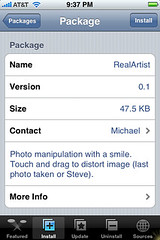
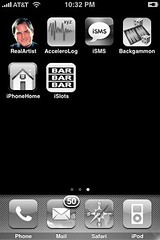
 RealArtist is a new app available for download in the Installer.app through the Ste Packaging source. RealArtist is an app that allows you to manipulate a photo. When the app opens it will pull in your most recent photo…if you do not have any photos you will get a picture of Mr. Steve Jobs. You can then drag your finger on the screen to smudge and blur the photo. A pretty cool little app…though, it would be really cool if you could choose the photo you wanted to open! All that said…I am getting A TON of glitching with this app. I have a feeling RealArtist is not compatible with the Dock app. It was so glitchy that I couldn’t get a screenshot because they would just show up black. I uninstalled Dock and the glitchiness definately improved though, there was still some glitching. Let me know in the comments if this app works for you. Here are the screenshots I could get:

 Loading...


 Loading ...
Tried it as well.. agree it needs option to choose photo, but it’s just at version 0.1….. I also noticed the screen flickering, which I took to be the application overwriting the screen header (the bar @ top with time and battery/signal level indicators) or perhaps a lack of correct double-buffering.
For me it showed a screenshot of the installer screen… not my last taken photo.. (I have no screenshots on my iPhone)?
Hey Foobar! Yeah…we will see what the updates bring! As for the screenshot of the Installer screen…that is crazy! When I had a picture in my Photos it took my most recent photo…when I had no pictures in my Photos it gave me a picture of Steve like it is supposed to…that is weird that it gave you the Installer…especially sense you don’t even have a screeshot of it in your Photos!! Craziness!
is there any way to save a photo after you have altered it?
Not through the actual app…you could take a screenshot of it!