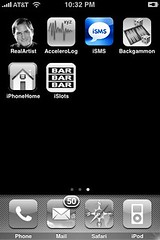
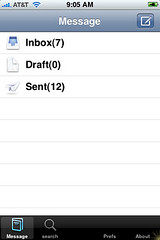
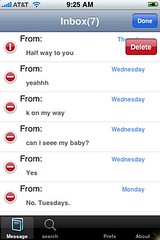
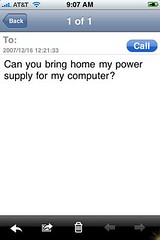
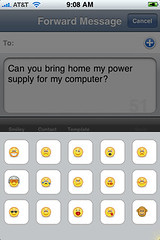
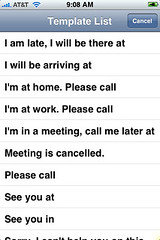
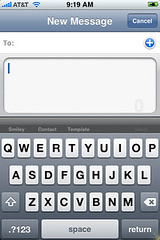
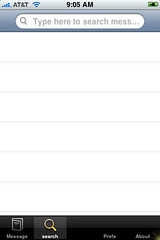
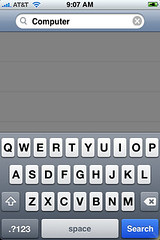
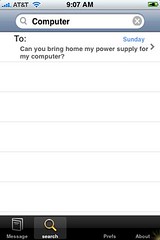
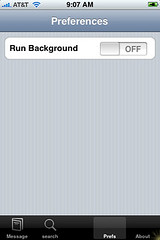
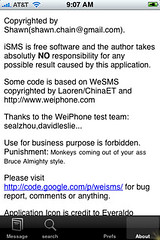
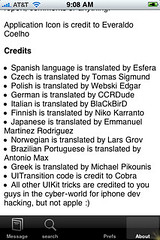
 iSMS is available through the Installer.app in the Ste Packaging source. iSMS is an app that gives you a ton of options for text messaging that the stock iPhone does not offer. Some of them include; viewing text messages one at a time, deleting one message at a time, forwarding text messages and forwarding them to multiple contacts, searching within your texts, adding smilies in your texts, replying to text with a quick reply (from templates provided) and more. When you open iSMS you will see a main screen that shows you the number to texts in your Inbox, Drafts and Sent messages. If you tap on one of those three options it will bring up the text messages in that folder….it brings them up individually from oldest to newest. You can then tap edit in the top right corner and delete one message at a time. You can also tap on one of the messages to bring it up individually. From here you can call the number, reply to the message, forward the message, delete the message or go to the prevous/next text message. What is really cool is if you forward the message you can add multiple contacts by tapping the plus button in the top right corner. You can also add smilies to your texts, bring up your contact list, or do a quick reply using a few templates provided. To send the text…just tap send on the right, just below the text screen. Or, you can tap Cancel in the top right corner and leave the text message without sending it. Tap back to get back on your main screen, if you just want to write a new text tap on the button in the top right corner that looks like a little pencil and paper. You will also notice four option on the bottom of the screen; message, search, prefs and about. Message just brings you back to the mail screen you are on now. Search allows you to search all of your text messages…just type in what you are looking for and it will bring up all of the relevant text messages. If you tap on Prefs you will get the option to turn on or off the Run Background and the About button gives you some background info about the app. Here are the screenshots!



 Loading...


 Loading ...
I like a lot that you explain things in detail, most iPhone blogs are in a hurry…
thank you.
Thank you Stefan…we try to keep our main focus as teaching people how to use the apps…not just telling people about them!! That is one of the reasons we choose the name AppleiPhoneSchool. :)
I’m running this app but would anyone know how the drafts work? It doesn’t seem to have an option to save a typed msg as a draft
Great app, but I would love a small extra, namely a widescreen qwerty-keyboard with slightly larger keys.
wonderful application…
w appleiphoneschool!
Thank you for giving all the info. I came across this problem while using this app. If you add the contact its ok for a mobile, home and work numbers. But while adding the work fax or the number in the ‘other’ category it puts a wrong (rather the previous number) number or a blank.
@ali – Yeah…we have found a few glitches with this app…but, they seem to update it pretty frequently so hopefully we see some of those taken care of.
@Stephen – I took a look at that…and I can’t seem to figure out how to create a draft either…the only thing I can think of is that it saves it in there if you do not have any service!
Hi, uploaded Installer app in my iphone 1.0.2. Now how do i upload isms? I also see there is app available by name of SMSD 0.20, which one is better?
You just have to go into the installer.app under the category Network and click on it then choose install in the upper right corner. I just did a post on SMSD…check it out!
if there is nothing in the draft folder does it still open cus mine does not ant how to insert messgs in the draft folder pls let me know thanks
Hi, Ive downloaded the app. I can sent messages throught it, but received messages dont show in this application. What have i dont wrong?
Cheers
please update this for 1.1.3 iphone without text forwarding mad in it
Miss Brooke, can you please tell me if this one works in 1.1.3?
‘coz i can send messages but its not showing in “SENT” folder..
also, how the inbox works? my new messages are still going in the stock iPhone message..
Hi Brook,
I have downloaded the iSMS app and installed it.
I cannot see the SMSs that were already there on my iPhone default SMS inbox. Also, although I can send SMSs using this application, the send messages dont show in the “SENT” folder and I am getting all the new SMSs to the iPhone default SMS inbox.
Please let me know what I am doing wrong. Also, is iSMS compatible with 1.1.3?
this is pretty cool but the thing that ive wanted soooooooooooooooooooooooooooooooooooooooooooooooooooooooooooooooooooooooooooooooooooooooo bad in the text message application is landscape mode !!!
pleasee some one do this and if you wont then tell me how to hahaa.
i am running 1.1.4 i deleted my stock sms app and i have isms(snapshot version on but now it says i have 2 sms but i have none there deleted i restart phone still says 2 new messsages . i tried to shh mobilesms.app back to phone but when i select it it just freezes ,,,isms need updating
Please can you tell me what the installer source is for iSMS on the iPhone
Thanks
KP
Can I use isms on my pod as well? I installed it but it closes immediately.
I can’t find it into the installer. I updated the sources and added STE source and still can’t find it.
Could you pleaase give me the source???.
Thanks.
I can’t find it in the installer….
could you please write where we can find it?
Trying to get iSMS on my iPhone anybody can help?
Do you find a way to install ? If yes can you help me? Thank you.
It is not in the installer app any more any idea on how to get this?
Does the iSMS work with 1.1.4? I don’t get any messages in the inbox although it does send SMS it doesn’t keep a copy in the “sent” file either. Any opinions?
I can’t find this any longer on my phone even though I have the source???! Is there anywhere else that I can get this please. It looks like exactly what I am looking for! Thanx for your time!
iSMS is now at http://iphone.nonsoft.com/repo
thanks ronnie
Thanks bro=)
No offence guys, I love your site, but I’ve found the repo source list not as reliable as it could be. I’ve had to search sources for apps on other sites. Sorry for the gripe, it may be hard to keep the source list up to date, I don’t know.
I have SMS and iSMS on my phone. The SMS is working just fine but I like iSMS better. Problem is the messages are only saved if I use SMS. Should I delete SMS na and use iSMS instead? Please reply. Thanks.
I’m trying to install the ISMS , but I can’t find in the network . I always use in my iphone, but I have a problem , and I lost eveything , now I’m trying to install and I can’t find. Thank you
Hi..
I just upgraded my iPhone to 2.1, and i tried to install iSMS but i cant find it in installer, though I entered both sources:
http://iphone.nonsoft.com/repo
&
http://repo.smxy.org/installer4/
but still cant find it !!
any suggestions !?
Thanks,
Imad