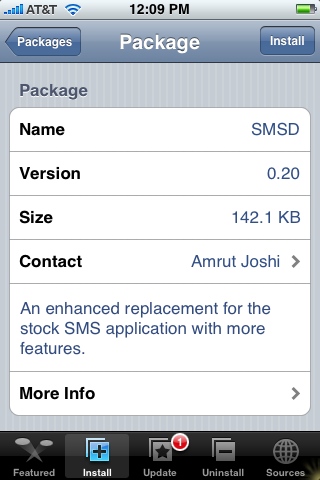
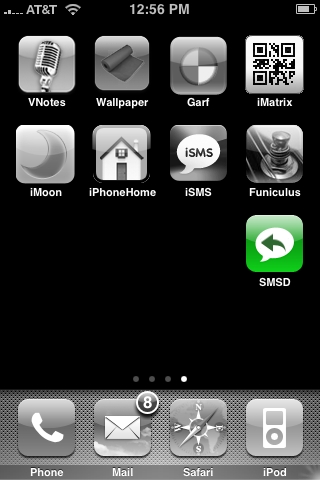
 SMSD is available in the Installer.app through the Ste Packaging source. SMSD is a text app that adds a ton of features to texting that the stock SMS does not have.
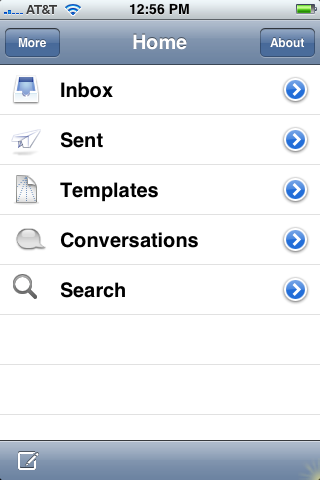
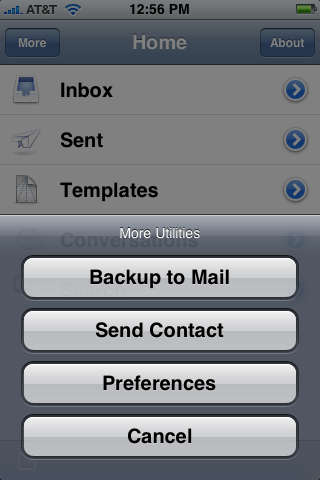
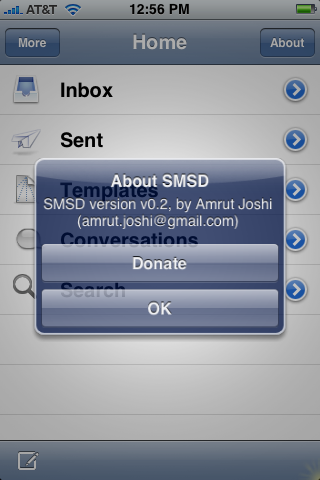
The app opens to the main screen where you will find your Inbox, Sent, Templates, Conversations and Search. If you tap the More tap in the upper left corner you will also get a few more options that include; Backup to Mail which allows you to back up all of your text messages by sending them in an email, Send Contact which allows you to send contact information, out of your All Contacts folder, via a text, Preferences which gives you the option to turn on/off SMSD Notifier and Cancel. You will also notice an About tab in the upper right corner…this just gives you more info about the app. Ok…lets talk about all the features.
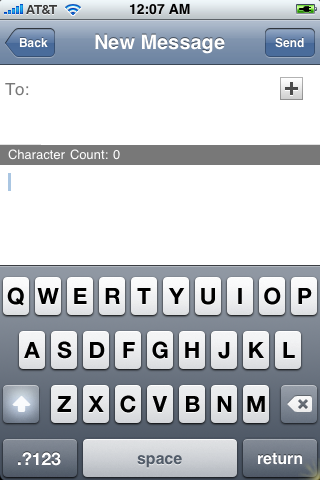
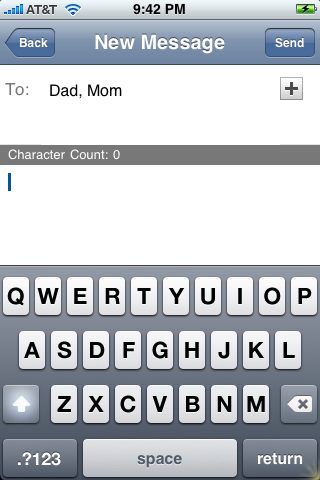
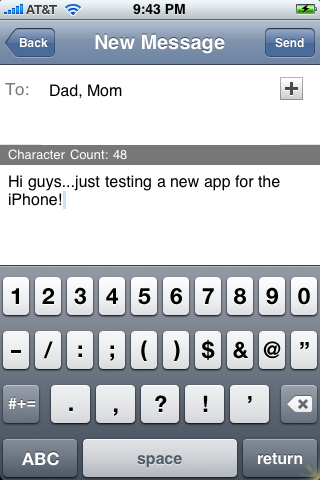
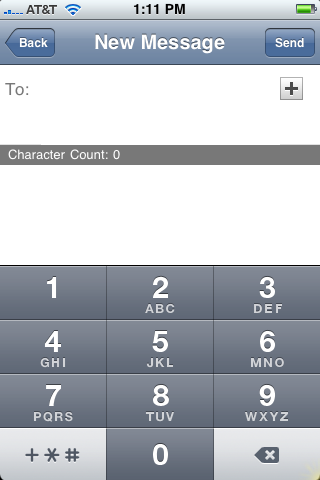
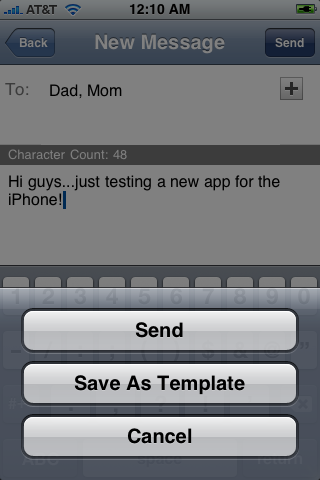
To write a new text message, just tap on the little box with a pencil in the lower left corner. You can then add a contact to the message by tapping on the plus button in the upper right corner. If you would like to send the text to more then one person just tap the plus button again. If you need to erase a contact that you have already entered, tap on the contact and tap the back arrow to erase it. You can also add just a phone number, and not open your contact list, by tapping next to the To: and entering in the number. To write the text…tap in the text are and start typing. You can then Send the text by tapping on the Send button in the upper right corner. Which brings up a menu…just tap Send. You will also notice the option to Save As Template. This feature allows you to write a text, for example; I am driving right now…I will text when I am not driving! :), and then save it as a template so you can use it as a quick response in the future.
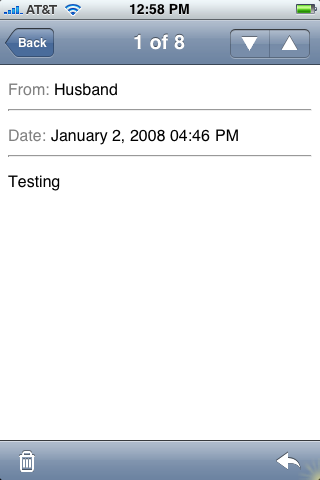
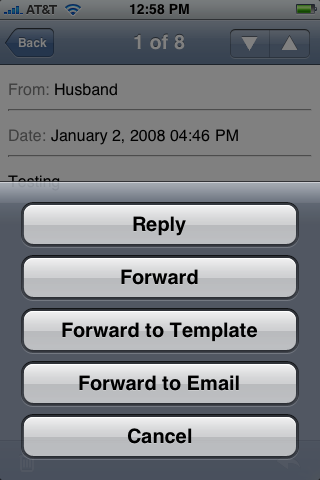
Now, back to the main screen. The Inbox option shows you all of your received text messages individually. If you tap on one…it will open it full screen. You will notice on the top of the screen a # of # (ex. 5 of 68)…you can go to the previous or next text by tapping the arrows in the upper right corner. If you tap the arrow in the lower right corner, you are given the options for that text…you can Reply, Forward, Forward to Template (same as Save As Template), Forward to Email or Cancel. You can both replay and forward the message to multiple contacts. Forwarding to Email allows you to email an individual text to someone…it will automatically put the text into an email giving who the text was from, the date of the text and the message. You can also email it to multiple contacts. You can delete individual texts by tapping on the Edit button in the upper right corner then tapping on the red circle to the left of the text you would like to delete. There is also a Delete All button in the upper left corner while in Edit mode…sorry, I didn’t test that one out for you!!
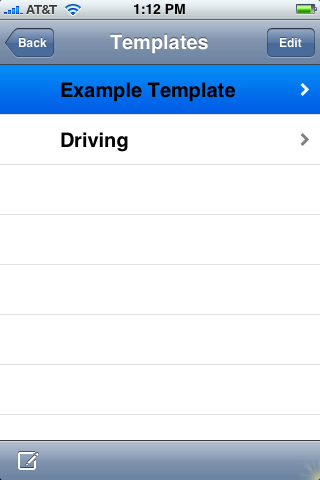
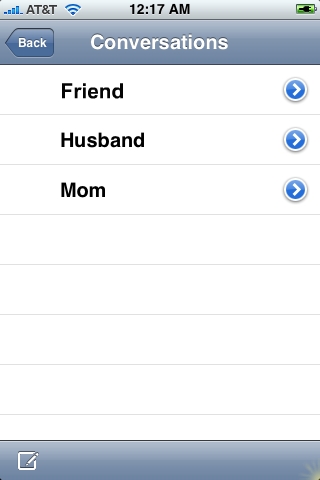
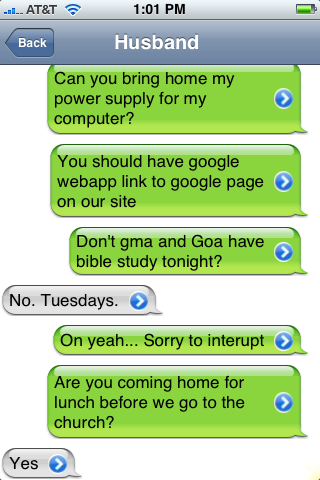
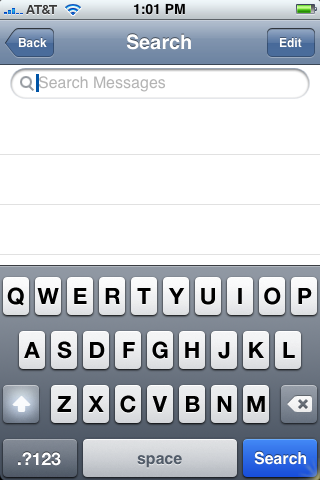
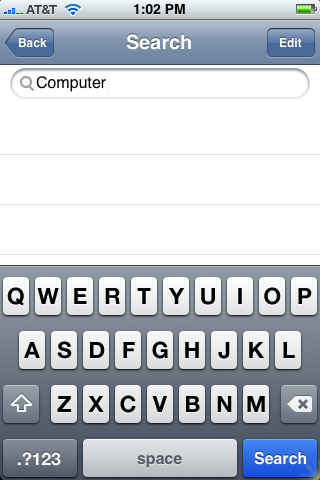
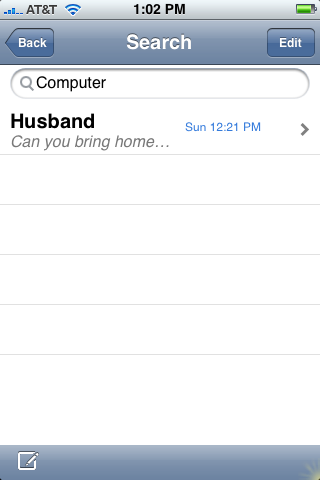
Back at the main screen, you will also see your Sent messages…you can do all of the same thing with them as you can your Inbox messages. Next you will see Templates. This is where you will find all of the texts that you saved as templates. They are listed in the order in which you created them…I think it would easier if they were in alphabetical order! The next option is Conversations…this is the COOLEST part of the whole app!! When you tap on Conversations it will bring you to a list of all the your text conversations (like in the stock SMS app) but…what is really sweet…is when you select a conversation you can then choose an individual text in the conversation by tapping on the arrow in that message. You can then reply/forward/forward to template/forward to email that individual text!! It is pretty sweet! The next option in the main menu is Search. When you tap on search it brings up a text box…just start typing what you are searching for (names or text) and then tap Search. It will bring up all of the relevant texts. To select one…just tap on it.
Now the real test is does the app work correctly. When you send a text it shows a new text in both the stock SMS app and SMSD. It then adds it to the Inbox and Sent texts in SMSD and the conversation in both apps. However, if you check a text message in one app it still shows as unread in the other. I think most of the 3rd party SMS apps run into this problem! Overall, this is actually a really cool app…you will definately want to check it out. Here are the screenshots:





 Loading...


 Loading ...
This is great, the only thing missing are Smilies like WEiSMS does, but the conversations like the Stock SMS is great, hope they add this part, but I think that SMSD is better than WEiSMS.
hi mate, just wanted to know, how to download this application (SMSD) to my iphone? as i tried to download but its not working, i can c the icon on my phone after installing it but couldnt use it. pls advise, thanks
I think there is a feature is missing: to call the recipient like the apple’s stock app! Great job
@ sikorski…I totally agree!! I love the conversation part of this app too!! I know that iSMS has the smiles too…I still need to do a review of WEiSMS. But, so far…I really like this app!
@dragorex…great observation! And, you are right…the ability to call the number of the person who send the text is not available (and it is in a few other 3rd party SMS apps) I am hoping this will come out in one of the next updates!!
Does it work on jailed 1.1.3 ?
I install it but the app doesn’t start ???
Am I missing something ?
Thank for any help.
I have the same problem as roc also Ive put ssh on my computer and my iphone logged in and they connect. Now what??
does it works on 1.1.3? :(
can someone tell me if this works on 1.1.3…. thanks!
doesn’t work on my 1.1.3 device..
Hi, it didn’t work on my 1.1.3. device either :-(
hope there would be an update sooner or later…
it seems great but dosnt work on my jailed 1.1.4.
it installs but doesnt run.
Anybody any advice:(?
install the latest version
http://amrut.joshi.googlepages.com/
(but it has still some bugs)
thank u martin but 2.2 is not still available through installer, can u help me installing through /directory? i mean how can i access that directory?
Regads
shahram
could you make a way to text in landscape?
hi mate, just wanted to know, how to download this application (SMSD) to my iphone? as i tried to download but its not working, i can c the icon on my phone after installing it but couldnt use it. pls advise, thanks……..
I have the same problem. it did download, but when i open the icon it quickly closes again? what must i do? pleas help becz this is a great app!!!!!!!!!!!
you need the latest version
get it in iappcat.com
just type in SMSD to category search and select the latest on to use (you need an account) then go into settings for iappcat and name your repo
then add your custom repo to installer and install the latest version of SMSD
i had followed the above but where can i find the updated version of smsd? pls help
crap it won’t load at all is it a permission thing why! why!
ziphone 1.1.3 everything else has worked!
not working with 1.1.4. after u launch it, it just bring u back to summerboard.
Hi ,
I also face the same problem …..when i load the icon it just brings me back to the first screen …..plz help how to get it….
Please find the new 0.2.3 beta here http://install.ifon.no
its a good app but dosent works sometimes what might b d reason
does this app work with iphone 2.0 software?
no