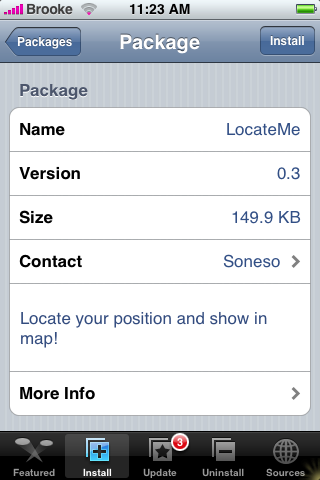
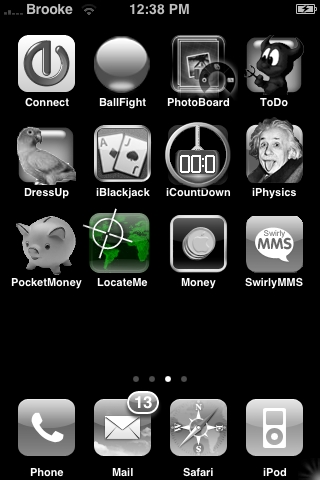
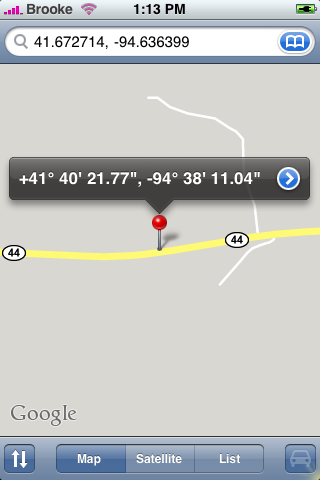
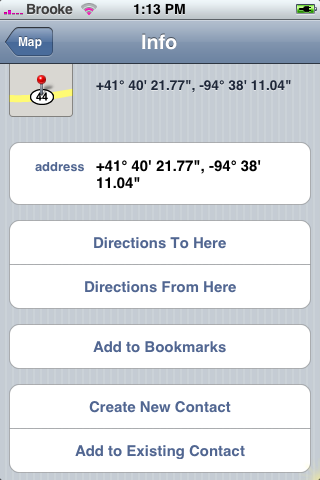
 LocateMe is an app that locates your current position and then puts it into Google Maps. The app opens to the main screen…if it finds your location you will see the coordinates in lower part of the screen, if it can’t find your location it says Failed. Just tap Show in Map to open your location in Google Maps. You can then scroll in or out or tap the blue arrow next to the coordinates to get directions, bookmark the location, create a contact or add it to an existing contact. The app is pretty accurate…though I have only tried it in one location. This app is available in the Installer.app through the Soneso Repository source. Below are the screenshots:


 Loading...


 Loading ...
Doesn’t show up in Installer here.. :(
Hey,
will this work on firmware 1.1.1
it says failed for me all the time, i’m on 1.1.1…Also when I click the show in map button it opens safari and takes me to a google maps web page…whi isnt it opening up the google maps native program?
ok i just downloaded it on 1.1.1 and it works. although the location was not on the dot but it was maybe about a one min drive away from where i was so thts not bad at all…
this is in canada by the way!
Kumail did it open up your location through safari on the web or did it open up the google maps app and show it through there?
I have 1.1.1 and it just says failed all the time… and it opens in the safaris google…
It was 2.5 miles off
Works in the uk just fine
only one transmtter near me so acuracy is not great
opens native maps app
I’m on 1.1.2
Unfortunately, this doesn’t work for me in Hungary. I’m still on 1.0.2. : ( The software fails to locate my position. : ((
My guess is if it says failed and you click the map button it sends you through safari to google maps, however if it finds your location and you click it itll probably open up the native app. However mine isnt working to test. Any reason it wouldnt be working on 1.1.1 in the United States near Chicago?
I am running 1.1.1 and so is another iPhone I tested it on and both worked. Mine said failed the first time and when I clicked on show in map it opened Safari and went to Google Maps through there. The next time I tried it…it worked and brought me to Google Maps on my iPhone and it was pretty accurate.
So, I know it works on 1.1.1.
Seems like Navizon is better.
Sweet!
I hope Google is not going to shut down this service like they did with this other one:
http://www.hackint0sh.org/forum/showthread.php?t=18520&page=6
After all they stole this data from us without letting us know about it (check out http://www.googleprivacyconcerns.com) so I see no reason why we shouldn’t be able to use it now.
Works great in Berlin! Thx! :-)
2 km away from my place !
this app is not good .. :(
Just tried it on 1.1.2
Fast and Accurate… it was only 1 and half blocks off… good enough for me …
and that was in Sao Paulo, Brazil … i wasn’t expecting for it to work at all…
Thanks !
By the way.. Navizon didn’t work at all in Sao Paulo…
Works for me on 1.0 newer Paris. Accurate to two blocks.
Works within a few blocks. Good enough for me in Las Vegas & California.
I’m not that lost. lol