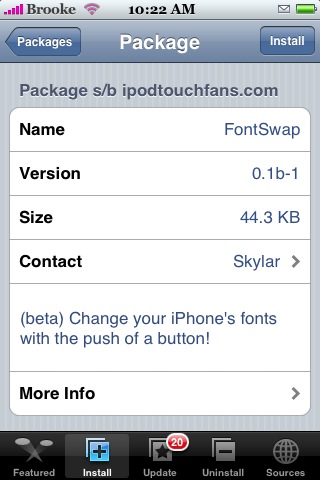
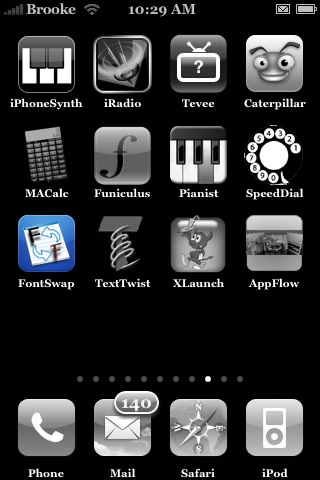
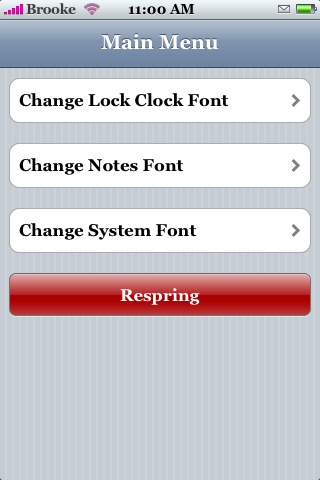
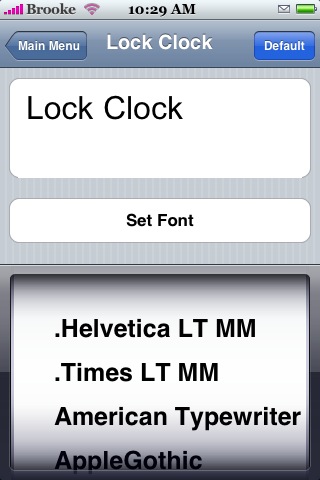
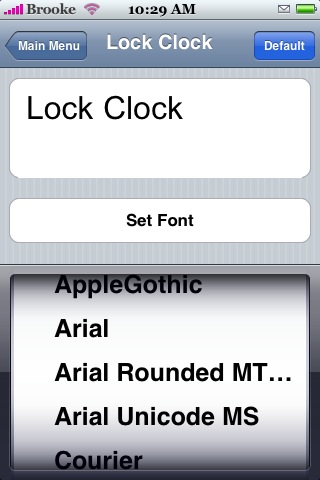
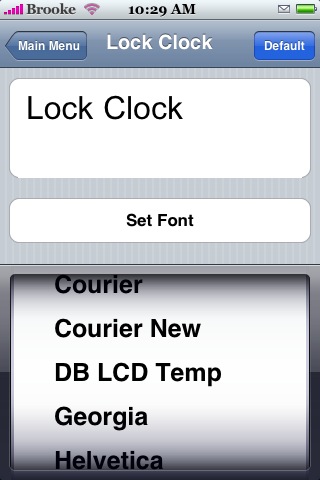
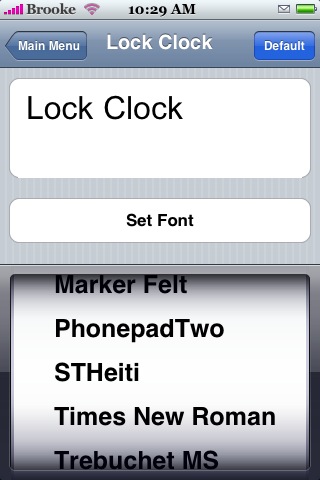
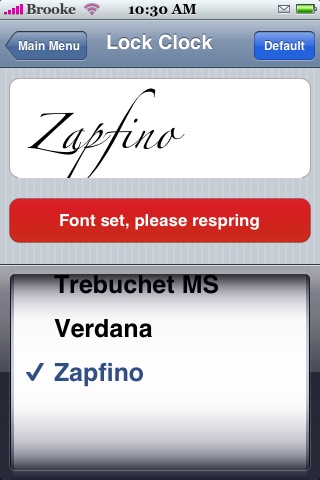
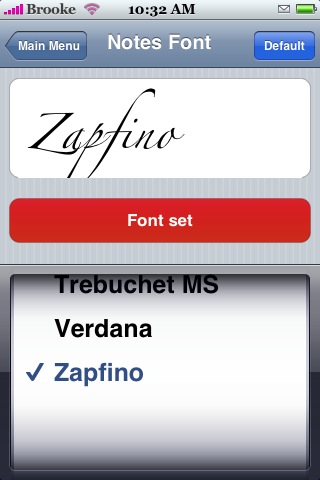
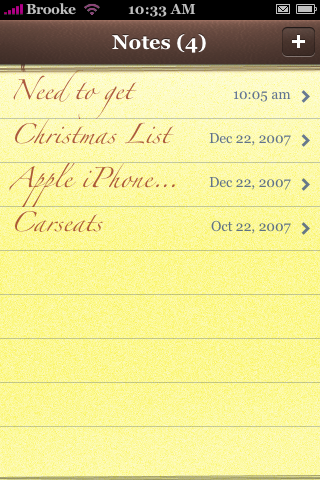
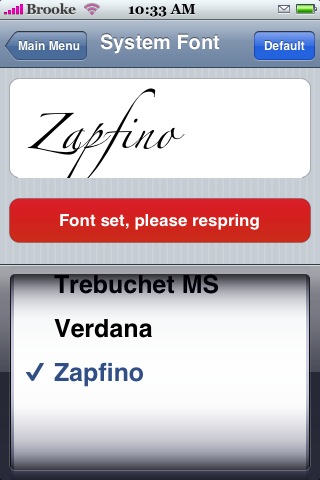
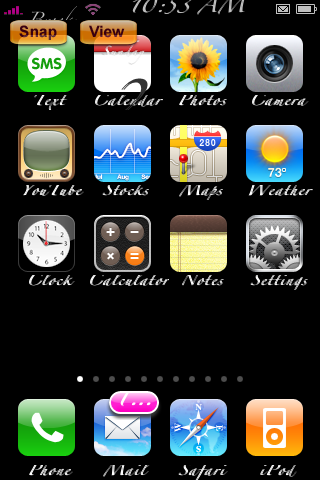
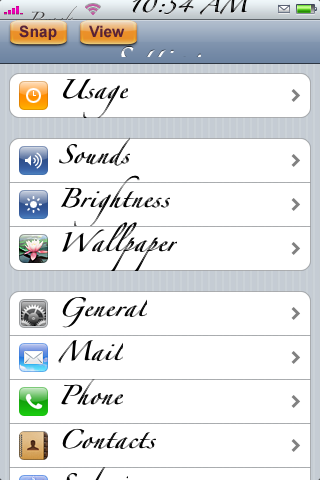
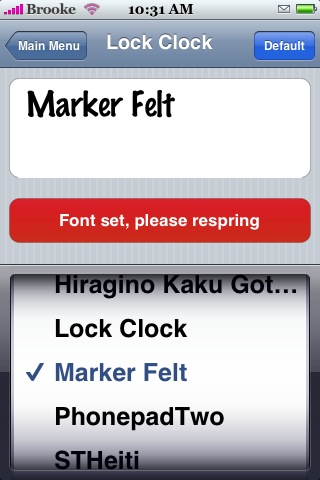
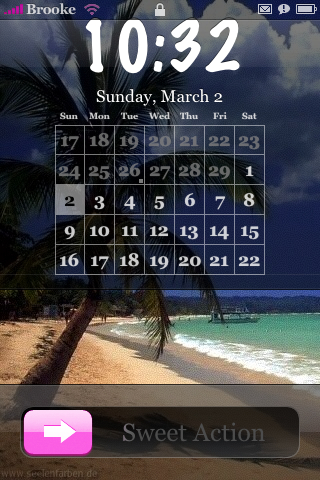
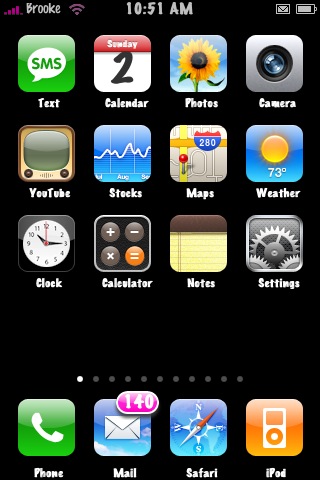
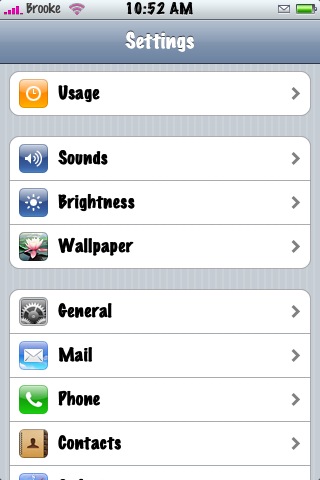
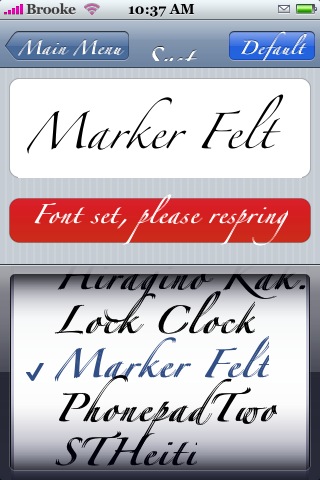
 FontSwap is an app that allows you to change your Lock Clock font, your Notes font and your System font. When you install FontSwap you will get a pop-up just before it finishes installing…it is a very important warning…please be sure to read it before you tap Ok (see screenshots below). The app opens to a menu with the three options of fonts you can change; Lock Clock Font which changes the font of your clock when your iPhone is locked, Notes Font which changes the font in your Notes app and System Font which changes pretty much all other font…including the font on your Spring Board, in the Installer.app, in your Settings app…pretty much every where. Just tap on one of the three options and it will bring you to a list of fonts you can choose from…there are quite a few options. Scroll through until you find the one you would like (if you tap Set Font after you select a font…you can see what it will look like)…once you have decided on a font tap Set Font…this will not actually change your font yet…you will need to tap the Main Menu button in the upper left corner and then tap Respring at the bottom. This will respring your iPhone and change the font to the one you selected.
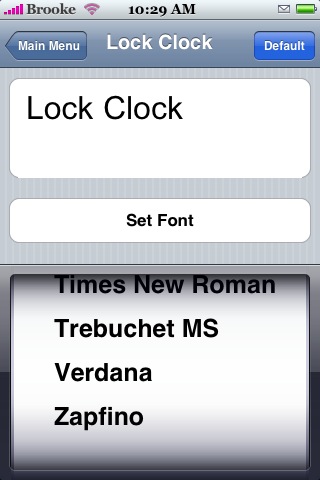
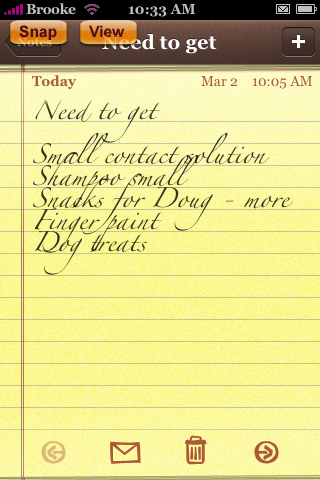
The Lock Clock font and the Notes font work great for me however, the system font did not change at first. I have the Caterpillar app installed and it also has a System Font changing options so, I figured they were probably interfering with each other. So, I turned off the system font option in Caterpillar and then it worked perfectly with FontSwap!! So, if you can’t get the System Font option to work in FontSwap shut of the System Font option in Caterpillar! Also, some of the fonts do not fit very well, including my favorite font Zapfino. What would be sweet is if you could adjust the size of the font too!! Other than that, this app seems to work surprisingly well (especially for still being in beta mode)…some times it does get confused and doesn’t change the preview of the font when you tap Set Font (see last screenshot)…but, once you respring it will change the font to the one you chose. Also, I have only tested this on 1.1.1 as soon as I get it tested on another version…I will let you know how it does. Fontswap is available through the iPod Touch Fans source. Below are the screenshots.





 Loading...


 Loading ...
runnim 1.1.4 this does not work no font changes
Im also running on 1.1.4 and it work perfectly :)
I built this to work with my 1.1.4 iPhone. However, it should work with any firmware, as the files it messes with are the same on all firmwares,
–Skylar
How come its not in my installer list of apps???..I re-installed installer, and it still dosn’t show up?? Can I go to sources and add it manually????
Working great on 1.1.4 iPhone
it is not compatible with SMSD app.. i had to uninstall it coz smsd keeps on crashing & brings me back to homescreen.. btw, im on version 1.1.4
In some of the screenshots, there is a calendar on the lockscreen. How did you put it there and can it display appointments?
That is with the app Caterpillar.
HELP, i tried to put the original font back my iPhone crashed! what should i do, please send me on my email
i laready updated my souces, but still i cant find fontswap
BTW
http://www.touchrepo.com/repo.xml
another problem I also installed in my sources http://www.touchrepo.com/repo.xml and nothing is happening. I don’t quit understand how you guys do this I follow the instructions and nothing works. Can you be more precise with as how to proceed.
Thanks
same here.. can’t find the app. help..
installed font swap and then unistalled it but the fonts did not go back to the defualt fonts and then tryed reinstalling it to change back to defualt fonts. iphone crashed and would only start up to the apple sign and never went passed that… had to reset aple and reinstall the OS system.
This is all very cool but how do we install it. Its on my desktop I through ssh put the file into application on my iphone and restarted and when I opened fontswap there was a blank page and it crashed. Same with iBlackjack. Does anybody know how to install these files?
Thanks
When you move any app from your desktop to your iPhone you will have to change the permissions to 0755 on the folder and all the files in the folder. Or, you can get it from the iPod Touch Fans source and just install it that way. Can you still not get iPod Touch Fans source to work? Are you sure you have the source typed correctly? Also, make sure to refresh your sources twice after adding a new source..it will do it once automatically then you will need to do it again after that.
Thanks for your reply I did install iPod Touch Fans source and its there but still when I go to install I don’t see any of your stuff even after refreshing. Now, the permissions you are referring to 0755 I’m sorry but how does one change permissions and where because there are no folder I only have the actual fontswap app. Thanks anyway it would be nice to try it out but it I think I should leave it its to complicated.
I was just reading different forums and there are lots of people like me who cannot get this source working. I wish the author of this program would do something about it. We of course would very much like to share this app which seems to be fine but a little follow up from your part would be appreciated.
Here is one example of the comments
Same here Cannot find Font Swap in installer even after adding the source….
Refreshed it 10 times…but its never there… Why is it not in the installer ?
I would agree that this source can be slow…but, I have never had a problem with this source not working and I have installed it a few time (after a restore) and so has Doug. I would say the most common problem with a source not showing up is that is it typed incorrectly into the sources section on your iPhone. The problem when entering this source is that your iPhone automatically capitalizes XML…but, sources are case sensitive and XML is NOT capitalized in this source’s url. So, I would suggest trying to re-enter the source and make sure you do not let your iPhone auto capitalize XML…it needs to be .xml.
Well, I have no clue how Doug or whoever could have done it I did it again your way and still nothing. And there are lots of people like me there is something wrong here. Is there a way of getting this app otherwise or why don’t you put in on your site when we press more info in your source so we can get it from there. I tell you I’ve tried everything I’ve done this may times and it the first time that a source doesn’t show up. My last question is if it was to show up in install would it be under categories if so, which one ?
yep there is still no fontswap i had to go in and SSH it in manually
Is anyone still working on this app?
I searched in the sito of Ipod touch fans, but found nothing, seems like they are working on new projects, but nothing to realeas a non beta version of this =(
i cant found the app !!
I can’t find this either. I’m older than 8 years old and able to enter the source correctly- I had this before my restore and it was much appreciated. Now I can’t find it anywhere. Any ideas?
I am 12 ;)) typed 5 times the source, refreshed 50 times installer: NOThing!
Nor can I!
ipod touch fans source no longer carries it
I had it working on my 1.1.3.! Bus since I update to 1.1.4, it’s nowhere to be found.
Same here, also refreshed but I still can’t find FontSwap!!
Very strange!!!
WILL THIS WORK ON AN UNLOCKED IPHONE
Has anybody found out where this app is? I too had it on my 1.1.3, but it’s nowhere to be found now?
FontSwap was taken out of the Installer…but, it can still be downloaded at http://www.touchrepo.com under the Utilities Category on the right. You will have to add it manually.
I’ve downloaded it manually at http://www.touchrepo.com/Utilities/FontSwap.app.zip
but when ever I try to open it, it won’t start, I added it using IPhone Browser 1.5.2 and dumped all of it into the applications folder.
Need advice since it seems like I am missing something out.
I used BossTool to relocate fonts now fontswap does not work
help?
http://www.touchrepo.com/Utilities/FontSwap.app.zip
okay I still need help with BossTool
I did what you recommended. I installed it manually verified that the permissions were 755, but it won’t work? Funny, because it worked well when I was 1.1.3.
Any suggestions?
Manually FontSwap fix for 1.1.3/1.1.4 or any firmware first download (FontSwap.app)
from this link http://www.touchrepo.com/Utilities/FontSwap.app.zip
Extract the app ssh into your phone using your favorite SFTP program I use winscp
go to Applications directory then proceed to your apps find Fontswap right click on it go to properties it will say 0755 thats ok if it doesn’t change it to 0755 then (Check box) set group, owner and permissions recursively then hit ok open up a terminal for me its control-T if using another program find out how to open up a terminal or another shell session enter this
chmod ug+s /Applications/FontSwap.app/Fontswap and restart your phone and thats it enjoy JimmyMag al credit goes to me jimmag01010
oh and for your info this does work if you moved fonts with bosstool .I also have a fix for customize if you have had problems with the modded customize 1.21 custom i have another alternative let me know also fixes for SwapTunes I pretty much fix these great apps that don’t work for 1.1.3/1.1.4 it’s what I do let me know later JimMag01010
yea i just had to manually put fontswap i really havent tryed it but it seems to work good i used winscp……….but i only have a question i would luv to put the japanese font that i have in my computer can i n if so how……………..please only that could help me………………..
well never mind i thought i put it manually but it didnt work…………well i respring it n everything but it doesnt change at all………….so i ask for help once again…………..please……………..
JIMMYMAG FONTSWAP FIX ABOVE IT WORKS I FIXED IT MYSELF AND PUT IT ON ALL MY FRIENDS PHONES READ THE DIRECTIONS ABOVE READ THE DIRECTIONS ABOVE HERE IT IS AGAIN
Manually FontSwap fix for 1.1.3/1.1.4 or any firmware first download (FontSwap.app)
from this link http://www.touchrepo.com/Utilities/FontSwap.app.zip
Extract the app ssh into your phone using your favorite SFTP program I use winscp
go to Applications directory then proceed to your apps find Fontswap right click on it go to properties it will say 0755 thats ok if it doesn’t change it to 0755 then (Check box) set group, owner and permissions recursively then hit ok open up a terminal for me its control-T if using another program find out how to open up a terminal or another shell session enter this
chmod ug+s /Applications/FontSwap.app/Fontswap and restart your phone and thats it enjoy JimmyMag al credit goes to me jimmag01010
Actually its this command hey everyone this is the command i just messed up on the s fontswap it was lower case it wont do it unless like this
chmod ug+s /Applications/FontSwap.app/FontSwap
sorry people
Wow, good thing I randomly stopped back here.
I decided to remove FontSwap from my repo because it has caused an alarming number of iPhones to get the Spinning Wheel of Death. I was uncomfortable with this. It never gave my phone the SWoD, nor did it give any of my beta testers the SWoD, so I was taken completely by surprise.
Interestingly enough, only a very, very small number of iPods got the SWoD. Your guess as to the cause is as good as mine
I decided the best option would be to remove it from the repository, but to leave it on the website, for those that really want the application.
[Here: http://www.touchrepo.com/Utilities/FontSwap.app.zip ]
As far as adding in fonts go, I am *not* recommending it. If you add in a font that the the phone doesn’t like, you will get the SWoD. Although it is easy enough to fix (SSH in and undo the changes in /System/Fonts/CGFontCache.plist), I don’t want to be responsible for fixing everyone’s phones.
To add a font (left intentionally vague):
1) Rename the font appropriately
2) Add it into the device’s font cache (not CGFontCache.plist)
3) Add the definition and the name of the font into the app’s files directory.
4) Apply font. Many do not work.
my iphone crashed could u please send me the original CGFontCache.plist thanks so much and god bless
Alright i got all these programs and all that but when i go to check the box that says set group,owner and permissions recursively i get an error saying “Cannot change properties of the file Unknown command”
Hi , brother I cannot find the link to install in my resources ,can someone
give to our friend out there looking for the same link ?
thanks
what a funny discussion! ;)
so is there some tool around what changes the system font? appart from caterpillar…
Thanks jimmag!
worked like a charm. ive been trying for DAYS to get this program to work
while using winscp….wats the HOST name ; User name n Password…???
can ne one pls help
Host: Your IP-Address (you must be on the same network as the iPod/iPhone)
Username: root
Password: alpine
Works wonderfully on my 1.1.4!
Thanks!
i cant find font swap is not there o what
IS THERE OTHER APLICACION THATS REALLY WORK TO CHANGE THE FONT OF THE IPHONE
okay…after some initial headache ive been able to get this to install and work.
im running 1.1.4
this is what you will need to do…if it still doesnt work…you didnt follow directions. if you dont understand what and how to use the following applications, there are plenty of tutorials out there to help.
i was unable to find the application in a repository anywhere so i downloaded and unzipped it from:
http://www.touchrepo.com/Utilities/FontSwap.app.zip
i use winSCP 4.10 installed on my PC to connect to my iphone. to use this program you have to turn on your wifi and connect to an active wifi network on your iPhone. Copy down your IP addess you will need it to log in.
Plug your iphone to your computer using the white USB cable that came with your phone
Start winSCP – start your session. The host name is your IP address that you copied down. The port Number is 22. The User name is: root the password is: alpine the file protocol is is SCP. Press login.
(you might get some cache-thing popup…just click yes…its no big deal)
The left side of your session is the file directory of your computer
The right side is the file directory of your iphone
navigate both side to the respective locations…hence the left side to the location that you unzipped the FontSwap.app to. The right side to the Applications folder
Drag the FontSwap.app over to the Applications folder.
Then double click the FontSwap folder so that you can see its contents.
Once that is done click on the Info.plist file, then right-click on it.
Select properties. The properties window pops up. If it isnt already the Octal should be: 0755 Then press Okay.
Back yourself out of the directory back in the Applications directory.
Find Fontswap folder right click on it go to properties The Octal will say 0755, if it doesn’t change it to 0755
Right below that there is a Checkbox: “Set group, owner and permissions recursively” Select it. Click Okay.
Open up a Terminal. (Press control-T – If your not using winSCP, find out how to open up a terminal or another shell session)
I wondow pops up with a text box, enter this EXACTLY. (yes the CAPS and lowercase matter!)
chmod ug+s /Applications/FontSwap.app/Fontswap
restart your phone (turn off then turn on)
All of this information is available by reading all the bits and pieces of previous posts. This is EXACTLY what i did and its is working on my phone with no issues or crashing. I have not decided on adding any additional fonts to FontSwap itself…well….just because i havent read anything yet that says it really works all that well.
Goodluck!
Thanks very much for that. I have spent 3 hrs trying ta figure this out n eventually released got it working. I jus spot the error on the Font”s”wap now n changed it.
Thanks for the tutorial.
Appreciate it cuz i was rlly wanting ta get this working
Tommy, ireland
AAGGHH!!! Done this over and over, rechecked, over and over. DOES NOT WORK!!! Frustrated? You bet. Wasted a whole morning on this. Any other app do this?
BTW. Downloaded .zip file, added via Cyberduck, permission set to 755, and used terminal on iPhone to “chmod” app. NADA!
Guys, I got far as restarting my iPhone (following The SHogun’s instructions.) FontSwap icon appeared on my iPhone, but when tapped, nothing happens. Just a blank screen and goes back to the home screen. What could be the problem? Any help? Would certainly appreciate.
Also “chmod ug+s /Applications/FontSwap.app/FontSwap” should be typed pasted in the tex box of the console paying attention to the upper case of the letter “S” on FontSwap.
i have the same problem…. any help please please please…
YESSSSS. Eventually got this workin. Thanks so much for the specific expanation.
Tommy
It ruined my iPhone! I tried to put a system font then hit install & restart iphone and then my phone stucked at the boot apple logo. while i was trying to enter in DFU itunes didn’t recognize my phone and it came up with a 2001 error… luckily i tried over and over and for some reason itunes did see the iphone and i finally got it restored, no pwn for now
….oh that happened on 2.2 jailbreaked iphone….
I’ve tried this on 2.2 aswell, and now i cant change it back
any ideas Brooke or Doug?
Been searching thru modmyi and forums for weeks!
i din get d fontswap aPPLICATION