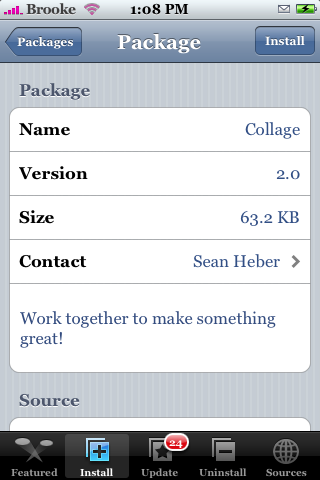
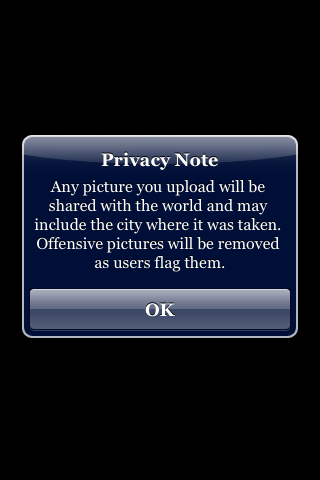
 Collage is one of the infamous :) iApp-a-Day apps…the new version brings pretty much a whole new app!! The first things I noticed when I installed version 2.0 of Collage is that it has a new icon…very cool Sean. The app opens to a screen with 23 thumbnails of photos. They will randomly flip over and reveal a new photo. To add your own photo to the group…just tap the Add button in the lower right corner. This will bring up your camera and once you have taken your photo (by tapping Take Photo)…you can choose to Retake your photo or to keep it, which will then add it to the group (mine was added immediately…I’m pretty sure it adds them real time…Doug added a photo from his iPhone and I saw it in my app, on my iPhone, as soon as he added it). I do wish there was a cancel button that just allows you to go back to the app without taking a photo. Back on the main photo screen…you can tap on a photo to make it larger. You can then choose to Fave that photo or to Flag it. To get back to the main screen just tap the pic again. A very cool new look for this app! I really like it. I am running it on 1.1.1 and it also worked on a 1.1.4. Collage is available through the iApp-a-Day source. Below are the screenshots!






 Loading...


 Loading ...
Very nice!
Compliments for your great and continuous work.
If you go to the Photo app in you ipod Touch/iPhone you have the photo album, where it shows thumbnails of photos with a slight white square. So, I do not see anything new in this app, but only the way to include recently photos (not yet in your mac/pc in this kind of view. For the iPodTouch users this app is not necessary in my point of view.
This is not an app for displaying your own photos…it is photos from everyone who adds photos. It is like a online community photo thing. If someone adds a photo you see it too.
BROOKE: thank you, now I understand, so it worths to install it on an iPod Touch.
Oh yeah…totally cool!
Cool!!!! =]
I have taken many photos to add to collage but they never appear on the collage. what am I doing wrong? any suggestions
Same as annie, i don’t know how to keep photos Are they saved on collage serve or it disappears as soon as you another picture??
Is there a way to view the comments made on a photo that you’ve posted?
is de best hotel bestwest hotel from istanbul
ye jan i wanted to know the same thing too..cant see anywhere to view commments…how do u change your display pic on the actually comments that you add.
I’ve never given this a try, but I think it’s about time I do.