 |
Available In: App Store |  |
Price: $9.99 |
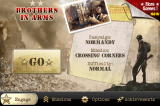
 I was really excited to see a top notch FPS (first person shooter) in the app store. Of course the first thing I wanted to know is how well did the controls work and was it worth the $9.99. When I downloaded it there were no reviews in the App Store on the iPhone and the site I found it on just announced it’s release and did actually review the game play. The download is pretty big (81.6MB) so it takes a few minutes to install even over wifi. I later found some reviews in iTunes on my computer about a problem I was having. The app would just open and just stick on my wallpaper. A lot of people were blaming it on the jailbreak and others said the permissions were set wrong. I decided to go the permissions route since I didn’t want to disable Winterboard. I went to /private/var/mobile/Applications/ and sorted the folders by most recently changed. The top one was this app. You can tell ’cause it will have a subfolder called BIA.app. I changed the folder and subfolder’s permissions to 0755. IT WORKED! I closed the app to reopen it so I could get screenshots of the intros and then the app didn’t work again. I was really frustrated! While I was trying to figure out what to do the app loaded. It seems it just took a few seconds to load. Now the app works fine.
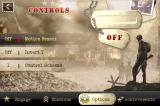
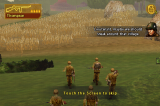
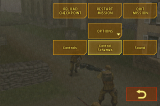
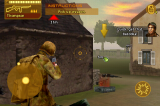
Now, on to the review. The controls are pretty sweet. There’s like a touchpad on the left for forward back and strafe. Just swipe up, down, left or right to look around and there is a button in the bottom right to shoot. It was pretty glitchy for me but it seemed to be smooth for a few seconds, then glitchy, then smooth. I remembered I have a flashing Christmas lights theme on my wallpaper so I tried shutting it off. Things ran MUCH better. Again, the controls are amazing. You can tap and hold the firing button for fully automatic. Also, when you run up to sand bags and other things to hide behind, your character ducks automatically. You can tap the gun in the top left corner to pause the game and it also brings up a full menu. To throw a grenade you tap on the grenade in the top right corner then aim where you want it and push the fire button.
The multitouch works great! It’s easy to control and gets easier as you get used to it. There was a few times where a fence or wall that I was standing by would get in my view. Overall, if you like FPS then this is about as good as it’s gonna get on the iPhone. Now they just need multiplayer mode via online or network!

Recent Twitter for Brothers in Arms iPhone:
Screenshots:

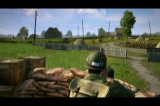
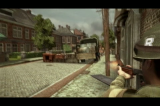
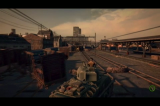
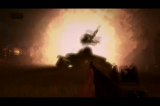



 Loading...


 Loading ...
one of the best game
this app officially makes the iPhone the best mobile device ever made!!!
i’m downloading it now, and i cant wait to play this!!!
Strange, the permissions are all 755, do I have to check apply changes recursively?
yes i would think so. recursively means that the change is applied for all subfolders /-files (i think). so that would make sense
0755 read properly
Is 755 and 0775 not the same. In cyberduck it will only allow 775. Oh well it doesnt matter since i got the game running. I just opened it, waited 10 seconds then closed it about 5 times and then it worked. :D
755 and 0755 is the same
yes
Nice game and nice review. Thanks for the Permissions tip.
i see Dougs review in the App Reviews (the 12th one).
:P
its pretty long lol
hey i cant get the game to worl i alreay set permissions to 0755 at the folder bio.. but it still stock in the wallpaper
Well The Easy Way To Fix Crashing Is (If You’ve Jailbroken Your iPhone) Go To Cydia Install iReboot The Run SBsettings Then Set The iPhone in Safe Mode, And Voila You Can Play Any Game Including BIA Flawlessly, Then To Go Back To Normal Just Run iReboot And Respring…. Enjoy.
Worked when nothing else would. Thanks man.
To Press The Sleep Button Inmediately After Pressing BIA Icon And Then Pressing Sleep Button Again And Unlocking The iPhone Seemed To Work As Well For Me With No Need To Enable Safe Mode, Though It Seems To Run Kind Of Glitchy If I Don’t Enable Safe Mode. Anyways Pick Any Way You Would Like To Run It, It’s Your Choice LOL Peace…
thanks Dj chriz it worked for me when just changing the permissions didn’t.
wow the safe mode thing worked! :P
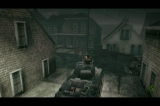
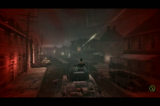
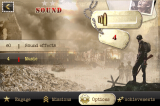
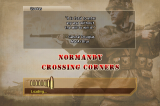
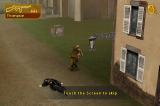
Lol, I thought those first few screenshots were the actual game graphics and I was like, woah! But the actual graphics aren’t too bad either, especially for a phone.
Bad news is this version doesn’t work on FW 2.2, downgrade 2.1 or wait for another update in version :).
Or you can play this game by copy the folder BIA.app in Application directory to the root one. Then just simply start it. It work for me, smoothly :).
BTW this is the best game ever in first-person look.
I disagree, it does work with FW 2.2.
With some tricks right? It doesn’t work for me. This is bad. Thanks for the info anyway Douglas :D.
BTW, i can’t have it work although i’ve try uninstalling and installing for 1000 times but it’d still kicked me out the springboard until i did our trick :)
The permission thing didn’t work for me… I set the permission of bia.app and all the files in it to 0755. Then I restarted my ipod touch (firmware 2.2 1st gen) and it still didn’t work! I Just got a black screen when opening the app… Can anyone help me? Thnx =)
I suggest you guys change the way you write the introduction. I explain: We cannot have a good idea about the article when reading the RSS feed. This is a great example: you should talk about the permission thing later on the article, giving us a more suitable introduction for the software.
It is just a suggestion. You are great giving us the best tips about what is around in the iPhone world.
Exactly how do you set it into Safe Mode? I’ve installed iReboot and SBSettings, but I can’t seem to find a safe mode setting anywhere.
Try Pressing The Power Icon In SBsettings And It Will Be The Last Option On The Botton Of Your Screen…Am i Right?
Nevermind…
For those that had trouble like myself….you go into teh SB Settings by swiping at the top bar where the time and battery are and that brings up the SBSettings dropdown menu and then you click the POWER button and one of the selections is to respring into SAFE MODE.
It looks like there is nothing clear! I will just wait for an update, I guess. I try the permissions, installing the .IPA file from different resources and no success, this is on my Ipod Touc 1G 2.2.1firmware.
Great game when it allows you to play. I can generally get about ten minutes on average then it crashes. Seems really pricey for an app that has so many problems running. I don’t mind waiting for the app to start but a splash screen would be helpful. Other than that it is really a joy to play.
I’ve installed this game. Then I set the permissions using mobile terminal to 755 then because that didn’t work I replaced two files in the BIA Applications directory (Documents) then rebooted the phone. That seemed to do the trick. It works for the most part. I sometimes get an error saying it can’t write something or other and I have to restart the game. But other than that it plays like a dream. I can’t believe this is a cell phone game LOL. It’s WONDERFUL!!! and I’m not even a FPS shooter fan. But this is FUN! btw I am on fw2.2 jailbroken iPhone 3G.
I tried sshing but that didnt work so i used sbsettings to put my phone into safe mode then i opened the game and played a lil bit. i closed the game and rrebooted my phone normally and then i pressed the app again and it seemed to work jus fine after that, this is a very nice game and i usually dont play these types foi games either.
READ THIS IF YOU CONTINUE TO HAVE PROBLEMS WITH THIS GAME:
1. Uninstall it and Reinstall
2. Reboot a total of 3 times in a row
3. Install SBSettings and Open the SBSettings menu (swipe the Status Bar)
4. Press Power and Select Safe Mode
5. Once your phone has rebooted into Safe Mode, open the app and wait till you get to the Main Menu, then close it
6. Reboot your phone
7. Open the app, and if it doesnt work still, open it then close it around 5-10 times
8. Hopefully, the app will work, if not, repeat the entire process until it does
ALSO: When you are on Step 7, be sure to wait at least 20 seconds before closing the app.
@DJContagious
Thanks man! Those tips worked.
After a week of downloading the app 3 times, installing, removing ad nauseum. SSH and chmodding, nothing.
I even deleted the intro mp4 movie and then touched an empty file to see if that would bypass.. nothing.
Only thing that works is jailbreaking, installing SBSettings, restartin springboard into Safe Mode, running the app. Started up like a charm.
Reboot phone first time into normal mode. Launch app. Paused for 6 seconds on blank and thought it was h0rked but then it started loading.
WAY 2 GO!
you guys don’t really need to go in safe mode and all to make it work….. i posted 2 days ago how to make the app work but they never put it up…..so if you guy’s still got a problem e-mail me at rudychetboun@gmail.com i’ll send you the file i made with the instruction.
Ok, slightly off topic, I have the game running no problem, I just can’t seem to beat the Normandy Smoked Steel level… I get blown up in the tank everytime trying to find a way to flank the enemy…