 |
Available In: Cydia |  |
Price: Free |
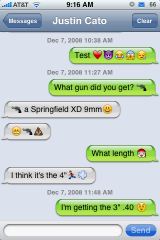
If you’re looking to add emoticons to your iPhone or iPod Touch, you might be surprised it’s already built in. The catch is that it’s only available when your iPhone is set to Japanese language. That might make running the rest of your iPhone a little difficult. Fortunately there is a fix in Cydia. It’s just titled Emoji and it’s through iSpazio. Emoji is very poplular in Japan and was added in firmware 2.2.
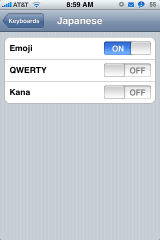
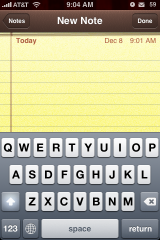
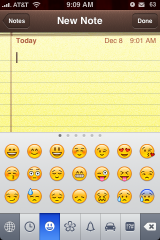
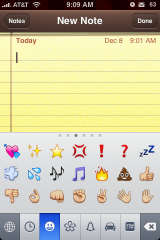
Once installed you just go to your Settings App > General > Keyboard > International Keyboards > Japanese > turn on Emoji. Now you can go to your Keyboard and you will see a little globe in the bottom left corner. Just tap it to see all the different emoticons. The tabs across the bottom show all the different categories and once in a category you can swipe left or right to see more. The first tab is the most recently used emoticons. This will fill up as you use them.
If you send a text or email with one of these icons only iPhone users with 2.2 or above firmware will see it. They do not have to be jailbroke to receive them. The icons show up anywhere you can type.
Recent Twitter for emoji iPhone:
Screenshots:

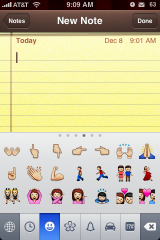
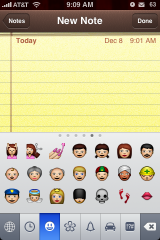
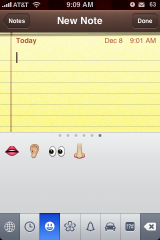
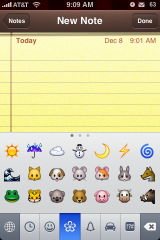
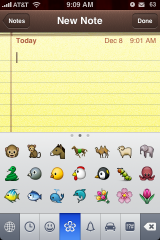
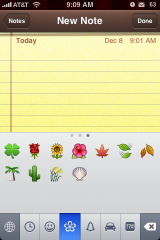
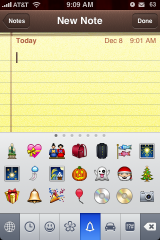
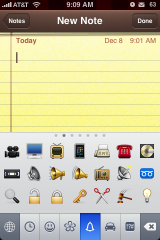
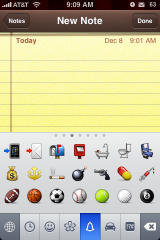
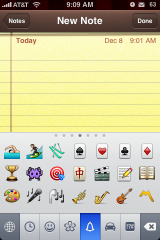
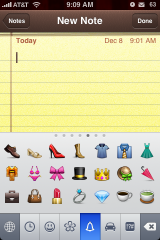
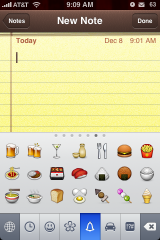
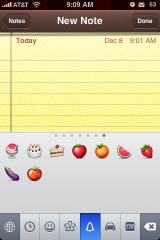
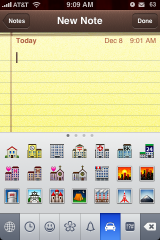
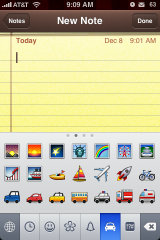
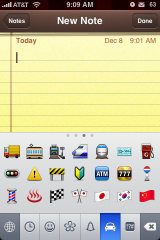
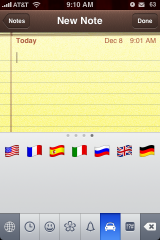
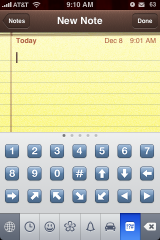
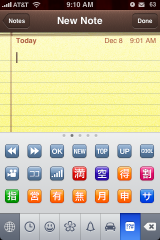
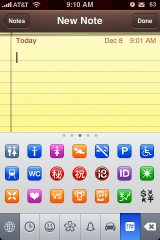
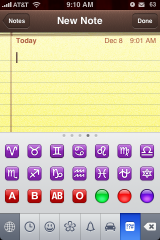
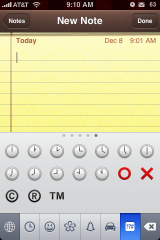
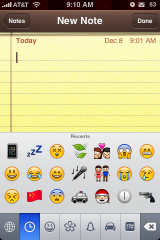
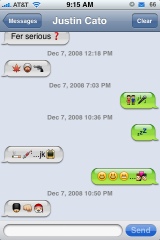

 Loading...


 Loading ...
This is so cool! It works great on my phone. Thanks!
They work only iPhone to iPhone and same carrier on txting…at least for me.
I have found that they work on both iPhones and iPod Touches however, they have to be on 2.2 firmware. They also show up in both texts and emails. I personally think it is very cool!
I found out bout this last week and tried to post a tutorial here but failed to do so. Dunno y?? anyways,, & yea if u send em to sum1 by mail then he/she might view it only he/she is opening da mail via . Rest it works fine. Oh! Also slows da iPhone typing speed though( wonder if ne1 noticed?)
Cheers
Neither Doug nor I have noticed any issues with the keyboard lagging with this mod and we have been playing with it for a few days now. Also, when we tested them via email, we didn’t have to open the email to see the emoticons…they displayed in the two line preview. They do show up weird on anything other than an iPhone though…like the computer…it’s a funky little box! :) I love them…I don’t know why they don’t do it for all iPhone instead of just Japanese iPhones.
does anyone know how to enable Emoji icons on a PC? =\
you can also use the emoji on your MiM carrier text and callme app dialers’ names too (just put it on your contact’s name). :)
If use on txt or email, do the other end need to have emoji icons on their iphone?
Nope…but, they do have to be on firmware 2.2.
So, if you are on 2.2 you can see the emoji icons no matter what…stock iPhone, jailbroke iPhone, with the app installed or without the app installed…just has to be a 2.2 iPhone. However, in order to send emoji icons…you have to have a 2.2 jailbroke iPhone with the application installed.
i would love to read the apple memo explaining why this feature should only be accessibly by the Japanese keyboard.
Me too!
because in North America no carriers have Emoji set up as in Japan all cell phone providers have Emoji that is why Apple put them in for Japan as Japanese use them a lot. Though I wish Emoji would become the norm here and all providers started to support them it would making texting more fun.
“because in North America no carriers have Emoji set up ”
This is fine, why not let me have the choice. ON/OFF.
And it does work from iphone/ipod 2.2 to iphone/ipod 2.2
Why does apple feel the need to decide what’s best for us, I’m very mature for my age APPLE, thank you very much.
This is one of the best new things on the iphone…..i love it :)
Tried sending smileys from emoji to my friend who’s on AT&T iphone FW2.2 but did not get the emoticon. She got a box. Dunno why. Also, if you send the emoticons on a phone which is not an iphone, it hangs. You really can’t open the message. You have to find a way to delete it so you can use your SMS again. :-(
Ok so i am currently running 2.1 1st gen iphone whats the best way for me to upgrade to 2.2? and is it really worth it yet?
I am a german User does it work for me i dont find it in Cydia.Can someone help me!!!
tried installing it but it crashes out to home screen upon installing
Very cool! Sharp Icons. I just wish it would show up on other peoples phones too.
its’ possible to get emoji via FrostyPlace in AppStore for $0.99
My friend has a jailbroken and unlocked iphone 3g working on t-mobile usa and I was just wondering if the emoji icons did not work on t-mobile iphones or is the problem with us? She can’t send or receive on her t-mobile iphone
I have a jailbroken & unlocked iphone 2g on t-mobile usa and can only send emojis to other t-mobile iphones (firmware 2.2+). When I send texts containing emojis to att iphones, no messages show up on their phones. It’s not like only the emojis are missing, the entire message never shows up.
Apperently apple is pulling all apps that enable emoji… just confirms the reason to JB again!
How do I get these to work on original iPhone? I gave most recent software but there is no emoji tab.
Will this work on 3.0 ??? I don’t get the “globe option” on my keyboard so I can swap between the emoitcons and just the regular keyboard…
Please help
Never mind globe was hidden for some reason but it still works !
this prgram can run in 3.0 whiout problems?
Does this tweak work on 3.0??
I have a 3g unlocked to tmobile and I need to find out how to get my emojis working. I have searched the net for weeks and no anwser ….if someone can tell me please how to do this
I know it’s been a while since posted this and I was wondering if you were able to figure this out? I have iPhone with t-mobile as well and can’t send text with emoticons :(
on appstore get iEmoji free no need 2 jailbreak