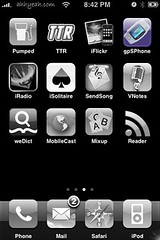
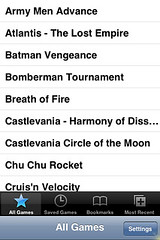
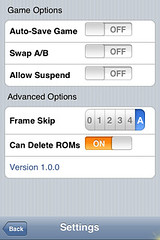
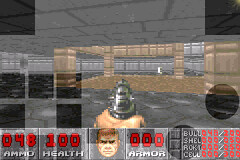
 So I finally sat down and tried to get gpSPhone to work on my iPhone. I think a lot of people are confused by the name and think it’s some type of GPS for the iPhone. It’s actually an emulator for Game Boy Advance games. There have been a few updates lately and I’ve heard the developer got a little help from the developer of the NES app. A big difference in this app from NES is that you have to download the bios (gba_bios.bin) to run the game yourself. You can just search for gba_bios.bin on Google and it’s usually the first link or you can download it from an actually Game Boy Advance. Another big difference in this app from NES is that the buttons are layered over the game. This way the game plays full screen. The buttons appear as shaded shapes over the game. See screenshots below. Ok, so now how do you install gpSPhone, get the bios, games, etc. Here’s a step by step guide:
1. Install gpSPhone via Installer.app under the game category.
2. Install openSSH via Installer.app under the system category.
3. download the bios file needed to run the emulator – google search for gba_bios.bin or download from an actual Game Boy Advance.
4. upload the bios file (gba_bios.bin) to /Applications/gpSPhone/ on the iPhone via SSH.
5. download game files (end in .gba) these can be downloaded via P2P or bit torrents, or downloaded from actual Game Boy Advance games.
6. create a folder on the iPhone /private/var/root/bin/Library/ROMs/ via SSH.
7. create a folder on the iPhone /private/var/root/bin/Library/ROMs/GBA/ via SSH.
8. upload the game files (end in .gba) to /private/var/root/bin/Library/ROMs/GBA/ via SSH.
Now just run the app and pick a game. Most games I tried are still glitchy but the developer is working on this.



 Loading...


 Loading ...
Do the games run at full speed? I tried a GPA emulater on my Pocket PC a few years back and it just didn’t have the horsepower to run them properly.
were is this gba_bios.bin I cant find it anywhere even at filefront. it says it is there but wont let you download it
if you click on the link above to search google for the file the filefront link is the first choice. Then on filefront you click download. I just tried it again and it is working for me. Email me at help@appleiphoneschool.com if you can’t get it.
@Adam – No game I’ve tried so far runs perfect. A little glitchy.
http://www.gameboy-advance-roms.com/gameboy_advance_roms.htm
There’s a link to some roms :)
Will this work using windows?
Newest version in Installer 3.0 is 1.1.2, but I can’t seem to download it? Even more, I can’t view the More info tap. It just shows up as “Error establishing a database connection”.
this didnt work when i go to root theres no bin but there is library and my iphone says to put the roms in var/root/Media/ROMs/GBA
any help?
I get this same message. My NES is working fine from the var/mobile/Media/ROMs/NES folder that I created, but the GBA roms wont get picked up from there. While I can find the var/root/Media/ folder I don’t seem to be able to create the directories there. They are locked.
Also using T-Pot in Commander I can’t see the system directories. Any help appreciated.
I had the same problem, try uploading roms to var/Mobile/Media/ROMs/GBA and for unlock directories try installing open SSH on your iPhone
i downloaded summerboard and after doing so i been having problems with my gpSPhone, it wont play my save games i have to start from the beging in all of them … any reason why or how to fix this problem? i dont want to unistall summerboard
At first, I followed above steps. But for some reason, can’t see all the installed games, & read somewhere that games needed to be saved in a different directory (specifically var/mobile/Media/ROMs/GBA – instead of var/root/Media/ROMs/GBA). After transfering the roms to that directory, I can now see & play them.
when i try to download the emulator from installer it partially downloads and then returns to the home screen. so the emulator doesn’t downlad. this happens everytime i try.
btw i have two sources that i have tried: conceited software and ZodTTD. also i have version 1.1.1
…suggestions?
can’t installl Prompt Error”Package download failed!”..hw to slove?
anyone noe hw to slove the problem mention ?
try to re-install the source
everytime i try to open gbsPhone play ,it always say sorry,but ipsp require a gameboy advance.You have an incorrect iosp image.
please help to fix the problem.
thanks
You need to upload the bios file (gba_bios.bin) to /Applications/gpSPhone/ on the iPhone
I tried this and still have the same problem occurring. Any other suggestions to fix?
Hi!
Can you help me how to get sound on the games GbsPhone,SNES and PSX please!
No Sound…..
Thanks
Phongdu
have you fixed the sound error???? I haven’t been aviable to have sound.
Please help
thanks
Juan
I got games to got in gba but it keeps crashing…
I’m running 1.1.4 and gps phone 1.1.2 all my permissions are set to 755 however my games do not save and i have to start from the beginning. Please Help!!!
i would also like to know how to get games to save. I tried to get pokemon fire red to save but nothing happened even tho it said game saved in the game and also no snapshot showed up after i said yes wen i exited back to gpSPHONE. Can anyone fix this?
set your permissions to 0777 that will fix the problem
Hi James! Open SSH and go to the mobile folder but don’t open it. Just right click on it and go to ‘properties’ and down you see ‘octal’ and change that to ‘7777’ or just so all the boxes are highlighted..
I got it working this way and I think it works for 1.1.3 also. Im on 1.1.4…
Hi Joshua!
I recommend you download the newest version of gba emulator which is 1.5.0 and then try this! It will work believe me.. (Might also be a problem if you have the roms in /private/var/…. Then just change it to /var/mobile/Media/ROMs..
Good luck to both of you!!
//John
John
I dont get sound in gpsPhone i already downloaded 4 games and i wont get sound, I’m aviable to save games and other things but no sound? Wold you help me please?
Thanks
Juan
Hi guys, I downloaded the SSH but didnt see it in my iphone.
Sorry if it sounds stupid to u…
try on properties and set mute sound “off”
Hi Judaaf!
I don’t really know why u can’t get any sound but actually there’s no use for that at all.. My sound is just way off and keeps lagging constantly. It’s just nothing to have. I think the sound problem will be solved in the next updated version!:D
Sorry for the late reply. Hope you can solve the problem!
//John
Where can i find actual GBA ROMS
i changed the permissions to 7777 and it still wont save!
Make sure you set the “GBA” folder to 7777 as well as the game files.
google frozen roms for roms.
Sorry for this question but i dont really know what means VIA SSH
couse i dont speak inglish very well
THANK U
I REALLY WANT TO GET THIS Game Boy Advance Emulator AND I DONT UNDERSTAND SOME STEPS , I MEAN
THE STEPS 4 TO 8 I HAVE TO DO IT WITH MY IPHONE OR MY COMPUTER OR WHAT I MEAN WHERE ARE THIS >>>>>>>> /Applications/gpSPhone/ AND HOW CAN I CREATE A FOLDER IN MY IPHONE AND WRITE THIS /private/var/root/bin/Library/ROMs/GBA/ via SSH SORRY ABOUT ALL THIS
ok i really dont know what is going on with this
i go to installer and i try to download gpsPhone and what happens is as soon as it is done downloading it goes back to the home screen where i opened installer
and gpsPhone is not there…
help
im having problem with the bios… I cant understand how to put on the gpsphone… Somebody help????
i downloaded gpsphone and played pokemon fire red and now it crashes wenever i click on that game, but all others are fine. any help?
just remove- and put fire red back onto it. i think it should work after that
soem sites that offer download games have viruses and spywares on it. so make sure to have some antivirus on your PC “:
How can I get the installer.app?? Thanks for help!
Thank you for every other informative blog. Where else may just I am getting that type of info written in such a perfect manner? I’ve a mission that I am simply now operating on, and I have been at the glance out for such info.
I’ve just downloaded gpsphone in my ipad 2, my question is:
1. What is ssh stand for? What is the usage of it?
2. So we had to use pc?
Soooo I have no sound on any of my games on my iPhone 4 after downloading Pokemon Emerald…. I can still play my music though with no troubles. Help meeee!