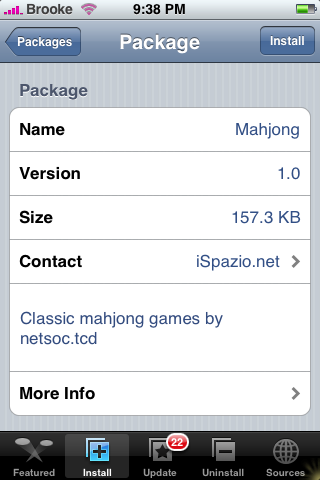
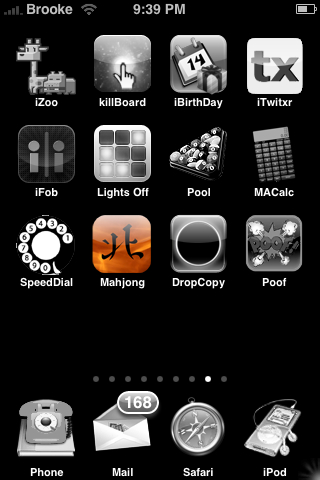
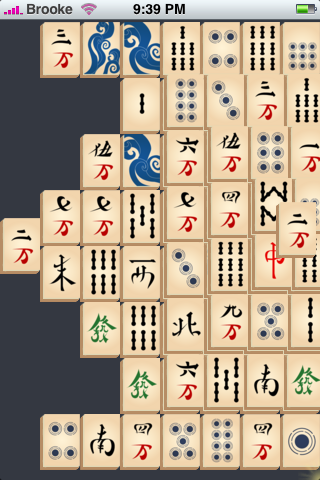
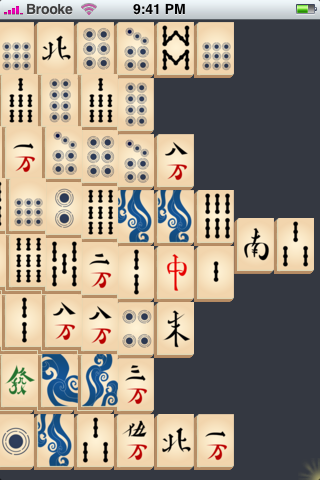
 I love Mahjong and used to play it all the time on the computer…you know, like back in the day! The app opens to the default board type (you can change the board type in the settings). The object of the game is to match all of the titles. You can only match titles if they are on top of the pile or if the tile does not have another tile to either the right or left of it. If a tile sits between two tiles on the same level, it cannot be selected. To select a tile just tap on it (which will outline the tile in blue)…then tap on the tile that matches it. If it is a match, the tiles will disappear if it is not a match, it will not let you select the tile. To get into the settings just double tap on the screen. In the settings there are four options; New Game, Return to game, Board Type and About. New game allows you to select a new game, when you select it, it will give you a pop-up asking if you would start a new game and you can select Yes or No. Return to game just bring you back to the game you were on. Board Type allows you to choose between three different board types; Default, Dragon and Square. About will bring you to a web page giving you more info about the app. Once you have selected your board type you can select New Game to get back to the play screen. When you have completed a game, by matching all the tiles, you will get a pop up that says, “I guess you solved it” and you can start a new game by tapping on, “Yeah, I guess I did.” I do find that it can be difficult to tell which tile is on top and I’m not a big fan of scrolling back and forth to see the whole play screen. But, if you select the Square board type you do not have to deal with either of those two issues! Also, when you exit and game and reopen it…it should save your game and open to where you left off. Mahjong is available through the iSpazio source. Below are the screenshots.
WARNING: This app was created for 1.1.3 and is not guaranteed to work on any other version. I am running it on 1.1.1 and it worked fine until I switched the board type to Dragon and then closed the app…now, I am not able to reopen the app even when the app is uninstalled and reinstalled! It worked perfectly when I was on the default board type, I was able to open and close it will no problem.
Update: I was able to uninstall and reinstall the app a few times (like maybe four or five times) and finally got it to work. It seems to be working normally now (on 1.1.1)…even with the Dragon board type.
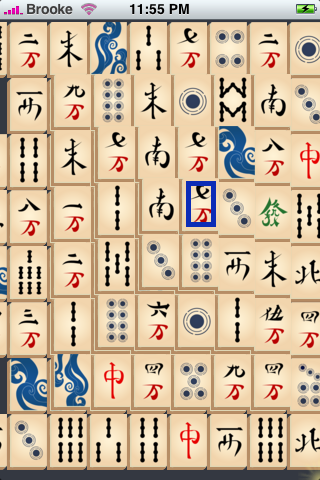
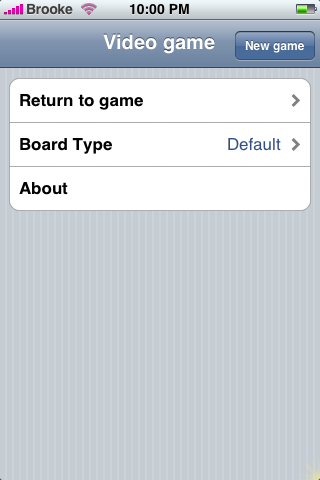


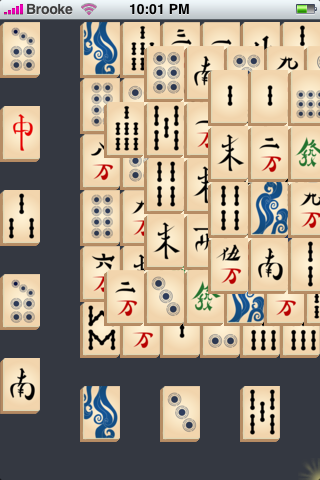


 Loading...


 Loading ...
The latest version is 0.3 which can be found here: http://www.netsoc.tcd.ie/~eoinmcl/content/mahjong.html
I LOVE this game
what a stress-reliever it can be
thaaaaaaaank you for those who developed it!!
Haha! YAY! I’m glad you like it and you can thank Eoin Mcloughlin…he is the developer.
on 1.1.2 it works like a charm. thanks a lot for filling this gap of a missing game on the iPhone!
installed the iSpazio source and have refreshed about 3 times – still cant see the app on the games categoris…. have i done something wrong???
@leonie…it will actually show up in a category called iSpazio Games in the Installer…check there!
found it… thanks Brooke , i didnt think to more further down the screen!!!!
No problem!! Glad you found it!
http://www.dnp.extra.hu/tiles.rar
Real Tiles from Kyodai Mahjongg. Just copy the content of this archive to /Applications/Mahjong.app/tiles and enjoy :)
I have updated to 2.1 and installer 4.0, tried to install mahjong but got error message “unable to decode”. Can anyone help?
Hi there! Thiss is kind of off topic but I need some help from an established blog.
Is it difficult to set up your own blog? I’m noot vrry
techincal but I can figure things out pretty quick.
I’m thinking about making my own but I’m not sure where to begin. Do yoou havve any tips
or suggestions? Appreciate it
Undeniably believe that that you said. Your favourite justification appeared to be on the internet
the simplest factor to be aware of. I say to
you, I certainly get annoyed while other people think about
worries that they just don’t recognise about. You managed to hit the nail upon the highest and also defined out the entire thing with no need side effect ,
other people could take a signal. Will probably be back
to get more. Thanks