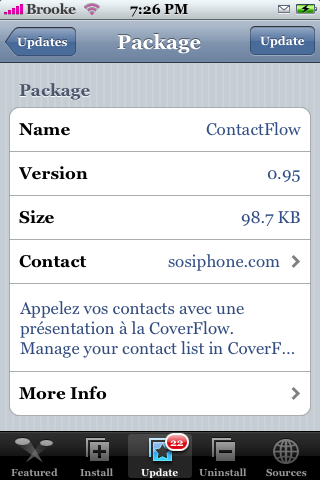
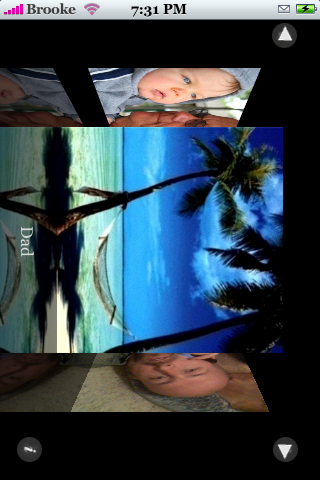
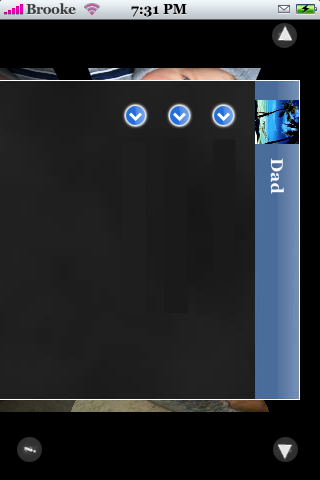
 Version 0.95 of ContactFlow makes yet some more changes to the app. When you open the app you will now notice little arrows at the top…if you tap the arrow in the upper left corner it will scroll you to the beginning of your contacts…if you tap the arrow in the upper right corner it will bring you to your last contact. Which is pretty cool…better than your finger cramping from too much scrolling!! Also, when you tap on a contact…the display page has changed once again…the design is different and arrows have been added next to each phone number/email (maybe so people know to tap on a number to call it?). I personally like the display page better in version 0.93…some one need to hack it so I can have all the features of 0.95 but the display page of 0.93…maybe I will take a look at it! Anyway!! ContactFlow is available through the SOS iPhone source and below are the screenshots of the new changes. Also, version 0.95 seems to run smoother on my 1.1.1.

 Loading...


 Loading ...
somebody can help me to find this application in installer?
add a new source :
SOS iPhone (ContactFlow): rep.sosiphone.com
will this work in 1.1.4 firmware?
I don’t know because the repo is French! If you decide to try it…let us know if it works for you.
Hi guys, works like charm in fw 1.1.4.. nice work!! Thanks!
oops.. app crashes if you opened the contact to check the number, but could not return to other contacts if you opt for another contact.. maybe there will be an update on this..
can any have a knowledge how to install software in iphone from pc only. or how to install softwre from pc, plz reply me
Like how to SSH apps into your iPhone? If so…check out THIS post.
its not working on my 1.1.3, when i open it the phond crashes and restart… How can i make it work? Help
Still not working on my 1.1.3…..none of the version has never worked ??…
Would be nice if it wasnt just in landscape mode.
Maybe a good idea for the update.
THanks
i cant get u what u say, plz reply me how to install intaller in iphone with 1.1.3 firmware. plz help me ………
where can i download a spanish package. i want to switch my dad’s iphone 1.1.4 from english to spanish..
thanks
carlos
tkank you
Worked perfect in 1.1.4 . Then, I selected to display all contacts; after that just blank images in all contacts. Tried uninstall then reinstall again, and didn`t worked !
am on 1.1.3. i had contactflow worked for a while, but it stopped working for some mysterious reason. today, i browsed through all my contacts, and realised that there was a bug in my contact list in that the photo of one of the contacts didn’t appear on the Contact Info page (but the photo will appear if I call that person!). after i cleaned up the contact list again (reassigning the photo) – contactflow works again!
I think if contactflow is not working for you, it’s most probably due to a “corrupted” contact list database in the iphone.
Did not work in version 1.14 and desbloquei permissions some suggestion
Did not work in version 1.14 any suggestion please
This application is nice but it´s striking up my iphone always I can try to open up it.. Someone can help me…..
thank you
David
can someone help me.. i have add the adress to innstaller.. but cant find this application.. any ideas ? plz..