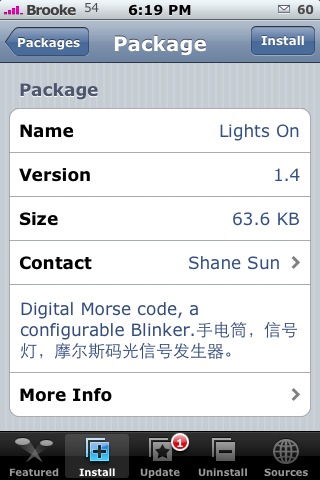
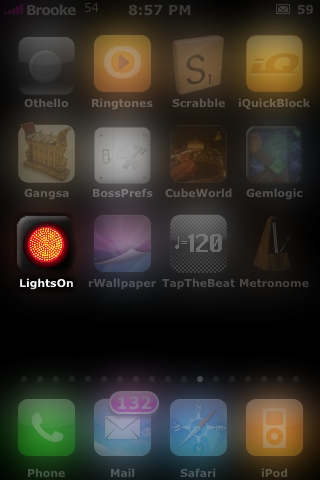
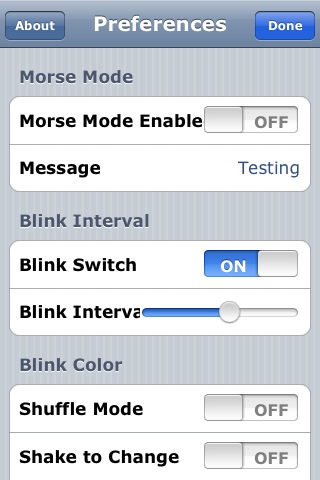
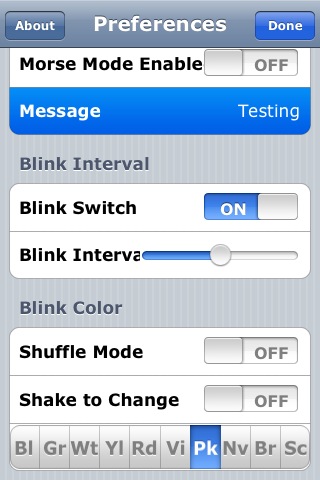
 I think this app is cool! LightsOn, when you first open it, looks similar to the Blinker app but, give the screen a tap and you will see a myriad of options!! The first options (and the coolest) is the Morse Mode option. If you turn on Morse Mode…you can then enter a word into the Message blank and it will blink that word in Morse Code. Now, I have absolutely no clue how to read Morse Code so, it could totally be blinking out, “I can’t believe you fell for that!”, and I would have no idea. So, if anyone knows Morse Code…let me know! Some of the other options include, the ability to turn the blinking off which will then just show a screen of the color you have chosen and will not blink (turns it into a flashlight! There is an app or two or three or four that are also flashlights! But, this one is soo much more!), how fast you want it to blink, whether you would like it to shuffle through the colors, whether you want to shake your iPhone to change the color or if you would like to choose a color. There are ten colors to choose from; Blue, Green, White, Yellow, Red, Violet, Pink, Teal, Orange and Scarlet. Once you have decided on your Settings…tap Done in the upper right corner and see what you have created! LightsOn is avaialable through the iPhone Cake source.



 Loading...


 Loading ...
Hey Brooke, what’s up?
Actually, morse code is very simple. take a look at http://en.wikipedia.org/wiki/Morse_code
Let’s say you need help and want to send an SOS message through this APP…
This is how it works: SOS in morse code is … – – – … (3 short beeps, in this case short blinks, wich is the “S”. Then, 3 long beeps, in this case long blinks wich is the “O”. And for finish up, more 3 short blinks for the “S” again.
In the message field, type SOS and you should get that blinking pattern. 3 short blinks, 3 long blinks and 3 short blinks… we used to cheat in high school using morse code LOL. We would tap the number of the question whe wanted the answer with the pen on the table… The teacher never caught us… hahaha. Yeah, it sounds geek, but it always worked. Literally, old school hacking I guess.. LOL.
That is terrible!! And thanks for all the great info! I’m going to try it right now!
Oh!! It sooo was Morse Code!
Dan that is hilarious man. Seriously that is so awesome lol. @ Brook, when you wrote, “I can’t believe you feel for that!” I felt really awkward. Then I realized you (hopefully) meant to say “fell” instead of “feel”.
to see if it is actually morse code type in SOS
s is 3 dots
o is 3 lines
so shortblink,shortblink,shortblink,longblink,longblink,longblink,shortblink,shortblink,shortblink
I totally checked it out and put in SOS…and it did exactly what you said…shortblink,shortblink,shortblink,longblink,longblink,longblink,shortblink,shortblink, shortblink! Very cool!
two minutes late, oh well
its so nice softwere