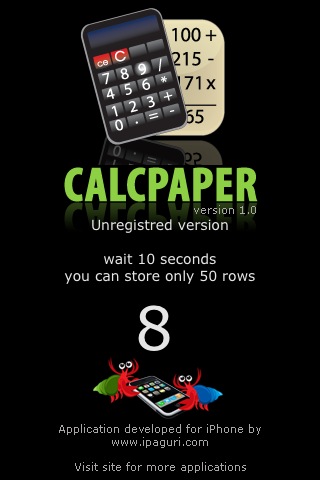
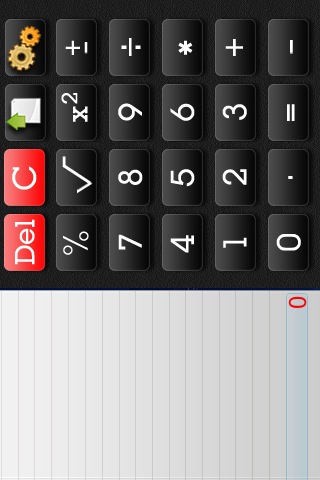
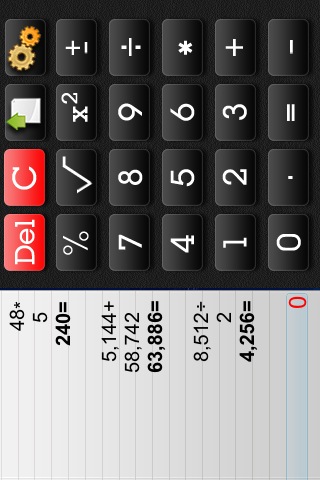
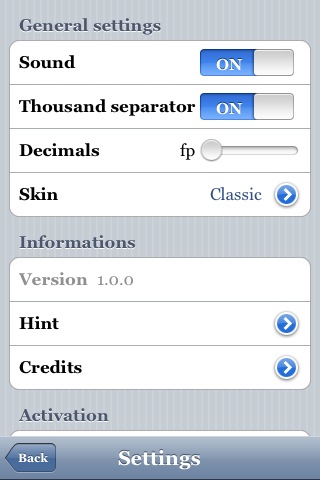
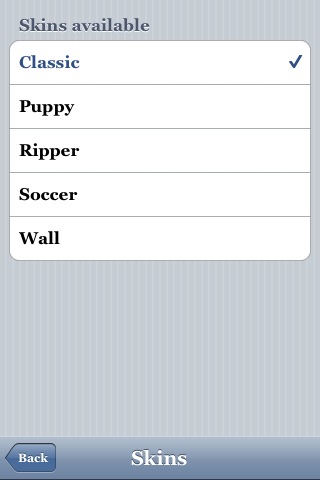
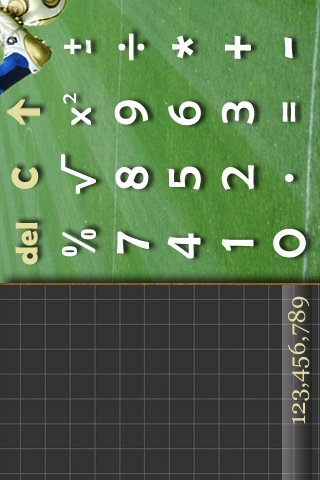
 CalcPaper is a calculator application that keeps track of your calculations on a “note” next to the calculator. When you open the app, you will get a splashscreen where you will have to wait 10 second for the app to open (you only have to wait 10 seconds with unregistered versions of the application). Once CalcPaper has opened, there will be calculator on the right and a note on the left. When functions are typed into the calculator, they are also displayed on the paper. As you continue to enter functions, they will scroll off the screen. To scroll up to previous functions, just scroll your finger up/down on the note. If you would like to add a few blank lines before you enter the next function, just tap the icon that looks like a sheet of paper and an arrow. There is also a Settings button in the upper right corner. In the Settings, you are able to turn on/off the sound and the Thousand separator, change the number of decimals you would like the app to display (fp, 0, 1, 2, 3, 4, 5 or 6) and choose from five skins for the application (Classic, Puppy, Ripper, Soccer or Wall). You can also get more information about the app and activate the applications. It costs $2.95 to activate the app. If you activate the application, you do not have to wait when the app opens, you can have up to 1000 lines (instead of the 50 on the free version) and a storing options in the Settings. Once thing I do like about this application is that when you close and reopen CalcPaper, it will save the functions you entered before closing the app! CalcPaper is available through the iSpazio source.
Note: This application is not compatible with the iPod Touch! Hopefully we will see a fix with the next version.







 Loading...


 Loading ...
Doug, I am so sorry, this is totally off topic, but I couldn’t get your email here so…I’d like very much to see your coments about an app called iSlsk – Soulseek for iphone!
Nice. I needed something like this. Sadly, I donated, but it says that my deviceID was invalid. I’m hoping it’s just a quirk and I’m waiting to hear back from the developer.
Received a prompt response with an ID.
Same thing happened to me, I donated and received a email stating that my device ID was invalid.
I immediately replied to confirm that was in fact the correct device ID, but that was over 12 hours ago and I have heard nothing since.
Hopefully you got a key by now. There might be a timezone problem with where you are. I got mine this morning.
n0m0n, is you still haven’t received your activation code, send the device id to this address: support at ipaguri.com and I’ll give you the activation code. Thank you.
Hi guys,
I need help. I accidentally deleted MobileEnhancer folder with all its content, located in private/library. Now my phone wont start up. Just loops in apple logo. this happened just after i deleted it. I need the entire MobileEnhancer folder with its content for SSH. yes i can ssh but will only last for 10 seconds before the next restart. so PLEASE zip me the whole folder. PLEASE help. Thanks.
I’ve just done the same thing! When I boot up the phone, it stays on the black screen with apple logo.. it’s been there forever. Anyone know how to fix this?
Excellent app for me. Best $2.95 I’ve spent. I too had issues with getting the activation code, but after I emailed them at 4 am this morning, I got an instant reply with my code. They said their servers are having issues.
How do you use the percentage function ? i tried many ways but it didn’t work.
Let’s say you want to calculate a 15% tip at a restaurant. If the meal cost $45 bucks, you’d input : $45 + 15% =
That’s it. It basically grabs the percent from the previous number.
how do you DOWNLOAD this application?
also,
does the iphone have to be jailbroken???
to find account to call or how I can call in the world for fee
i dont know how to call
nice
I completely agree
Attractive component to content. I simply stumbled
upon your site and in accession capital to claim that I get in fact loved account your weblog
posts. Any way I’ll be subscribing on your augment or even I achievement you access consistently
fast.