
Opera has released a version of it’s alternate web browser for the iPad. It was originally a big drama to get another browser on Apple’s iOS next to Safari but Apple eventually allowed it. Opera has been available on the iPhone for a while but now works on the iPad too. The app is pretty good over all and has some great features. Opera loads webpages on their servers and then compresses the data to load faster on your device. It’s great when you have a slow connection or you want to save bandwidth on your iPhone or iPad data plan. It also has a password storing system and multiple tab support. [Read more…]
Google Voice App Updated – Supports iPad and iPod touch
December 14, 2010 by

Today, the Google Voice application received an update. The update actually includes quite a few new features and bug fixes however, one of the cool new features is it has integrated support for both the iPad and the iPod touch.
[Read more…]
Opera Mini Web Browser Approved [Now Available]
April 12, 2010 by
 |
Available In: App Store |  |
Price: Free |
 Opera has anounced that their web browser for the iPhone has been approved by Apple and will be available in the next 24 hours. We’re already seeing it become availabe in other countries like Japan: http://itunes.apple.com/jp/app/opera-mini-web-browser/id363729560?mt=8
Once it becomes available we will have the link posted here and will update the post. Right now we think the link will be this, but so far no luck from the US App Store or iTunes: Opera is now available for download in the App Store. Here is the link – http://itunes.apple.com/app/opera-mini-web-browser/id363729560?mt=8 [Read more…]
Redo – Task List You Can Reset
January 23, 2010 by
|
Available In: App Store | |
Price: $1.99 or Free (Lite Version) |
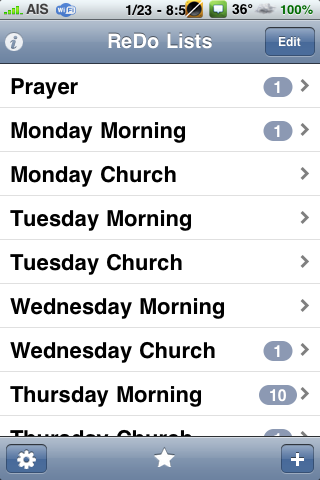
 I had been looking for a long time, when I found this app, for a task list app I could use for repeating tasks. This way I don’t have to write my list over again or uncheck every task. Once you check off everything, you tap the refresh button in the bottom left and it resets the list. You can also make more than one list. You can drag around lists to reorder them and individual items within the lists. This is a big feature for me too because if a task suddenly becomes high priority I can drag it to the top.
The icon for the app supports badges and the number represents how many tasks are left in the currently opened list as default. You can make it show only lists you favorite or all lists or none.
Overall, I like this app because of it’s simplicity. It just works. This applications is on my first page of my iPhone.

Video
SongSuggest – Song Suggestions for Worship Leaders (ON SALE $0.99)
December 28, 2009 by
|
Available In: App Store | |
Price: $0.99 |
 As my full time job I’m a Technology Manager for a church. When I saw this app I just had to write about it. I’ve been waiting to ask for a demo copy so I can do a review but I noticed that the app is on sale for $0.99 down from $5.99. The sale only goes until December 31st, 2009.
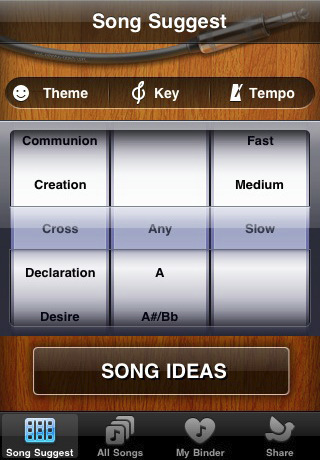
The app is a database of worship songs categorized by theme, key and tempo. The need for this app comes from the developer’s own experience. They were not iPhone app developers but needed an app that would suggest songs based on the message that was being preached. Sometimes at the end of a message, it’s good to be flexible to what the speaker is highlighting in their message. After networking with others, they released the app in the beginning of December. [Read more…]
Waveboard – Google Wave iPhone App Now Available in App Store
November 5, 2009 by

|
Available In: App Store | |
Price: $0.99 |
 We first told you about Waveboard, a very simple front end for Google Wave, a few weeks ago while it was still in review. It has now hit the App Store and is available for $0.99.
The application in itself does not have push notifications but Waveboard has been integrated into Prowl and you can get push notifications that way. For more info on setting up push notifications check out http://www.getwaveboard.com

BookReader by Readdle
October 21, 2009 by
|
Available In: App Store | |
Price: $4.99 |
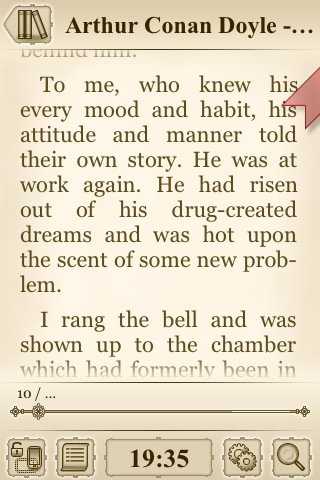
 Readdle recently releases a new application, BookReader. It is a sleek, well designed e-book reader. The app has quite a few features and nice options that make it unique.
“BookReader can open TXT, FB2, RTF, EPUB, HTML, and PDF files. You can user either WiFi or EDGE/3G network to copy the e-book to iPhone or iPod Touch. Once you connected to BookReader from any Mac OS X, Windows XP and Windows Vista computer, just drag and drop a book to save it to your device. Yes, it’s just that simple.”
Check out the Screenshots, App Store description and Press Release below for more info.
Tasker – Location Based Tasks
August 25, 2009 by

|
Available In: App Store | |
Price: $2.99 |
 Tasker is a task management application that allows you to keep track of your tasks based on when they start (or are due) and where they occur.
The thing that makes this task application a little different from the rest is that you can view your tasks by where they occur. This is helpful for those times when you are out running errands… instead of wondering what you needed to accomplish while at a specific store, you can click on the Place in the Tasker application and it will display a list of all the tasks for that store. Very cool.
The actual usability of the application is very nice. Tasks are simple and easy to set-up. You just enter a task title, select a Start/Due date and select the place where the task takes place. [Read more…]
BargainBin – Push Notifications For App Price Changes
August 10, 2009 by

|
Available In: App Store | |
Price: Free |
 You are going to love this application! It allows you to create a custom list of apps and get push notifications of price changes. So, if you have an app you’ve always wanted but would only pay $0.99 for it, just search for the app, add it to the list, and set the price. If the prices ever changes to your price, the app will send you an push notification. This also works for when apps become free. AWESOME!
Now that’s not all. This app lets you browse apps via category and sort them by recent price changes (bargin), popularity or free. For example, I went into the photography category and found all the sweet apps and added them to my list for when they become free. Now whenever they become free I’ll get a push notification. Other sweet features included app screenshots, descriptions, & a direct link to App Store. [Read more…]
Volunteer-O-Matic – Randomly Choose From a List of Names (or numbers)
July 20, 2009 by
|
Available In: App Store | |
Price: $0.99 |
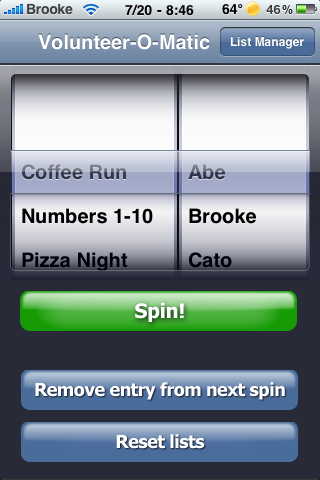
 Having a hard time deciding who’s turn it is to make the coffee run or who’s turn it is to pick up the tab or even who’s turn it is to take out the garbage? Volunteer-O-Matic is the app for you. A simple, yet handy, application that allows you to randomly choose from a list of names (or numbers).
So lets say you need to decide who’s turn it is to make the coffee run at work. Just create a “Coffee Run” list and add the names of the people in the office. Then, give it a “spin” and it will randomly choose a name from the list. [Read more…]
Remember the Milk Update – More Push Notification Options
July 13, 2009 by
|
Available In: App Store | |
Price: $4.99 |
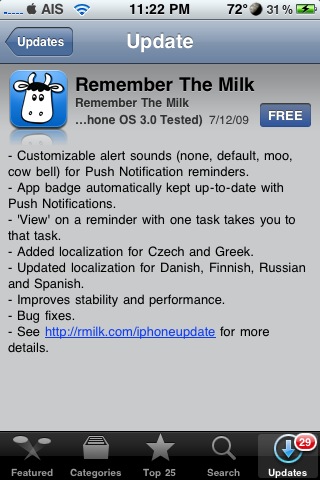
 Remember the Milk, and to-do list application, was update today to version 1.1.1 (see full change log below). The update adds some new push notification features and options! The push notification will now automatically keep your badge up-to-date allowing the badge to display either; None, Tasks Due Today or Incomplete Tasks. The update also allows you to choose between four alert sounds for your notifications; None, Default, Moo and Cow Bell. All of these options can be selected in Remember the Milk’s setting which are located in the stock Settings application on your iPhone or iPod Touch. [Read more…]
Sync in a Blink and Free your Exchange account from GoogleSync!
July 3, 2009 by

|
Available In: App Store | |
Price: $4.99 |
 I was on the bus to work when it occurred to me that I might be able to get my Exchange account back. You see, I have become very attached to Google calendar and more recently Google contacts. When GoogleSync was released, I was very excited to have the push capabilities of Calendar and Contacts. With ease, I set up and was able to push my calendar, along with my wife’s and our joint calendars. Although the initial sync of contacts was a bit frustrating (I relied on MS Outlook for a long time), I was pleased with the overall results. The one downside was the fact that GoogleSync used the Exchange Account, and the iPhone frustratingly only allows you to use one Exchange account. Thus, I was unable to link my work email to my iPhone and instead had to rely on a bookmark and a much more cumbersome web based interface. With the release of iPhone OS 3.0, CalDAV support was included, and after I read a bit more about this, the wheels started rolling. [Read more…]
Laundry Pro – Learn More About Taking Care of Your Laundry
April 20, 2009 by
|
Available In: App Store | |
Price: $0.99 |
 This application review was done by a guest writer. Tom is not a writer on AppleiPhoneSchool.com but, he a friend of Doug’s and is an appliance enthusiast! Below is his review of Laundry Pro.
Laundry Pro is app full of mysterious laundry symbols in which most people don’t even know what they they stand for! In this app, you will find out how to wash your clothes according to the directions on the care tab of your favorite garment. I find it easy to use, just look at your garment tab and tap on the symbol and you will find directions how to wash, dry, and iron. [Read more…]
Analytics – Google Analytics App
March 23, 2009 by
|
Available In: App Store | |
Price: $5.99 |
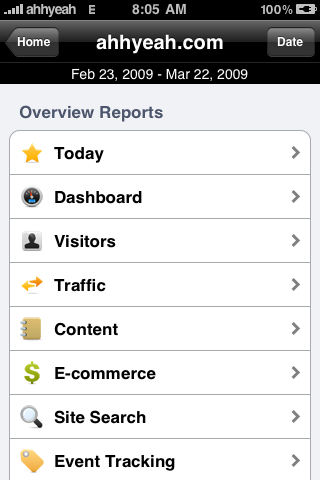
 With the new site design we’ve been tracking site statistics which got me wondering if there were any good Google Analytics apps. I’m pretty sure I’ve check before but when looking this time I found an app called “Analytics”. The screenshot previews looked good but the price was a little high at $5.99. At the time, it had 12 reviews with 4 out of 5 stars. After reading the reviews, only the first version had bad reviews. After an update to version 1.2 most reviews were 5 out of 5. Another selling point was the developer offers a refund via paypal if you’re not satisfied. [Read more…]
ListOmni – Create and Edit Lists
March 22, 2009 by
|
Available In: App Store | |
Price: $6.99 |
 If you’ve read any of my previous posts, you’ve come to know me as a person who’s very interested in being organized and a big believer in Getting Things Done. As mentioned in my recent review of Organizer, I’m a pretty Type A type of guy. Lots of usage with Outlook, GCal, Toodledo, etc. So, I was excited to give ListOmni a test run to see if it would be able to earn a coveted spot in my organization regimen.
Overview
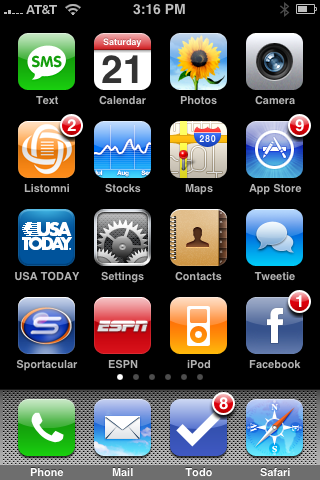
Listomni is a detailed application that allows you to create and edit numerous lists. The built-in lists include a grocery list, a to do list, a gifts list, but the program has several other lists to keep track of books, movies, cards, and more. You can create lists of your own using a generic list template, and options include backing up lists, sorting through lists, and creating budgets for lists that would benefit from such an ability.
[Read more…]


 Loading ...