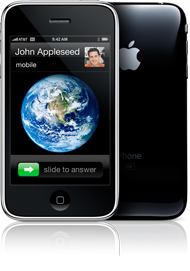
 Well, we are finally getting back into the swing of things after purchasing two new iPhone 3G’s from the local Apple store. The best part of getting a new iPhone is the unboxing…if the packaging isn’t enough to awe over, opening it and seeing your new iPhone definitely is. However, the iPhone is not the only thing that comes in that little black (or white) box. There was some speculation on what accessories would come with the iPhone 3G. Well, here is what you actually get!
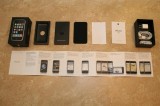
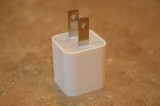
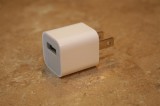
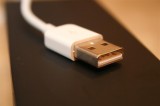
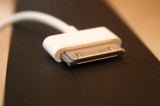
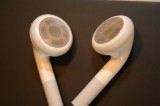
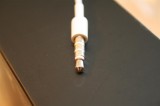
When you open the box the first thing you see is the iPhone. After that, is the black info envelope. As with the first generation iPhone, you get a Finger Tips Guide, an Information Guide, two Apple decals and a microfiber screen cleaner. I was sooo excited that they still included the screen cleaner…I never use it but it is just so cute! Below the black information envelope, you will find a pair of headphones, a power adapter and a USB cable. The power adapter is a much different shape then the first time around. It more square than rectangle and you can no longer fold the prongs into the adapter (which was a feature I actually really liked!). They also did not include a dock with the iPhone 3G. You can purchase a dock separately for $29.00. Below are a few pictures Doug took of the iPhone 3G contents.

 Loading...


 Loading ...
Grate pictures. Lol
Hey i like the new charger small and portalable. Will they sell those seperatly, and do you think they will work with the old iphone.
What!?! No dock? Why is apple becoming cheap.
I also liked the folding prongs. :(
Sucks it doesnt come with dock
yes something they shouldn’t have skimped on for sure! Nothing looks better than your iPhone standing on your dresser with the invisible shield on! :-)~
WHAT A RIP OFF!
did you get the SIM eject tool because in the apple site there’s a list of whats in the box and there’s a SIM eject tool
yeah i thought it was suppose to come with a sim eject tool, thats what steve jobs said at the keynote if i am remembering correctly.
It comes with it. It’s inside the black “folder”.
;)
Did you get two Black ones? Or one of you got a white one?
;)
both black
the dev team said white are ugly. Anyone see them in person?
i did in san francisco (of course right?!) they don’t look ‘ugly’ just kinda …. different
hey guys can you try downgrading it. see if you can manage to get it to 1.1.4
It won’t work. 1.1.4 doesn’t support 3G.
Better wait until 2.0 firmware is jailbreakable and unlockable.
You still get those same horrid headphones?
LOL apple trademark!
Hey guys, when you get a chance please review how well you think the battery is compared to 2g. Thanks
Hey Doug/Brooke you need to make a post about this as SOON as you can! Look at winpwn’s site he is trying to raise money to get the 3g iphone so 2.0 can be unlocked and jailbroken on windows. Lets help fund this!
http://winpwn.com/
i don´t understand why there is no dock in the pack? And why should i buy the 2.0 fimware for ipodtouch?
dont buy it i show you how to get it free youtube.com/tysiphonehelp :)
Guys, it would be great if you could have a little textbox topright or topleft of your website, where the status of firmware is indicated! Example:
1.1.3 = UNLOCKED!
1.1.4 = UNLOCKED!
2.0 = DO NOT UPGRADE!
It would be a fast way to tell if I can upgrade yet with my jailbroken phone :-)
Nice idea, then we would have even less reason to move away from AIS ;-)
Very annoyed that we brits are not being given the option of black or white 3g. I spoke to o2 and they said the white is being released in the UK for the Xmas market, sometime towards the end of October!!
does the 3g fit on the 2g dock???
nope, not even uncomfortably ;/
where is the sim ejector ?
Just to the right of your earphone jack on the top edge of the iphone ;-)
It was very sucky of them to remove the dock just like that… I don’t really use it myself but I know lots of people do and love it.
Also not crazy about the new adapter, I think being able to fold the prongs into it was a good idea!
Having a real bad experience with mine, and I don’t know if it’s because of my setup, or apple…
The yellow screen issue is really bugging me (Doug / Brooke – do your new screens seem yellow?) so I found a few mentions of restoring through iTunes so that it downloads a slightly new firmware version which resolves the colour issue.
I did this, and bow I get a popup saying “can’t connect to sync service” and that’s that. The phone works, but I can’t put anything on it – go contacts, music, calendars, etc.
Thanks god my old iPhone still works ok on 1.1.4
Has anyone had similar issues?
I’m now going to try reinstalling it all from scratch to see if that helps
update: after a complete uninstall and reinstall the problem seems to be fixed… screen is still more yellow than the original phone though – and yellow when compared to my PC monitor as well…
I didn’t check the website before I upgraded and now I lost all my unlocked features…..This sucks!!! Please hurry with the 2.0 version of winpwn.
that sim ejector tool is completely hidden. Not that i really need it, but I would have had no idea it was there. Looks kind of like a miniature tuning fork and is actually attached to the folder. http://blogs.oreilly.com/digitalmedia/SimExtractorTool.png
the stupid headphones weren’t updated, I’ve been pissed ever since the 2G headphones came out; stupid things are ugy >_<
I found that the earphones that come with a Blackberry worked very well with my 2G iPhone (they fit in the recess perfectly) – and sound better when you’re making phone calls (you don’t hear your voice booming inside your head as though you’ve stuck your fingers in your ears) – fortunately no-one at work was using their blackberry earphones…
hmm how can i downgread to 1.1.4? i cant and don´t know why
Hey Doug or Brooke, can you please help me out….I was wondering if you guys know how to customize the calendar with different colors. I saw it all over the 2.0 upgrade page in Apple.com but Im not sure how to do it. I am currently on 2.0 firmware and I do not have the 3g iphone. Thanx for your time and hope to hear from you soon……