 |
Available In: App Store |  |
Price: Free |
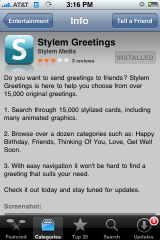
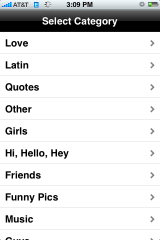
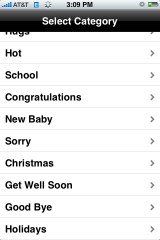
 Stylem is an application that allows you to send custom greetings via email. When you open the application, you will get the main page. Here you will seen three categories on the lower menu bar; Popular, Recent and Categories. The app defaults to the Popular category. If you select the Categories option you will get quite a few options such as; Love, Friends, Happy Birthday, Thinking Of You, Congratulations….etc. Once you select a category it will bring you back to the main screen as it loads the available images for that category. It is a little slow on Edge but if you have 3G or are on WiFi most of the time…it is no problem. You can scroll through the available images by using the arrows buttons. The Home button will bring you back to the first page of the images.
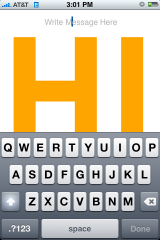
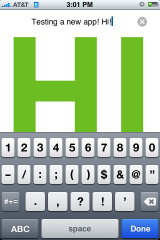
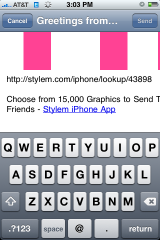
Once you select an image that you would like to send, you are able to enter a message. To start typing your message just tap on Write Message Here. Once you are finished writing your message you can tap on the screen. Now you can select the Send button. This will open your image in an email. The subject of the email is a default message that says, “Greetings from the Stylem iPhone App.” You can delete that and change it to your own custom message if you would like. The app also adds another default message at the bottom of the screen that says, “Choose from 15,000 Graphics to Send To Your Friends – Stylem iPhone App.” You can also choose to delete that before you send your message as well. It is a little annoying that they add there own message at the end of the email but that is normal when sending greetings via email.
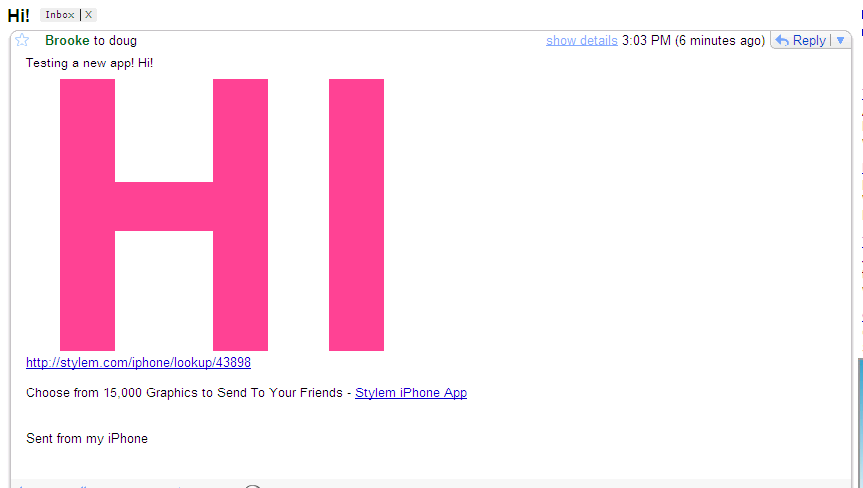
When you receive an image in your email, it will display your custom message and the image. It also has a link to the image just in case your email doesn’t allow images. This app is an easy way to send friends and family messages. It seems to have a decent amount of images to choose from…both animated and still images and it works well. You definitely will want to check it out!
Click here to download Stylem via the App Store.



 Loading...


 Loading ...
this app is pretty cool & has tons of still & animated images.
It looks nice! Gotta try out:)
Nice but I dont like the link at the bottom…
Yeah, me either. Though, if you use any sort of online card company…they always add a link to the bottom!
how do you delete the reply from the one you sent greeting to in Sms message
hi, have you find a way to cancel replies ?? I didn’t !!
click on the message icon within the app. then click the trash can. It gives you the option to delete the message or the replies.
What happened to this app? I can’t find it in the app store. I used to love this app and need to redownload it. Help!