woot! 1.0 5 Icon Dock is Back!

WinPwn 2.5

August 30, 2008 by Douglas  
Categories: jailbreak, unlock, winpwn
Tags: , , , ,

119 Comments
17,020 views

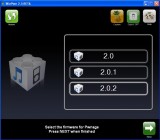
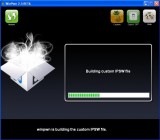
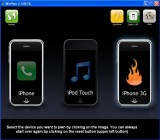
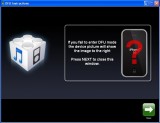
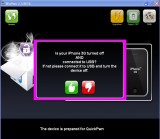
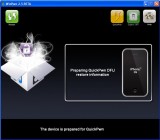
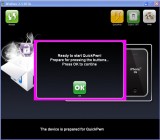
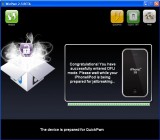
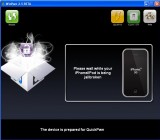
WinPwn 2.5 is finally here! This is a very nice jailbreak application. I just upgraded to iPhone firmware 2.0.2 and jailbroke my iPhone 3G using the QuickPwn part of WinPwn 2.5. You can jailbreak the iPod Touch and both the 1st Gen iPhone and the iPhone 3G all on firmwares 2.0, 2.0.1 and 2.0.2. You can also unlock the 1st Gen iPhone but not the iPhone 3G.

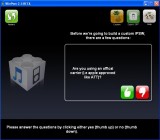
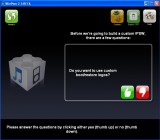
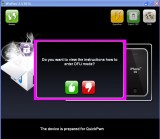
Again, I used the QuickPwn part of WinPwn because I can’t unlock my iPhone 3G and didn’t want to restore. To switch WinPwn 2.5 into QuickPwn Mode just click the Custom icon at the top and it will switch to QuickPwn mode. The steps are really easy and the big difference with this version is WinPwn is it’s design and usability. If you’ve been afraid to jailbreak your iPhone or iPod Touch because it looks too hard, it’s now become even easier.

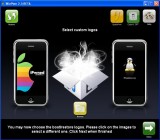
From what I could tell, I did not have the option to install the Installer app in QuickPwn mode. I restarted the app and looked through everything and still didn’t see it. However, you can add Installer by making a custom firmware in the Custom mode.
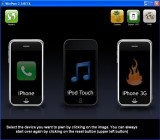
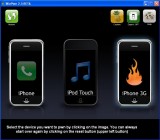
Download WinPwn 2.5 here.

Similar Articles:

WinPwn 2.0 Video (3306 views)

Rejailbroke Using WinPwn 1.0 – Step-by-Step Instructions (4001 views)

QuickPwn GUI for 2.0.2 Firmware (6409 views)

More WinPwn 2.5 Previews (966 views)

QuickPwn – A “New” Beta Jailbreak Method for Windows Users (2225 views)

Comments

119 Responses to “WinPwn 2.5”

  1. DMG on August 30th, 2008 1:34 pm:

    i did it. Jump from 1.1.3 to 2.0.2 with zero problem. Perfect

    [Reply]

    Igor on August 30th, 2008 2:12 pm:

    Me too,excellent

  2. mastuul on August 30th, 2008 1:39 pm:

    I read in some earlier posts that some people don’t like to sync their phone after updating, jailbreaking,and unlocking because it puts the bugs that were fixed right back on there. To avoid that (and the long wait to sync your music), what do I need to copy with openssh? I know how to use openssh, but I’m not very experienced with it. Can you help?

    [Reply]

  3. Cody on August 30th, 2008 1:43 pm:

    are they going to come out with this for mac?

    [Reply]

    benjo on August 30th, 2008 2:40 pm:

    mac users already have a pwnage tool that does the same thing. The dev team has just released quickpwn for the mac also

    Phil, Washington DC on August 30th, 2008 3:51 pm:

    I have downloaded the Pwnage tool several times but can’t seem to pull up the new custom firmware to JB 2.0.2. What am I doing wrong. Can anyone help with this?

  4. Scott on August 30th, 2008 1:45 pm:

    I used Winpwn 2.5 on my Gen.1 phone yesterday and it worked perfectly. The UI is great and it makes pwning easier than ever before!! For anyone that has been afraid to jailbreak before, this is the answer. I used the expert mode to prevent Installer from being added to the custom firmware. Great job CMW and the Dev team…

    [Reply]

  5. geowarrior on August 30th, 2008 1:57 pm:

    does the winpwn’d version of 2.0.2 update the 3G baseband?

    [Reply]

    aalanakw on August 30th, 2008 2:49 pm:

    no, it has the option not to!

  6. drgothmog on August 30th, 2008 2:38 pm:

    If I used ziphone on my ipod touch for v1.1.4….can I use this to jailbread to 2.0.x ? or do i have to wait for a new ziphone release ?

    [Reply]

    raceluver on August 30th, 2008 3:47 pm:

    yes you can use the tool and u need not wait for ziphone. Winpwn will pwn your ipod and upgrade to 2.0.2

  7. drgothmog on August 30th, 2008 2:53 pm:

    so…no way to undo the ziphone mods and start with this from scratch ?

    [Reply]

    bluebell27 on August 30th, 2008 5:48 pm:

    You can use it . I used ziphone to when i had 1.1.4 and to jailbreak. And when i updated to 2.0.2 i used Winpwn. No Worries:)

  8. chavez on August 30th, 2008 2:59 pm:

    yup worked for me too. Went from 1.1.4(jailbroken+unlock with ziphone) to 2.0.2(jailbroken+unlock with winpwn) in ~30mins using expert mode. It erased all my photos I took with the phone, all previously installed programs, music, videos just to let you know. I’m satisfied with the program. There are some parts that is a bit scary because of the long wait & not sure if the phone was frozen. Recommed everyone to give it a try.

    [Reply]

  9. D&J Dev Team on August 30th, 2008 3:19 pm:

    Pwnage Tool 2.0.3 has been out for a week!

    [Reply]

    Phil, Washington DC on August 30th, 2008 4:00 pm:

    I have been trying to download the pwnage custom firmware to do the jailbreak on the 2.0.2 but the pwnage tool would pull up the new version. What I am sound wrong? Thanks.

    D&J Dev Team on August 30th, 2008 5:05 pm:

    Are you on Windows or Mac?

  10. Chrozer on August 30th, 2008 4:16 pm:

    Can I use winpwn 2.5 to update my jailbroken 2.01 iphone 3g to 2.02 without having to reinstall any 3rd party apps?

    [Reply]

    D&J Dev Team on August 30th, 2008 5:05 pm:

    You can open SSH all of your third party apps on to your computer, then upgrade with itunes and WinPwn Open SSH the apps back onto your iPhone, and your good to go. You will lose all themes!

    mastuul on August 30th, 2008 6:49 pm:

    Can you SSH your preferences, music, etc. from your phone to computer and back as well?

    D&J Dev Team on August 30th, 2008 8:12 pm:

    Yes you can keep music and preferences. First you want to back up your iPhone or iPod in iTunes, all of your regular preferences will be saved and then after you restore it with the Custom 2.0.2 firmware you can select restore from Back Up- Your Name Here’s iPhone. I can not assure you that any third party preferences will be save.

    mastuul on August 31st, 2008 1:17 am:

    i asked b/c I’ve read that people feel restoring your preferences from your backup after updating puts the bugs that were “fixed” by the update right back on your phone. Is that possible, or are people being paranoid? In addition, it takes so long to sync the music files (if you have a lot) after doing a restore on iTunes. Isn’t it possible to avoid that by OpenSSHing those files to your cpu and then back to the phone after restoring?

    D&J Dev Team on August 31st, 2008 9:23 am:

    mastuul,

    I have not expierneced any bugs putting preferences back on my iPhone, you would be able to openSSH music on and off of your device. But those files are protected and might not play if you don’t sync them through iTunes

  11. NycPhatDude on August 30th, 2008 4:36 pm:

    I am on 1.1.4 and unlocked with ziphone. i want to upgrade to 2.0.2 and unlcok it. will winpwn 2.5 unlock and jailbreak my phone? how long does this process take.?

    [Reply]

    bonedpoop69 on August 30th, 2008 6:04 pm:

    yes, it will unlock and jailbreak your phone and on expert mode everything from creating my own custom restore to restoring took about 30 min

    D&J Dev Team on August 30th, 2008 8:15 pm:

    Yes, as long as its not 3G.

  12. oliver on August 30th, 2008 7:33 pm:

    hey guys..i have a 1st gen iphone 2.0.2 jailbroken with quickpwn…but idk if its unlocked how do i kno?…and i want to do the jailbreak/unlock process again wit winpwn 2.5 to unlock it (if its not unlocked) and to get the custom logos but i dont wanna do it bcus i dont want my apps to b deleted from cydia etc….any suggestions

    [Reply]

    D&J Dev Team on August 30th, 2008 9:27 pm:

    You can open SSH the apps on to your computer then back on to your device, If you have the iPhone 3G it is not unlocked. If you have the first gen iPhone and have Pwned it before you are unlocked.

  13. NycPhatDude on August 30th, 2008 10:30 pm:

    i final question,
    is it worth upgrading and unlocking 2.0.2 or should i stay on 1.4. what firmware is better.

    [Reply]

    ema on August 30th, 2008 11:27 pm:

    man 2.0x is the best update now i have 100+ appstore they arew so good!

    Scott on August 30th, 2008 11:57 pm:

    I think it is probably worth upgrading. I stayed with 1.1.4 for a while but noticed that Installer and Cydia updates were almost nonexistent. I think the developers have turned their attention to 2.0x and have forgotten about 1.1.4. On a Gen.1 phone it’s hard to tell the difference between .01 and .02. I’m using .02 now but I don’t see any real difference. If you decide to upgrade don’t bother with Installer when you build your custom ipsw. It’s pretty much useless. Cydia is the bad boy of packagers now. Good Luck!!!

  14. Chrozer on August 30th, 2008 10:40 pm:

    What folder is the third party apps located in so I can Open SSH?

    [Reply]

  15. D&J Dev Team on August 30th, 2008 10:44 pm:

    They are located in Applications, You kind of have to hand pick them.

    [Reply]

  16. D&J Dev Team on August 30th, 2008 10:48 pm:

    NYCPhatDude,

    I would upgrade and unlock just to get the Apple App Store, wait a week because apparently in a few weeks iTunes 8.0 is coming out along with new software and a revamp of the whole iPod line.

    [Reply]

    toNYc311 on August 31st, 2008 7:54 am:

    I have an iPhone 3G and have FW2.0.2. Seems more like 2.0.2 was some sort of secret 3G fix from Apple along with “bug fixed”. I actually still have my 1st gen iPhone with FW1.1.4 still running%2

    toNYc311 on August 31st, 2008 8:00 am:

    dang that cut a third of my post off! I’m typing from my iPhone so I’m not typing all THAT again LOL. To sum it up. 1.1.4 runs faster than 2.0.x. It seems one big problem I have is respringing. It takes FOREVER now because of all the icons on the home screen from AppStore/Cydia. This wasn’t a problem on 1.1.4. Plus we had the Categories App on 1.1.4 to help ease the clutter of Installer Apps icons on the home screen. I hope they port Categories. We NEED IT NOW more than ever!

    Scott on August 31st, 2008 10:33 pm:

    Hey Tony, check out sleepers.net. Big Boss is hard at work on Catagories for 2.x. I can’t wait for its return…..

  17. Rod on August 30th, 2008 11:08 pm:

    I used the new WinPwn 2.5 to jailbreak and unlock my iphone but I could not get it to work. Every time I got close to completing the IPSW file the software would crash and just close without building anything or going to the next step. I tried building the IPSW file several times using the software and I could not get it to work. I then went back to WinPwn 2.0.0.4 to jailbreak and unlock my iphone and it work perfect. Does anyone know why this would happen or have any idea what could cause WinPwn 2.5 to crash and not complete the process?

    Thanks

    [Reply]

    DMG on August 30th, 2008 11:31 pm:

    try to use expert mode.

    mastuul on August 31st, 2008 1:27 am:

    BigBoss tells how to fix that in the Winpwn 2.5 guide on sleepers.net. You need to change the partition size to 700mb using expert mode.

  18. Mike Zappa on August 30th, 2008 11:21 pm:

    Im on 1.1.4 FW. If i use this method, will I lose all my contacts?

    [Reply]

    Scott on August 31st, 2008 12:00 am:

    Go to sleepers.net and read Big Boss’s tutorial on the subject…

  19. ema on August 30th, 2008 11:27 pm:

    will you make a video?

    [Reply]

  20. Tony on August 31st, 2008 2:54 am:

    I like WinPwn2.5 much better that the QuickPwnGUI, Auto Nueter, Auto Youtube fix, GUI very nice….A++

    [Reply]

  21. WinPwn 2.5-Beta 1 | Vingerhogle.com on August 31st, 2008 3:00 am:

    [...] Automatic updater – Support for WinXP and Vista 32/64bit. Download it here! For more images check AppleiPhoneSchool.com addthis_url = ‘http%3A%2F%2Fwww.vingerhogle.com%2F89%2Fwinpwn-25-beta-1′; addthis_title = [...]

  22. Chubby on August 31st, 2008 5:43 am:

    hi,
    i’m new to this jailbreak, but i followed big boss’ guide on his website and when i tried running the quickpwngui and the winpwn2.5 for firmware 2.0.2 it showed a error message saying the application failed to initialize properly.
    Anyone got any tips i’d really apprecite it.

    [Reply]

  23. Chubby on August 31st, 2008 5:48 am:

    hi,
    i’m new to jailbreaking and everytime i try using quickpwngui and winpwn2.5 to jailbreak firmware 2.0.2 on iphone 3g a error message pops up saying the application failed to initialize,
    Anyone got any tips i’d really appreciate it.

    [Reply]

    D&J Dev Team on August 31st, 2008 9:31 am:

    I would say that the easy way to do it is upgrade to the regular 2.0.2 firmware, if you have not already done so. Then use QuickPwn to put Cydia and Installer on without having to restore, or if that is not working I would download it again. I am on a Mac but there might be some custom boot loader you need to install for it to work.

  24. Jadeye on August 31st, 2008 10:11 am:

    i still do not see any benefit upgrading my 1st gen 2.0.1 to 2.0.2. although it does have update for the 3G signal, but that does not matter for me, as i have a 1st gen. i guess, it does not make any sense upgrading at this time. just when 2.1 comes out.

    or could anyone tell any benefit you might have in this case with 2.0.2 on a 1st gen?

    [Reply]

  25. Chubby on August 31st, 2008 11:04 am:

    sorry, what i meant was once i’ve downloaded the quickpwn/winpwn and the unmodified 2.0.2 firmware, and for quickpwn i have got the folder ready and for winpwn i have the icon, once i click the icon the error message ‘the apllication failed to iitialize properly’ pops up on the computer and it won’t let me open the quickpwn/winpwn. Could you let me know if this is more likely to be my computer (some software shortage) or something wrong in my method. Thanks

    [Reply]

    D&J Dev Team on August 31st, 2008 1:20 pm:

    First, What operating system are you on?(Windows Xp, Vista, 98….)
    And I think you may want to re-download WinPwn or QuickPwn from a different source.

  26. Chubby on August 31st, 2008 11:25 am:

    the error code is (0xc0000135), if that helps. Thanks

    [Reply]

    D&J Dev Team on August 31st, 2008 12:20 pm:

    Use QuickPwn

    D&J Dev Team on August 31st, 2008 1:23 pm:

    Your Error code is related to a hiccup that happened in the System Folder of WinPwn while downloading, it is a problem that windows caused but if you re-download it should be fixed, try using Fire Fox.

    Chubby on September 1st, 2008 6:39 am:

    Thanks Mate

  27. bill on August 31st, 2008 11:57 am:

    will this add INSTALLER AND CYDIA automatically?

    [Reply]

    D&J Dev Team on August 31st, 2008 12:20 pm:

    Yes it will!

    Scott on August 31st, 2008 1:45 pm:

    If you use the expert mode you can choose to install one or both. I don’t see any point in adding Installer since it is just about useless at this point. I used to be a big fan of Installer but Cydia is now the bad boy of packagers!!

  28. Synt4x on August 31st, 2008 12:16 pm:

    I was using a 1.1.4 2G iPhone, unlocked using iLiberty+. Pwned, jailbroke and unlocked with zero problems, on the first try.

    Excelent app!

    [Reply]

  29. swiss on August 31st, 2008 12:31 pm:

    Hello
    i have a problem well
    i upgraded my iphone to 2.0.2 with itunes 7.7 i wanted to unlck it with winpwn 2.5
    it didn’t work a message came with ( could not find BL-39.bin)
    can you help mee

    [Reply]

    nick on September 7th, 2008 9:07 am:

    just click activate when you are jailbreaking and then go to cidya and install bootnuder

  30. ASH on August 31st, 2008 2:06 pm:

    I have the original Iphone that I recently bought and unlocked with Winpwn 2.4 that gave me the 2.0.1 software but i want the 2.0.2 software.

    What I want to know is if I use Winpwn 2.5 will I lose all my files likes pictures, contacts, texts and apps?

    [Reply]

    Scott on August 31st, 2008 3:36 pm:

    Update to 2.0.2 using iTunes. After update use Winpwn 2.5 to pwn your phone. If you are not sure how to do this use the Big Boss guide at sleepers.net. After you have restored your phone in iTunes using your custom ipsw, just sync your phone with iTunes. All your pics.,music, contacts and so forth will be restored……

    D&J Dev Team on August 31st, 2008 3:38 pm:

    You will lose all third party apps unless you back them up using OpenSSH, if you back up your iPhone in iTunes you won’t lose anything.

  31. andy on August 31st, 2008 2:52 pm:

    i choose unlock and activate options in the winpwn, and come to the step where winpwn told me to use itune to restore with the custom ispw. I tried both renamed the custom ispw and put it in iphone software folder or just leave nothing changed. Still after restore, my iphone is not activated or unlocked. Could anybody give me some hints?

    [Reply]

  32. Ben on August 31st, 2008 3:28 pm:

    Ok, I have an unlocked and jailbroken original iPhone (not 3g) on 1.1.4. I want to keep my phone unlocked (i don’t want it to be jailbroken) while upgrading to version 2.0.2, without losing any of the contacts stored on my iphone. Is using winpwn the best way to do this or is Ziphone. And can someone please give me step by step instructions (if possible) on how to do this.

    Your help is appreciated

    [Reply]

    Scott on August 31st, 2008 8:08 pm:

    First, forget Ziphone….remember that Google is your friend. Google Winpwn 2.5 guide and there will be several to choose from. Good luck!!!

  33. Bobby on August 31st, 2008 3:56 pm:

    Hi,
    i’ve downloaded winpwn 2.5 and then installed it but its not displaying properly why is this im using windows xp pro. can any one help.
    Cheers

    [Reply]

  34. Darwin lacey on August 31st, 2008 5:10 pm:

    I have just quick pawned my 2.02 and all great but my iTunes now doesn’t recognise my iPhone and says invalid responce ???

    Anyone know how to fix this?

    [Reply]

    Darwin on August 31st, 2008 6:46 pm:

    Well….. I decided to just go into recover mode and reinstall from scratch, not working till 12 tomorrow so I can sync everything back by the time I leave for work at least!

    Kinda gets annoying having to log into all my apps again like facebook, but I am a master at this now I have done it so many times.

    No idea what the problem was. I tried it on my gf’s pc and got the same error message.

    I cant be the only one who gets this error!

    If you do let us know here!

    Love the site and podcasts btw :)

  35. Tony on August 31st, 2008 7:06 pm:

    Custom boot logo problems: Winpwn limit is 100kb. My file is only 78kb but when I tried to use it Winpwn tells me it over 400kb and cant accept it. Anyone else with this problem ? Please help.

    [Reply]

  36. makos on August 31st, 2008 7:43 pm:

    Perhaps a dumb question. When going through winpwn wizard it asks if u want ur phone activated. Do I want to “activate” if my phone is already activated on 1.1.4? Having bricked the phone upgrading to 1.1.4, I’m not looking forward to doing it again! Thanks

    [Reply]

  37. D&J Dev Team on August 31st, 2008 9:33 pm:

    Makos,

    Yes, I believe you would want to re activate considering it has been restored.

    [Reply]

  38. Justin on August 31st, 2008 9:57 pm:

    Should I update to the latest firmware through iTunes BEFORE using WinPwn?

    [Reply]

    Scott on August 31st, 2008 10:26 pm:

    Yes you should Justin………

    Justin on August 31st, 2008 10:28 pm:

    Thanks mate.

  39. Enio Face on September 1st, 2008 12:16 am:

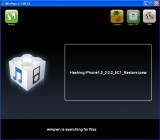
    Ok, im not so good with Win Pwn, so I have no clue what im doing, I have the new 3g iphone and I have installed the software, but I keep getting a message saying: Could not find Iphone1,2_2.0.2_5C1_Restore.ipsw! Do you want to search for the file?
    I have no clue what file it wants or where to get it from, can someone help me out please.

    [Reply]

    Scott on September 1st, 2008 1:40 am:

    You need to update to 2.0.2 through iTunes before you use Winpwn. After updating the restore ipsw will be available for Winpwn to find on your computer……..

    Mike on September 2nd, 2008 5:08 pm:

    I got the same error. I have updated my 3G iPhone to the 2.0.2 firmware through iTunes. I am running Windows from my E drive instead of my C drive, so I’m not sure if that makes a difference or not.

  40. Sherwin on September 1st, 2008 12:19 am:

    Question, I’m on a 2G 1.1.4 unlocked with Ziphone. I have downloaded the 2.0.2 FW. Should I click update or restore to 2.0.2FW in iTunes prior to using WinPwn 2.5?

    [Reply]

    Scott on September 1st, 2008 1:36 am:

    Click on update Sherwin….

  41. Dondesign on September 1st, 2008 1:19 am:

    Great work…easy to use, thx guys.

    [Reply]

  42. Sherwin on September 1st, 2008 1:51 am:

    Thanks Scott!

    After updating, the latest firmware would be the same FW used by winPWN to create a custom one? Afterwhich, should use this to restore via iTunes? Do i understand it correctly?

    [Reply]

    Scott on September 1st, 2008 2:01 am:

    After 2.5 has built your custom ipsw and pwned your phone, open iTunes. A box will pop-up in iTunes saying that it has found a phone that needs to be restored. It is very important that you hold down the shift key on your computer keyboard and click restore in iTunes while holding the “shift” key. Another box will pop-up and you will click on “custom” ipsw file. At this point iTunes will restore your phone using the custom file that Winpwn has created. After your phone is restored in iTunes, (this will take a few minutes) you will then restore from the back-up of your phone in iTunes. Last but not least you will need to sync your phone to restore your contacts, pictures. etc. Good Luck !!

  43. john on September 1st, 2008 2:04 am:

    hye there guys,i just wondering if im on super sim,should i remove my sim or just upgrade it with the sim inside?

    [Reply]

  44. Sherwin on September 1st, 2008 2:45 am:

    Thank you very much Scott! really appreciate it. Just one final question if you don’t mind. I haven’t tried backing up my contacts, settings and pictures. I’m on 1.1.4. How can i do this? Can this be possible before updating to 2.0.2?

    So after updating to 2.0.2, I expect it to be locked again. I just run winpwn 2.5, let it pwn my iphone, create a custom ipsw, then restore in itunes. assuming i was able to back up my contacts, all i need is restore from my backup right?

    [Reply]

    Scott on September 2nd, 2008 4:01 pm:

    Sherwin,

    That is correct. Are you on AT@T? If so, and you intend to stay with them, there is no need to unlock. If you are using a non-contract carrier then of course you will need to unlock. When you update to 2.0.2 iTunes will automatically back- up your files.

  45. A on September 1st, 2008 4:37 am:

    Hi

    I am on 2.0 jailbroken 2g. Should I upgrade to 2.0.2 through Itunes before jailbreaking using winpwn 2.5 or thats not required?
    What if I cannot jailbreak 2.0.2….how can I come back to 2.0?

    [Reply]

    D&J Dev Team on September 1st, 2008 9:21 am:

    Yes,

    You should upgrade to latest version of software before Pwning it.

  46. Jeff on September 1st, 2008 5:51 am:

    This works great!! even newbs can get to unlock and jailbreak his iphone! Just simply follow EVERY INSTRUCTION to avoid problems! thanks devteam!

    [Reply]

  47. WinPwn 2.5 ya online | Zumo de Iphone on September 1st, 2008 9:58 am:

    [...] Más detalles en AppleiPhoneSchool. [...]

  48. Andy on September 1st, 2008 11:01 am:

    The latest winpwn 2.5.0.2 is out !!! Check it out !!!

    [Reply]

  49. Dale on September 1st, 2008 12:49 pm:

    i pwned using the most current version of winpwn. i am a legit at&t customer. after i pwned and restored my contacts and settings, itunes will not snap out of the “restore from back up or set up new iphone” screen. my phone works fine but itunes won’t snap out of that screen. my itunes works fine other wise. any suggestions or anyone having the same issue?

    [Reply]

    George on September 2nd, 2008 12:52 pm:

    I have the same problem exactly. I think if you choose setup as new phone you will lose everything. Anyone know what to do for this?

    Scott on September 2nd, 2008 4:05 pm:

    I had the same problem Dale and I rebooted my computer and when I opened iTunes it had came back to the sync screen.. may or may not work for you…..

    Dale on September 2nd, 2008 11:28 pm:

    Thanks anyway…

  50. isedo on September 1st, 2008 1:09 pm:

    does the iphone 2.0.2 works fine with iPhone PC Suite ?? OR NOT ?

    [Reply]

  51. NycPhatDude on September 1st, 2008 5:00 pm:

    what do they mean by reboot itunes 7.7??

    [Reply]

    D&J Dev Team on September 1st, 2008 5:41 pm:

    Close It Then open it again…

  52. Enio Face on September 1st, 2008 7:00 pm:

    Ok, cool so I got the software but now I feel like a bigger dummy, so I go through the process and end the end it says restore my iphone using I tunes, so I go to I tunes and restore and nothing shows up on my phone, theres no cydia or installer. please help.

    [Reply]

    Scott on September 1st, 2008 7:41 pm:

    You have to hold down the “shift” key on your computer and then click restore in iTunes. A box will pop-up and you will find where you saved your custom ipsw. Click on the custom ipsw and iTunes will start restoring with this file. It will contain Cydia etc…….

  53. Enio Face on September 1st, 2008 9:24 pm:

    Cool, I appreciate all your help. Thank you

    [Reply]

  54. Jeremy on September 2nd, 2008 8:58 pm:

    why is my phone goi g so slow after pwngui? Some apps crash but the speed is awful.

    [Reply]

  55. scott clay on September 6th, 2008 12:50 am:

    hi i loaded winpwn 2.5 and i love the way it works but i have 1 problem when i try to use my phone i cannot use it only on incoming calss can u help me i trie both expert and normal still not working but everything els works great.

    [Reply]

  56. isedo on September 6th, 2008 5:21 am:

    ———-PLZ HELP ME——–

    i want to upgrade from 1.1.4 i heared that is so easy ,,but
    what is the best way to back up my 1.1.4 info since itunez is not 100%% safe @@
    is there any other method ??

    [Reply]

  57. bsquair on September 6th, 2008 12:17 pm:

    HELP! I have downloaded all the ness items for the jailbreak 1gen iphone..have everything on desktop itunes says upgraded to 7.7 and 2.0.2. BUT….I have yet to see the screen for the browser firmware on my desk top or located anywhere.? What the heck? I also get iphone could not be restored error of 1621. I have read everything on this site for three days and can’t go any further. HELP!! Please!

    [Reply]

  58. bsquair on September 6th, 2008 12:18 pm:

    OH! Also I am trying it with winpwn 2.5.

    [Reply]

  59. bsquair on September 6th, 2008 12:20 pm:

    And…sorry….anytime I click on the desktop icons it takes me to itunes. I’m so confused and frustrated!!

    [Reply]

    Scott on September 6th, 2008 4:52 pm:

    bsquair,

    The best way to understand Winpwn 2.5 is to “google” Winpwn 2.5 guide. There will be several guides available. I recommend the one by Big Boss or Iclarified. Both are good. Make certain that you have 7.7 and that you upgraded your phone to 2.0.2 through iTunes. Then open Winpwn and follow one of the guides and you shouldn’t have any problems. If you use expert mode make sure that you set your partition at 700mb. Let me know how it works out.

  60. Jammy on September 8th, 2008 1:52 am:

    Hi, I have just winpwned my 1st Gen iPhone. I have upgraded the FW to 2.0.2. Everything is working great except for the EDGE service. Previously in my 1.1.4 the EDGE was working fine. Now the EDGE sign is there but I am not able to open any web pages or get anything in the installer or app store. This message shows up everytime “Could not activate cellular data network”. I tried searching for the EDGE in Settings–>General–>Network–>
    I require to enter the APN name, but there’s no option anywhere. Please help me out with this. Isn’t there an option “Settings –> General –> Network –> EDGE ” like the one we had in 1.1.4 and lower??? Please revert back my mail id is jammy(dot)maisnam(at)gmail(dot)com. Thanx……..

    [Reply]

    Jammy on September 9th, 2008 2:05 am:

    Can anyone help me pls!!!

  61. yeroc on September 12th, 2008 6:25 pm:

    Jus used winpwn 2.5 and jailbroke my iphone and upgraded it from 1.1.4 to 2.0.1 with no problem and i never done this b4 so its real easy!!!

    [Reply]

  62. Didi on October 3rd, 2008 1:28 am:

    I have iphone 3G with V 2.0.2 unlocked with Gevey 3-g Turbosim. Can I use Winpwn 2.5 Beta and Jailbreak my phone and aldo can it be unlocked fully so that I do not have to use a Turbosim ???

    [Reply]

  63. Vaselinemind on October 18th, 2008 10:31 pm:

    i bought my iphone sim cardless and unlocked. I first Jailbroke it with the pwnage program off my firends mac. The phone worked fine as an ipod and connected through wifi and the cydia and insaller programs all worked fine. As i began to add new songs from my dell, i accidentally hit update and restore. Realizing that this would take my recently jailbroken applications off, i, like a fool, panicked. i ripped the usb out and the phone went into recovery mode, not allowing me to access any programs or even get into the home screen. Thus locking me out! i have been tirelessly trying the winpwn 2.5 program to jailbreak my phone and get back into the home screen for accessing my pics, vid, music,..etc… The only headway i can make is quickpwning it, but my phone freezes on my custom boot logo screen. can anyone explain to me why this is happening. i have also tried to pwn it in expert and custom modes with no different results.

    [Reply]

  64. Vaselinemind on October 18th, 2008 10:32 pm:

    oh its a 3g 2.1.2 btw…

    [Reply]

  65. Daniel on November 7th, 2008 12:45 pm:

    Hi first of all I want to say thanks for all your hard work in making this possible. I hacked my first generation Iphone when it came out I loved it but wanted the apps… So I upgraded to app store in the hopes that I could customize my Iphone. Summerboard changes etc. Never happened. I found the Win Pwn 2.5 but I am not sure how you download it do I have to pay for it? or… Just click basic user and when the count down ends it will download?

    Thanks!

    [Reply]

  66. Jhagi on November 26th, 2008 3:12 am:

    I have an iphone that runs on 1.1.3 firmware, unlocked and like to upgrade to 2.1. However, I do not have legal SIM. Should I need to update with itunes 7.7 before I try winpwn 2.5? Can I upgrade my firmware using itunes without a legal sim inside it? Please advice.

    [Reply]

  67. Maximus on February 11th, 2009 10:30 am:

    Hi guys,

    I have jailbroken my iPhone 3G, with winpwn – 2.5 and my current firmware is 2.00 (the oldest iPhone 3G firmware).

    I want to upgrade to firmware 2.2.1, but I am not sure how to do this, without changing my 3G baseband.

    In other words, how do I update the iphone without ruining its jailbroken status?

    Thanks guys.

    [Reply]

  68. Mama on April 18th, 2009 11:02 pm:

    I have a 3G with FW 2.2 (5G77) modem 2.30. I used to use AT&T. Now no more. Now my question is how can I use this phone with T-Mobile sim card? I don’t want to use Turbo or Reble sim. Because those does not work. Any help lots of thanks.

    [Reply]

Please leave a comment below...
and if you want a pic to show with your comment, go get a gravatar!


woot! 1.0 5 Icon Dock is Back!