 |
Available In: Cydia |  |
Price: Free |
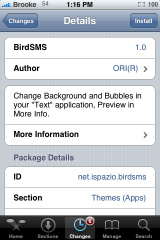
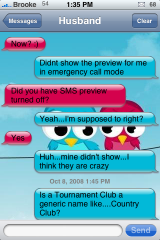
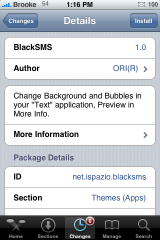
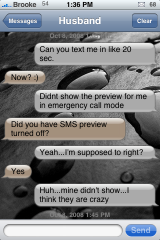
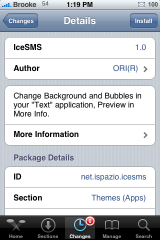
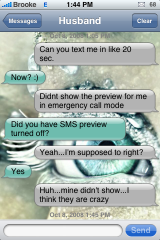
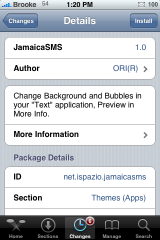
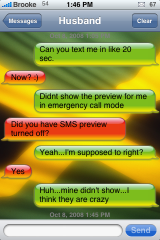
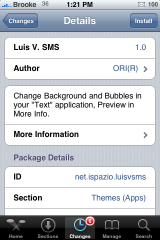
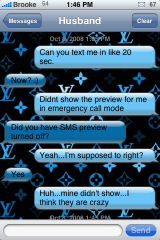
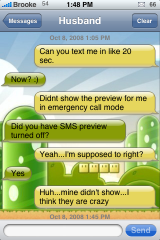
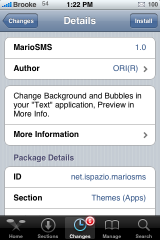
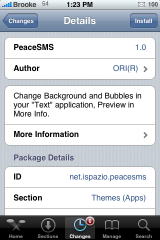
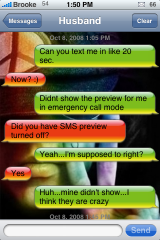
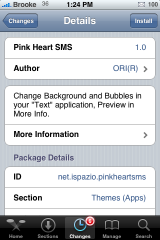
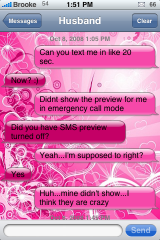
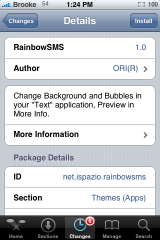
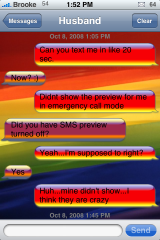
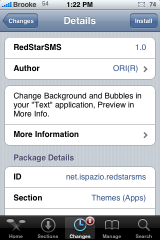
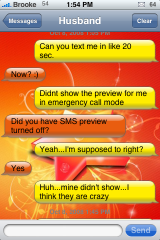
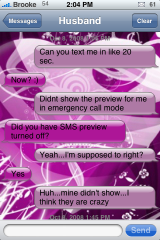
 Yesterday iSpazio added a ton of SMS mods in Cydia. So, I spent some time (ok, WAY too much time) installing and taking screenshots of them all. Until now there were only a few SMS bubble mods but, now there are quite a few you can choose from. So, take a look below and see if there are any you like.
Also, if for some reason you like the SMS bubble colors but you do not like the wallpaper, you can easily change the wallpaper via SSH. The SMS mods folders are located in the – /Library/Themes folder. Once you are in the Themes folder, you can find the folder with the title of the SMS mod (ex; BirdSMS) and select it. Inside the BirdSMS folder there will be an SMSBackground.png. You can then replace that file with the wallpaper you would like to have instead. Just make sure the file is spelled and capitalized exactly the same as SMSBackground.png.
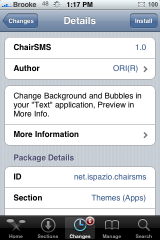
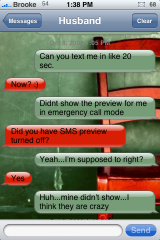
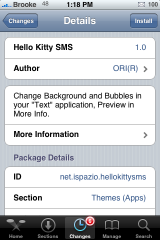
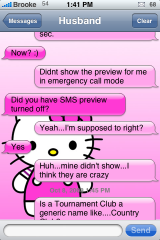


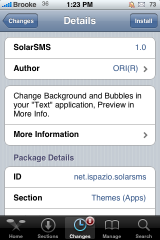
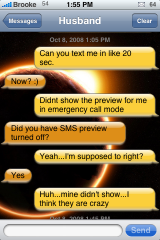
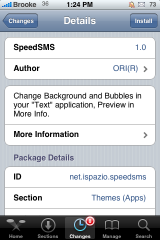
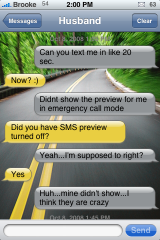

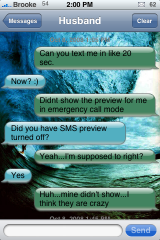
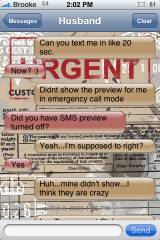

 Loading...


 Loading ...
I only tried one of these when they first came out (one of the Mario ones), and I’m not sure if the others have this issue… When I got an SMS with a link in it, the border around the bubble was black, but only for that single text.
Otherwise, I really like the looks of some of them. Thanks for getting screenshots of them all in 1 place!
Yes, all of them have this issue. Any sms bubble with a link in it will have the black or gray background. I don’t know if it’s the arrow that appears next to the bubble or something else. I want to know how to fix it!
The Mario ones look pretty good (be it I’m probably biased growing up with Mario), but the others are just WAY too busy. The colors are cool, but I think the backgrounds need to be less of an eye soar. When I’m reading my texts, I don’t want to be constantly distracted by the background. Something more subtle or even faded out some would be a lot better.
Nice to have options, though.
if you really want the background to be more subtle you can SSH into the /Library/Themes/”SMS theme” and extract the background image, darken it in photoshop or any other photo editing program, and SSH it right back into the same place…just a suggestion.
Finally more than red and blue available lol
Does this SMS Mod apply to BiteSMS application as well?
No…
i noticed the same thing.
after installing speedsms, it didnt make any changes to my bitesms sms backgrounds
:(
Thanks for this Brooke
We are going to update them to support biteSMS too. Also take a look of “DockFlow” i think you will like it :)
It is actually on my list! :)
thanks.I’m looking forward to see this updates on BiteSMS..waiting for your good news..
I really love the evolution of customizations for the iPhone! I’m so glad I found this site!
Question my cydia isn’t showing any of the sms mods and I’ve looked everywhere for them can someone post a step by step guide from the Cydia home screen on how to find them!?!?!?!? I’d greatly appreciate it
These don’t work for me… I disabled everything in Winterboard and they still didn’t work… until I disabled Intelliscreen… Its’ the weirdest thing. With Intelliscreen enabled, they don’t work, when I disable it, they work… Anyone else have this problem?
Too busy for me…
I can’t find it ! Is it really in cydia? Oo
Please…Please help me!!!! I am trying to change the winterboard in Cydia but, I can not find it! I really want to change the colors or theme of my Sms chat ballons.
If anybody is out there with any advise please email me back!!!!!!
Please…Please help me!!!! I am trying to Find the winterboard in Cydia but, I can not find it! I really want to change the colors or theme of my Sms chat ballons.
If anybody is out there with any advise please email me back!!!!!!
i can’t get these to work at all
i can’t get these to work at all, they never show up on me phone!
It doesn’t work for firmware 3.0?
These show up in my winterboard and i can check them but nothing happens. I have iphone 3g and OS 3.0
any advice???
how i can change wallpaper for 3G S ???
Hello,
I have been trying to change my SMS background & the balloons via winterboard & ssh. Nothing seems to be working…. Is there a certain update I am missing?? Need Help!! FYI I did manage to change my notes background.
Meme problemes, quelqu’un aurait une solution ?
installed BlackSMS, and it’s working. Well, kinda… when you view in portrait mode, everything is cool, but as soon as you turn the phone and try to view SMS conversations in landscape mode, the background picture only covers half of the screen, other half stays white (original iPhone background).
how do you get this app?
or where do you find it?.. i entered it into search and nothing showed up
what is cydia?
Cydia is a Jailbreak
LOVE LOVE LOVE!!!! THANKS YOUR YHR BEST!!!!!1
my name is Karen, London is capital of great britain
You very very veru nice and cute
I can’t find these in cydia. :( They don’t come up. HOW SAD!!!!
Here is what you do for iphone 4 users, go to cydia search sms balloons colors(instal it) once you have done that go to var/stash/themes find the balloon colors drag them to a folder on your computer, once you figure out what color(s) you want go to goodle and search online image resizer when you resize the image make the new deminsions 86×64 and be sure to make the output file .png, save the images in a different folder for easiest management, once you have done that name the outgoing message color Balloon_1@2x~iphone and the incoming message color Balloon_2@2x~iphone now that that is over go to system/library/privateframeworks/chatkit scroll down and find the files with the same names (hint: save the ones already there this is a “backup” in case you want to get the original green back) once you have them saved delete them from iphone and put the new Balloon_#@2x~iphone images there, respring and tada!!! beautiful!
Hi I’ve downloaded a theme and put it on top of the list in the winterboard option but i still have the grey background while reading an sms why?
im new so i dont understand like any of this! lol. so how do i get cydia???
kso can you change the bubble color on the IPOD TOUCH?
they should give us a color wheel to choose!
Hi I was having trouble with this every time I try to use it as a theme I was not able to use it can you help me?