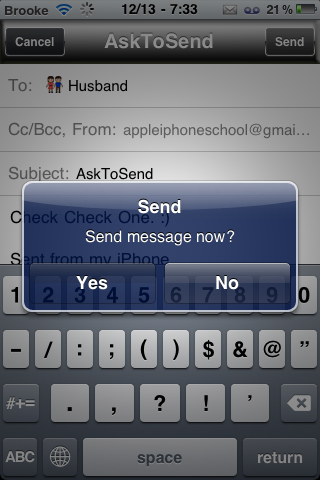
AskToSend is a little hack that adds a pop-up message when sending SMS and email messages confirming that you would like to send the message. A simple little hack that requires a confirmation every time a message is sent. The pop-up allows you to choose Send or Cancel. Selecting Cancel will bring you back to the message you were about to send. When installed, this app does not add an icon to your SpringBoard but it does add a few settings into the Settings application. In the settings you can choose to turn on/off the confirmation pop-up for Messages or Mail. It also allows you to turn on a “Confirm no subject” setting for Mail. When I tested the app… it worked exactly like I expected it to. Personally, I’m not sure I would want to confirm my messages every single time I sent one but… it might be just what you are looking for! You can get AskToSend via the BigBoss source.
[Read more…]
ChatPic – Add Contact’s Photo to SMS Messages

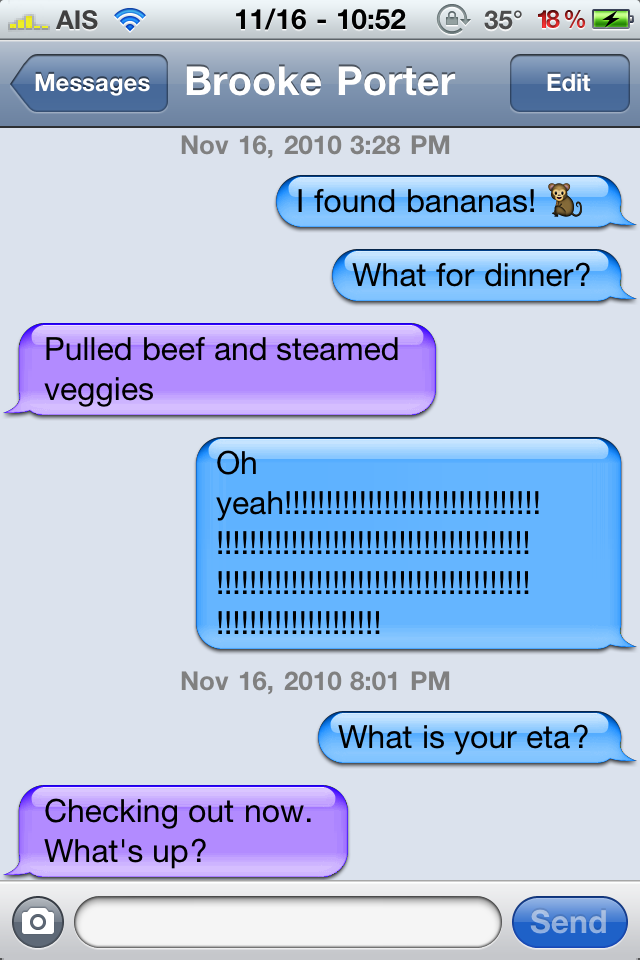
ChatPic is a mod that adds a photo next to SMS messages. The photo is pulled from the person’s contact info in your iPhone. It’s super simple… the mod is activated automatically when you install it in Cydia. There is no icon or settings. To deactivate the mod, you would need to uninstall it in Cydia (or use SBSettings Mobile Substrate Addon feature). Paired with the Sync feature in Facebook… a totally cool mod. I think it’s worth the $0.99 price tag. It does requires iOS 4.+. You can get ChatPic via the BigBoss source. Check out the screenshots below.
[Read more…]
LockInfo – Feature Packed Lockscreen Mod

 |
Available In: Cydia |  |
Price: 14 day trial then $4.99 |
 LockInfo, by David Ashman, is a seriously sweet mod that allows you to add information to your lockscreen such as; weather information, upcoming calendar events, missed calls, missed text messages and new emails.
Once installed, you can find LockInfo in your stock Settings application. The application is extrememly customizable and has some pretty cool features.
[Read more…]


SpotSMS Update – Copy/Paste Ability, Contact Recognition Improved, More Info About SMS

|
Available In: Cydia | |
Price: Free |
 SpotSMS, a mod allows the stock Spotlight Search to search within your SMS (and MMS) messages, received an update not too long ago however, the newest update to version 0.3, really polishes the mod. Below are a few of the new features and a full change log. [Read more…]

 AT&T is gearing up for the launch MMS that is scheduled to happen in three days (September 25th). They have started sending a text message (screenshot below) to customers that informs them of the date in which MMS will be available and that while they prepare for the launch, they will be turning off the “view my message” experience.

Popup Blocker – Control the Popups on Your iPhone or iPod touch

|
Available In: Cydia | |
Price: $0.99 |
Popup Blocker is an application that allows you to control just about every popup that you could get on an iPhone and/or iPod touch.
Once installed, you can get to the app in your stock Settings application. Here you have the options to enable/disable the application, Block Away Items, turn on/off Wake On Alert (this turns on your screen when you receive an alert) and set Alerts. [Read more…]
Apple Releases Firmware 3.0.1
 Today, Apple released firmware 3.0.1. The firmware was released in order to fix the SMS bug that leaves all iPhones vulnerable to attack. Like with all firmware upgrades, you will want to hold off on upgrading if you currently have a jailbroke iPhone or iPod Touch. The Dev-Team hasn’t released any info about a new jailbreak but, we will keep our eyes open for any info from them. Below is info from Apple about the new firmware. [Read more…]
iPhone SMS Bug Released Today – Leaves all iPhones Vulnerable to Attack
 According to Forbes, today two researchers Charlie Miller and Collin Mulliner plan on releasing a bug in the iPhone SMS during the Black Hat cybersecurity conference in Las Vegas. The bug is said to allow a person to take over an iPhone via SMS.
“Using a flaw they’ve found in the iPhone’s handling of text messages, the researchers say they’ll demonstrate how to send a series of mostly invisible SMS bursts that can give a hacker complete power over any of the smart phone’s functions. That includes dialing the phone, visiting Web sites, turning on the device’s camera and microphone and, most importantly, sending more text messages to further propagate a mass-gadget hijacking.” [Read more…]
SMS Balloon Colors
|
Available In: Cydia | |
Price: Free |
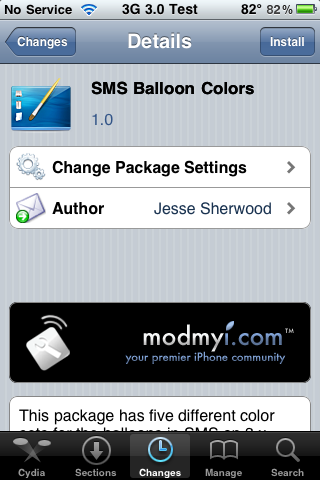
SMS Balloon Colors is an application that will add five SMS balloon themes into WinterBoard. The five color schemes include; Blue & Gray, Lite Blue & Lite Pink, Orange & Yellow, Pink & Purple and Red & Brown. Below are screenshots of each of the color schemes. Remember, if you would like to use this in conjunction with a theme, you might have to move it above the theme in WinterBoard. You can get SMS Balloon Colors via the modmyi source. [Read more…]


 Loading ...