 |
Available In: Cydia |  |
Price: Free |
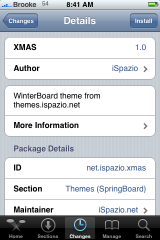
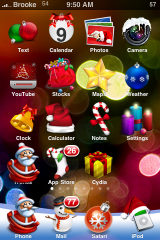
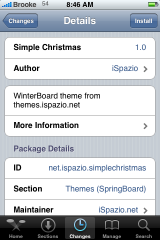
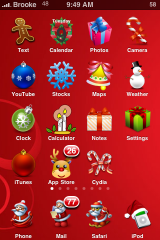
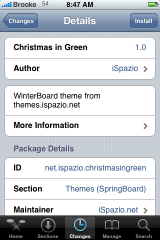
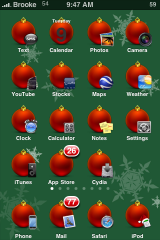
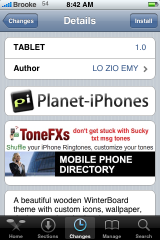
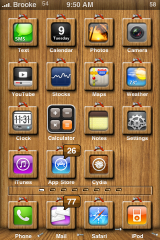
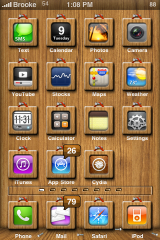
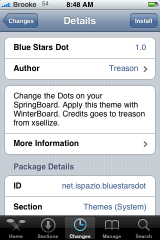
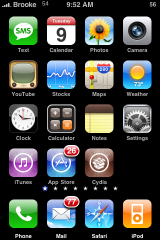
 We are getting closer to Christmas (16 more days) and to get into the Holiday spirit, we are seeing more Christmas themes in Cydia! Today, there were a few worth mentioning. These are actually not new themes, they were available last Christmas, but they have been updated and added to Cydia for this Christmas! The three Christmas themes are; XMAS, Simple Christmas and Christmas in Green (all via iSpazio). There are a few other mods available is Cydia as well; TABLET a themes via BigBoss and Blue Stars Dot a SpringBoard dot mod via iSpazio. The only issue is that in the TABLET theme the Calculator icon is spelled incorrectly in the package therefore it doesn’t change the icon for the theme. But, if you are comfortable with SSH you can easily go into Library/Themes/TABLET.theme/Icons folder and change the Calcolator.png to say Calculator.png. All the screenshots are below.
Screenshots:

 Loading...


 Loading ...
You know, everyone keeps making these “themed” themes like Xmas, a sports team, etc., but none of them actually put any work into it. The replacement icon for SMS should have something to do with SMS, whether it be Santa with a bubble or something like that. What does a gingerbreadman have anything to do with texting? You should be able to just take a quick glance at the icon and know what you’re clicking, not have to actually stop to read the title underneath.
I have been making a few themes for me and my friends, and although it takes a little longer, I think it makes a big difference.
If you want, you can send your themes to themes@appleiphoneschool.com and can do a post about them. It is up to whether you want to share them or not.
Hmmm, maybe. I have never submitted any of them for download. We’ll see. :)
my 2.1 first gen iphone is sooooo slow lately and i am not sure why this is happening. Would it be because of Winterboard and themes etc? I click on the sms app icon and it takes about 30 seconds before the screen is visible for me to start to txt. It also takes about 20 sec of long delays when typing a message before it then catches up with itself!! Please – any suggestions you may have I am ready to try. I hate waiting for apps to open!!!
My iPhone was (almost) as slow as yours seems to be. Same firmware, and I wondered the same thing.. I tried deactivating winterboard stuff and uninstalling some apps.. but it only improved the situation slightly. In the end I backed everything important up via ssh and did a total reset/upgrade to 2.2. I’m running a few winterboard mods now and it’s fast as **** so far :)
I’m really hoping it’s the 2.2 firmware thats doing it, and that it wont “degenerate” with time.. :S