 A few days ago (yes, I’m behind on email!) we got a nice tip from Joe that Hotmail on the iPhone was now available in the US. Well, I did a little testing today and he is right!! About three weeks ago, I wrote about the ability to get Hotmail on your iPhone in select countries. In that article I mentioned that they were going to make POP3 technology available for other countries as the year progresses…well, it seems they have done just that!
I was able to easily set-up my Hotmail account on my iPhone using the steps below (provided by mattyb123)
All you have to do is:
– Open the Settings app
– Go to Mail, Contacts, Calendars
– Tap ‘Add Account’
– Choose ‘Other’ for the account type
– Type your name, email and password.
– Tap ‘Save’ (step added by Brooke)
– Tap ‘Next’
– Close Settings and open up Mail
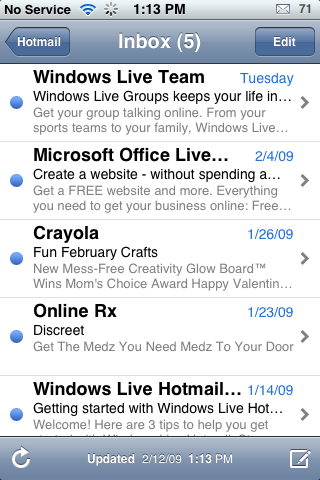
– Refresh your mail and it will show your messages.
After typing the info and then tapping next, it told me that I needed a Windows Live Mail Plus account to use my account in Mail. I don’t have a Plus account but it still works.

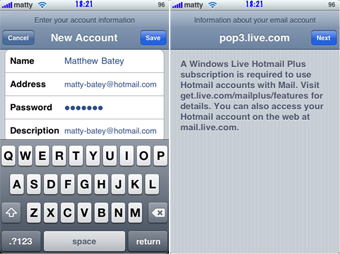
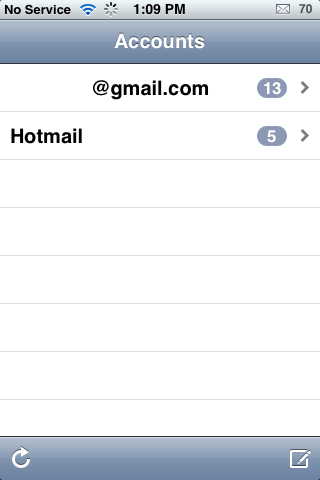
When I went back into my stock Mail application, after completing the steps above, my Hotmail account was there! It was simple and easy…I did not have to change any port settings. If you are having problems…you will want to check out Microsoft’s blog entry about rolling out POP3 for more info. But, for me, it went really smoothly.

 Loading...


 Loading ...
Cool the US now has this ability, I love using Hotmail in Mail :) Glad my tutorial has come in handy.
wish it comes 2 india soon
On Brazil works too!!!
Typical Microsoft. Rolling out POP3 when the world is using IMAP. Pathetic!
not in Mexico u.u
In Mexico it will work i just tested and it work`s great good luck to you all
Works in UK fine, but does not list other folders other than in box…..
John
Patience must be the order of the day. Not all hotmail accounts working — yet :)
I just tried this in Canada and it works here :) this is great!!!
i live in toronto/canada and hotmail DOES NOT work for me for some stupid reason. its making me really angry and disappointed because hotmail is all i use.
any help from anyone????
you may need a hotmail plus account? i am not sure why it isnt working for you. it depends on when you’ve had your email address since i think…go to the hotmail site…and check out if there are any more details there.
Working in Canada as well. Thnx for the heads up.
Worked well for me, except only my “inbox” is showing, none of my custom folders, junk, deleted, etc. are… And all of my e-mails in the inbox are marked as being unread even though in hotmail on my desktop only some of them are unread.
this works fine for me
but i am not seeing my folders that i have on the hotmail account
any help?
Doesnt work in the Bahamas :(
France, too !!
I dont get why anyone even uses a spam infested email provider like hotmail anyways
They really do suck, spam filter is the worst ive ever seen, filters the good but not the bad…..rant, rant, rant.
germany too
Thanks mattyb123.
Hurry I can finally you the mail app.
It worked for me, I’m in Mexico City
Wow finally microsoft joined us in the 21st century I was using izzy mail for my hotmail but they want to charge me after a certain amount of mail so I got a gmail account (I traded one devil for another)! Im coming back bill all is forgiven !
So it will work with a free hotmail account? Cause this is the biggest downer.
I for one HATE hotmail, but working for AT&T, I have hundreds of customers who use it, but couldn’t get mail… now they can!
GREAT STUFF!
I can see my mail an everything
but i cannot see my other folders
any help please??
working in Honduras too
no junk mail or other folders, only sent, trash and inbox… any solution at the moment?
this is actually the best thing i ever saw
Why is it ALL the messages in my inbox loaded as unread? Also, I only have the Inbox.
This doesn’t really seem like it was ‘added’, just patched.
This is the best. I tried it in Curacao. And it works. iphone rocks
Any suggestions on the addional folder to be accesesed from my iPhone?
Definitely, what a splendid website and educative posts, I will bookmark your website.All the Best!